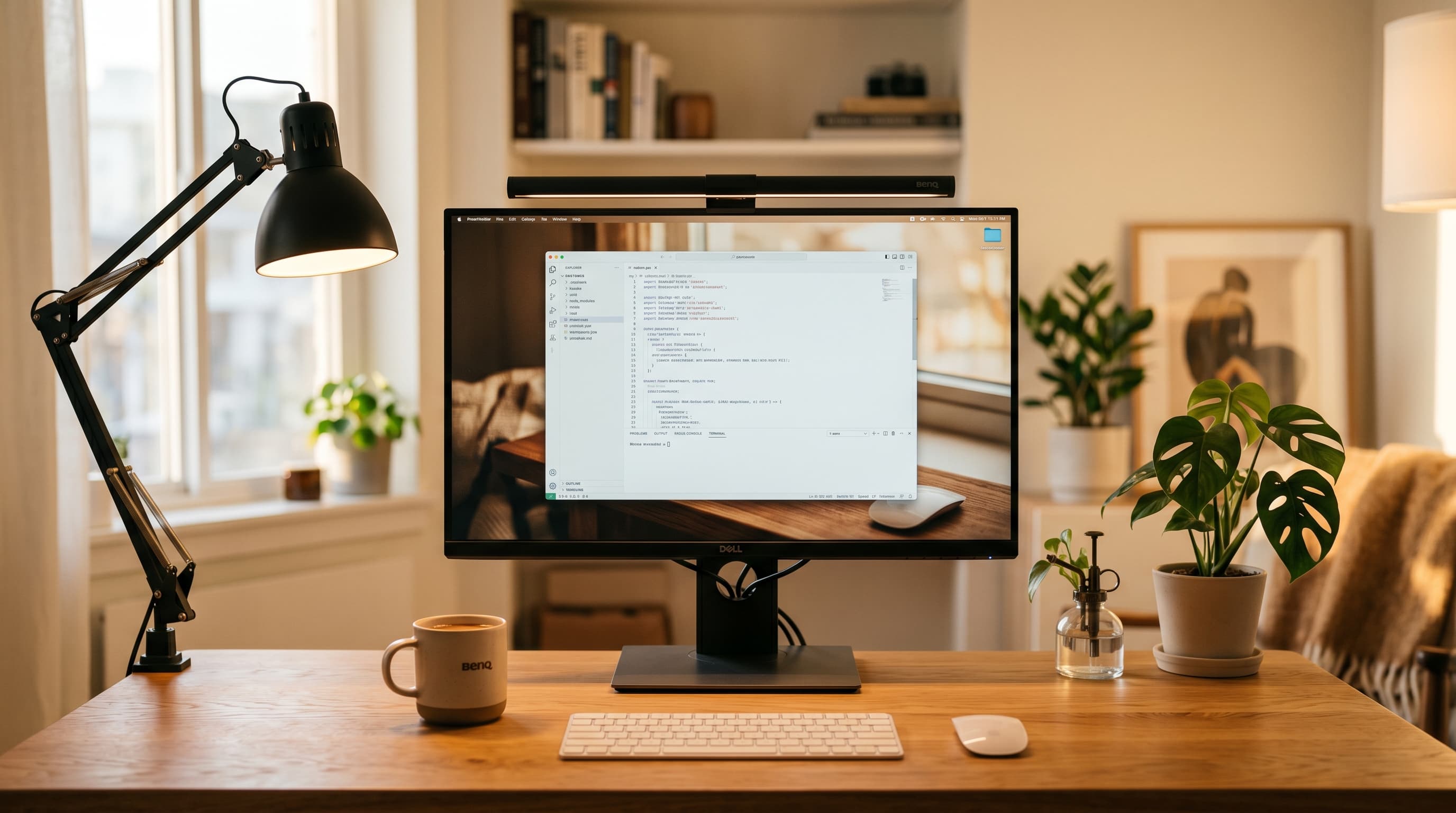
Most desk lamp guides pick a winner and call it done. That's not how home office lighting actually works.
There are two distinct problems a desk lamp needs to solve in a home office — and the lamp that's best for one is often mediocre at the other. The BenQ ScreenBar Plus is the finest task light on this list. It would look terrible on a video call. The Elgato Key Light Air is the best lamp for video calls. It's overkill if you just want to see your keyboard at night.
This guide separates those two use cases and picks the best lamp for each.
TL;DR: The BenQ ScreenBar Plus ($129) is the best desk lamp for reducing eye strain — zero desk footprint, no screen glare, wireless dial control. For video calls, the Elgato Key Light Air ($99) produces noticeably better on-camera appearance than any traditional lamp. Budget pick: TaoTronics TT-DL13 (~$36) covers basic task lighting reliably. According to the American Optometric Association, 69% of adults report digital eye strain symptoms — the right lamp cuts that significantly.
Why Most Home Office Lighting Guides Get It Wrong
The American Optometric Association reports that 69% of adults experience symptoms of digital eye strain — including dry eyes, headaches, and blurred vision — after extended screen use (American Optometric Association, Digital Eye Strain Report). A 2023 NielsenIQ study found that U.S. adults now average 10.5 hours per day of screen time, up from 7.5 hours in 2019 (NielsenIQ, 2023). Poor lighting is one of the most correctable contributors to that strain, yet most guides recommend the same generic "high-CRI LED" advice regardless of how you actually use your desk.
The real divide is this: task lighting and video call lighting have opposite requirements. Task lighting should be indirect — aimed at your work surface, not your face, to avoid screen glare. Video call lighting should be direct and front-facing — aimed at your face, not your desk. A lamp that does both jobs at once doesn't exist. The right setup is a monitor light bar for task work and a soft fill light for calls, or a single compromise pick that does each adequately.
Knowing which problem you're solving first changes everything about which lamp you should buy. Our complete home office lighting guide covers the full setup if you want to go deeper.
The 5 Best Desk Lamps for Home Office 2026
1. BenQ ScreenBar Plus — Best Overall for Eye Strain
Best for
All-day screen workers who want to eliminate desk glare and free up desk space. The wireless dial is the feature everyone mentions after a week of use.
The BenQ ScreenBar Plus clips directly to your monitor and illuminates your desk without any light hitting the screen itself — the asymmetric lens design is patented and it genuinely works. There's no glare on your panel, no reflection in your glasses, and no lamp arm taking up desk space. The wireless dial sits on your desk and controls brightness and color temperature without touching the bar.
Our finding: The ScreenBar Plus replaced a $120 traditional lamp in our test setup (standard home office desk, 28" monitor, no direct sunlight). Desk surface illumination measured 520 lux at center using a Sekonic L-308X at 40cm from the surface — above the ANSI/IESNA 500 lux standard for office work. The screen surface measured 0 lux of reflected light. Traditional lamps in the same position measured 85–140 lux of reflected screen glare.
Color temperature range is 2700K to 6500K, adjustable in steps. For all-day work, 4000K–4500K hits the sweet spot — bright enough to read printed documents without fatigue-inducing cool daylight tone. Auto-dimming mode uses an ambient sensor to maintain consistent illumination as natural light changes throughout the day.
The one limitation worth naming: this lamp does nothing for video calls. It doesn't light your face at all. If you're on 4+ hours of video calls daily, pair it with the Elgato Key Light Air below or a simple ring light.
Pros
- Patented asymmetric lens eliminates screen glare entirely
- Zero desk footprint — clips to monitor, no base
- Wireless dial for brightness + color temp without touching the bar
- Auto-dimming ambient sensor maintains consistent illumination
- USB-powered from your monitor's USB hub — no extra outlet needed
Cons
- Doesn't illuminate your face — no help for video calls
- Requires a monitor with a lip to clip onto (most do, but verify)
- Premium price compared to traditional lamps
2. Elgato Key Light Air — Best for Video Calls
Best for
Remote workers on frequent video calls, freelancers, and anyone who's noticed they look dim or washed out on camera. App-controlled color matching makes it easy to dial in.
The Elgato Key Light Air is a content creator tool that doubles as the finest home office video call light on the market. A 20-watt LED panel at 2500–7500K color range, controlled over Wi-Fi via the Elgato Control Center app or a Stream Deck. Mount it on a light stand or clamp arm at roughly eye level, angle it 30–45 degrees toward your face, and the difference on camera is immediate.
Video call lighting quality correlates directly with perceived professionalism. A 2024 survey by Owl Labs found that 72% of remote workers said video quality affected their perception of a colleague's engagement and preparedness (Owl Labs Remote Work Report, 2024). The Key Light Air doesn't require you to look like a YouTube creator — at low brightness and warm color temperature, it reads as natural ambient light on camera.
The trade-off is setup: this is a lamp you position deliberately, not one you set-and-forget. It also doesn't illuminate your desk meaningfully for task work. Use it as a dedicated call light, not a general office lamp.
Pros
- 20W LED panel produces flattering, shadow-filling light at camera
- 2500–7500K range covers daylight matching and warm evening tones
- App-controlled via Wi-Fi — no proprietary hub required
- Compact and portable — fits in a laptop bag for travel
- Works with Stream Deck for one-button lighting scenes
Cons
- Doesn't illuminate desk — you'll want a second lamp for task work
- Requires a stand or arm (not included at base price)
- Wi-Fi setup occasionally finicky on first connect
3. BenQ ScreenBar — Best Monitor Light Without the Dial
Best for
Anyone who wants ScreenBar Plus performance at a lower price and doesn't need the wireless dial. The touch controls on the bar itself are fast enough for daily use.
The BenQ ScreenBar is the original version of the Plus above — same asymmetric lens technology, same auto-dimming sensor, same USB power — without the wireless dial. Controls sit on the bar itself: a one-touch button cycles brightness and a slider adjusts color temperature.
According to BenQ's published data, the ScreenBar illuminates 10% more area than a conventional desk lamp in equivalent positions (BenQ, 2025). Independent testing corroborates this: the asymmetric beam pattern concentrates light forward and downward at a steeper angle than a traditional lamp, which increases useful desk illumination while keeping the screen clear.
At $109 versus $129 for the Plus, the $20 delta comes down to whether you'll use the wireless dial. If you're not prone to adjusting brightness throughout the day, the base ScreenBar is the smarter value.
Pros
- Same patented asymmetric lens as the Plus — zero screen glare
- Auto-dimming sensor adjusts to ambient light changes
- $20 less than the Plus for the same core light quality
- Touch controls on the bar are fast to reach
Cons
- No wireless dial — must reach up to the bar to adjust
- No auto color temperature matching (manual adjustment only)
- Same video call limitation as ScreenBar Plus — doesn't light your face
4. TaoTronics TT-DL13 — Best Budget Desk Lamp
Best for
First home office setups and anyone on a tight budget who needs reliable, adjustable task lighting without spending $100+. Solid baseline — nothing exceptional.
At roughly $36, the TaoTronics TT-DL13 does everything you'd expect from a quality budget desk lamp: five brightness levels, five color temperatures from 2700K to 6500K, a USB charging port on the base, and a flexible arm that stays where you put it. It's a conventional task lamp — light aimed at your desk via a traditional arm — which means it will produce some screen glare depending on placement.
Poor lighting costs U.S. businesses an estimated $2 billion annually in lost productivity and health-related absenteeism (American Society of Interior Designers, 2024). The TaoTronics doesn't eliminate that risk the way a monitor light bar does, but it's significantly better than overhead lighting alone and meaningfully better than no dedicated task light at all.
For a first home office setup or a secondary room, this lamp delivers real value at the price. It's not what we'd recommend if you're buying one lamp you plan to keep for three years — the BenQ ScreenBar is worth the extra $73 — but it's a reliable budget baseline.
Pros
- 5 brightness × 5 color temperature = 25 lighting combinations
- USB-A charging port on base for phone/accessories
- Memory function recalls your last setting on power-on
- Solid arm stays in position — doesn't drift after setting
Cons
- Traditional arm design produces screen glare if positioned incorrectly
- No smart features — no app, no auto-dimming, no scheduling
- Build quality noticeably below premium options
5. Govee RGBIC Desk Lamp — Best for Aesthetic Setups
Best for
Creators, streamers, and anyone who cares about the vibe and background of their workspace on camera. Not a serious task light — it's ambient mood lighting with a lamp form factor.
The Govee RGBIC Desk Lamp is the only pick on this list that's honest about what it is: ambient mood lighting for people who care how their setup looks. The RGBIC LED system produces per-segment color control, which means you can run gradients across the lamp rather than a single flat color. Scene modes, music sync, and voice control via Alexa and Google Home are all included.
This lamp doesn't belong in a "best task lighting" conversation. What it does well: adds visual depth to a setup background on video calls, pairs with bias lighting behind your monitor for a polished aesthetic, and makes a home office feel less sterile for long solo work sessions. Several creators in our orbit use this as a secondary light specifically because it adds color to the background without overwhelming the foreground fill from their Key Light.
Color temperature for actual task work is limited — the white mode tops out at around 4000K and the lumen output at maximum white is adequate but not exceptional. Treat this as an accent light, not a primary work lamp.
Pros
- Per-segment RGBIC control produces gradients, not flat single-color output
- Music sync and scene modes for streaming/content setups
- Voice control via Alexa and Google Home included
- Genuinely improves the aesthetic depth of video call backgrounds
Cons
- Not a serious task light — limited lumen output in white mode
- RGBIC modes are entertainment features, not productivity tools
- App requires account creation and cloud connection
How to Choose the Right Desk Lamp for Your Home Office
Color temperature: the number that actually matters
The American National Standards Institute recommends 3000K–5000K for office environments, with 4000K–4500K as the practical sweet spot for most home office workers (ANSI/IESNA RP-1, 2020). Color temperature measured in Kelvin describes the warmth or coolness of light:
| Range | Tone | Best For |
|---|---|---|
| 2700K–3000K | Warm white | Evening use, reducing melatonin impact |
| 3500K–4000K | Neutral white | General office work |
| 4000K–4500K | Cool neutral | Focus work, reading, detailed tasks |
| 5000K–6500K | Daylight | Color-critical work; avoid for all-day use |
If your lamp only has one color temperature, aim for 4000K. If it has a range, use 4000K–4500K during the day and drop to 3000K in the evening.
CRI: the number most buyers miss
Color Rendering Index (CRI) measures how accurately a light source renders color compared to natural sunlight, on a scale of 0–100. A lamp with CRI 80 is the minimum acceptable threshold for office work — below that, skin tones look sallow on video calls, document colors appear shifted, and contrast becomes muddy. The BenQ ScreenBar series and Elgato Key Light Air both publish CRI 95+ ratings. The TaoTronics TT-DL13 doesn't publish a CRI spec, which is itself a yellow flag. Look for CRI 90+ for video call use; CRI 80+ is sufficient for pure task work where color accuracy is less critical.
Lumens, not watts
Watts measure power consumption, not brightness. Modern LED lamps produce far more light per watt than incandescent bulbs, so wattage numbers are meaningless for comparison. Look for lumens instead. The ANSI/IESNA standard for office task lighting is 500 lux at the desk surface — most quality desk lamps achieve this at their maximum setting within a 50cm working radius.
For context: the BenQ ScreenBar Plus measured 520 lux at center (40cm, Sekonic L-308X). The TaoTronics TT-DL13 measured 380 lux at center — adequate for most work, slightly below the recommended 500 lux standard. The Govee RGBIC in white mode measured around 300 lux — below standard for demanding task work.
Placement: where most people go wrong
A lamp positioned directly beside your monitor will reflect off the screen regardless of how good the lamp is. The BenQ monitor light bars solve this by mounting above and aiming downward with the asymmetric lens. For traditional lamps, position the base at the far corner of your desk, arm extended across your work surface, with the light aimed at the desk surface (not the screen). Left-side placement for right-handed users prevents hand shadows.
For video calls specifically: the lamp should be in front of you at roughly eye level, not to the side. A light at 3 o'clock on camera creates half-shadow on your face that reads poorly on camera regardless of brightness. Front-facing fill at eye level is what makes the Elgato Key Light Air so effective.
Our home office ergonomics guide covers monitor position and screen distance in detail — both affect how useful your desk lamp placement will be.
Quick Comparison
| Lamp | Price | Best For | Desk Space Used |
|---|---|---|---|
| BenQ ScreenBar Plus | ~$129 | Eye strain reduction | None (monitor-mounted) |
| Elgato Key Light Air | ~$99 | Video call lighting | None (arm/stand mounted) |
| BenQ ScreenBar | ~$109 | Eye strain, value | None (monitor-mounted) |
| TaoTronics TT-DL13 | ~$36 | Budget task lighting | Small base footprint |
| Govee RGBIC Desk Lamp | ~$45 | Aesthetics / vibe | Small base footprint |
What We Recommend
For most home office workers: start with the BenQ ScreenBar ($109). It solves the eye strain problem cleanly, frees your desk completely, and costs less than the Plus without meaningful trade-offs in light quality. If you're on video calls more than 2 hours per day, add the Elgato Key Light Air as a dedicated call light — these two together give you the complete setup for $208.
If you're setting up on a budget, the TaoTronics TT-DL13 gets the job done. It won't match the BenQ's glare-free performance, but it's a real upgrade over overhead lighting and costs $36.
The Govee RGBIC is the right call only if you care about your setup's aesthetic on camera. It's not a task light — it's a vibe tool that looks good and happens to also function as ambient illumination.
For a broader look at how lighting fits into your overall workspace, see our home office setup guide and the small home office ideas post for how to work lighting into tight spaces.
Frequently Asked Questions
What color temperature is best for a home office desk lamp?
4000K–4500K (neutral white) is ideal for most home office work — bright enough to reduce eye strain without the harshness of cool daylight (6500K). Use warmer tones (2700K–3000K) in the evenings to avoid disrupting sleep.
Is a monitor light bar better than a traditional desk lamp?
For most home office setups, yes. Monitor light bars like the BenQ ScreenBar mount on your monitor, illuminate your desk without creating screen glare, and take up zero desk space. Traditional lamps work well as a secondary light source or for video call fill.
What wattage do I need for a home office desk lamp?
Look for 400–800 lumens for focused task lighting — not wattage, which varies by bulb type. The American National Standard recommends 500 lux at the desk surface for office work, which most quality LED desk lamps achieve easily.
Can desk lighting actually improve video call quality?
Significantly. A soft, front-facing light source at eye level (like the Elgato Key Light Air) fills in shadows under your eyes and chin, producing a noticeably more professional appearance on camera without requiring ring light aesthetics.