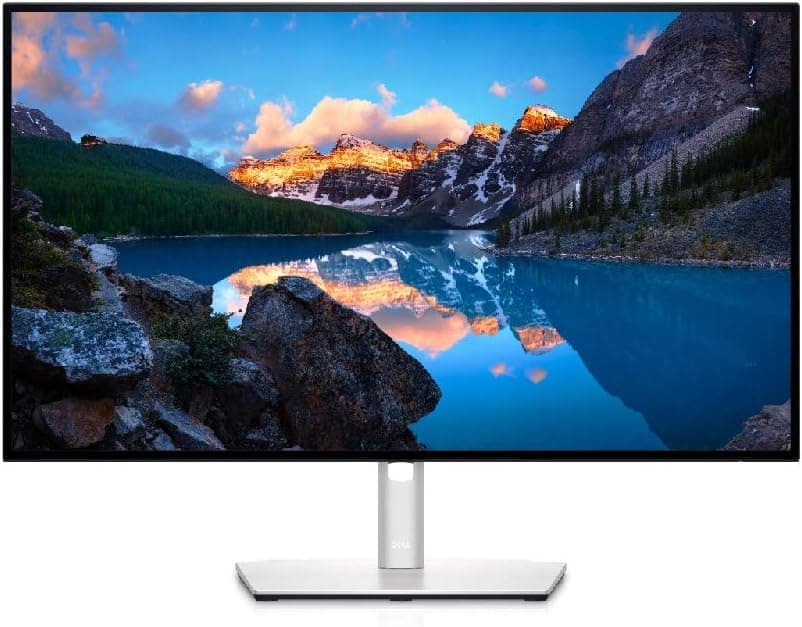
The Dell UltraSharp U2722D is the monitor most home office workers should buy if they're connecting a laptop and want one cable to do everything. It delivers a factory-calibrated 4K IPS panel, 90W USB-C power delivery, and a built-in KVM switch in a package that does its job without demanding attention. It's not exciting, but it's excellent.
Bottom line
If you use a laptop at your desk, the U2722D's single-cable USB-C setup and built-in KVM switch make it the most practical 4K monitor under $600.
Dell
Dell UltraSharp 27-inch 4K Monitor
Factory-calibrated 4K IPS with 90W USB-C charging and built-in KVM switch.
Who the Dell U2722D is for
The U2722D is built for the professional remote worker — someone running a laptop who wants a clean desk with minimal cables and a sharp, color-accurate display for documents, spreadsheets, and video calls. The 90W USB-C means a modern MacBook or Dell XPS charges while you work with a single cable connection. The KVM switch means you can share one monitor, keyboard, and mouse between two computers.
It's not the right monitor if you need high refresh rates for gaming (it's 60Hz), deep blacks for media consumption (no HDR worth mentioning), or if you're doing heavy video work that requires HDR grading. For everything else a home office demands, it's the right display.
Key specs
- Panel: 27" IPS, 4K UHD (3840 × 2160)
- Refresh rate: 60Hz
- Response time: 8ms (GTG)
- Color coverage: 100% sRGB, 95% DCI-P3
- Color accuracy: Factory calibrated, ΔE < 2
- Brightness: 400 nits
- USB-C: Yes, 90W Power Delivery + DisplayPort Alt Mode
- USB hub: 4× USB-A 3.2 Gen 1
- KVM switch: Built-in (share peripherals across 2 PCs)
- Other inputs: HDMI 2.0, DisplayPort 1.4
- Ergonomics: Height, tilt, swivel, pivot
- Warranty: 3 years (Premium Panel Guarantee)
Display quality and performance
The IPS panel is where the U2722D earns its UltraSharp branding. Colors are accurate out of the box — Dell's factory calibration delivers ΔE < 2, meaning color deviation is imperceptible to the human eye. For a display used primarily for productivity work, this matters less than it would for photo editing, but it does mean charts, graphs, and design work look crisp and true to life.
At 27 inches and 4K resolution, pixel density sits at 163 PPI. Text is sharp without requiring display scaling on Windows; macOS users will want to run it at the Retina-equivalent scaled resolution for optimal clarity. The IPS panel handles off-angle viewing well — brightness and color stay consistent across a wide range, which matters if multiple people are looking at your screen during calls.
The 400-nit peak brightness is adequate for most office environments. It won't cut through harsh direct sunlight, so if your desk faces a window without blinds, glare can be an issue. The matte coating helps, but it's not a substitute for proper room setup.
What the U2722D doesn't do well: HDR. It has a basic HDR400 certification, which is largely marketing — the monitor lacks local dimming and the black levels aren't deep enough to produce meaningful HDR contrast. For movies and gaming, this is a real limitation. For work, you'll never notice.
The USB-C and KVM setup
This is where the U2722D separates itself from less connected competitors. One USB-C cable from your laptop to the monitor delivers 4K video, 90W charging, and USB hub access simultaneously. No dock required. On a MacBook Pro or Dell XPS, this genuinely eliminates cable clutter — you unplug one cable to take your laptop to a meeting and reconnect one cable when you're back.
The built-in KVM switch is less commonly understood but extremely useful in a home office where you might have a personal laptop and a work laptop. Plug both into the monitor, press one button on the front bezel, and your keyboard and mouse switch to the other computer. It works reliably and saves the cost and desk space of a separate KVM device.
Pros
- Factory calibration (ΔE < 2) means colors are accurate out of the box
- 90W USB-C single-cable connection charges a laptop while displaying 4K
- Built-in KVM switch handles two computers without extra hardware
- 4× USB-A hub ports turn the monitor into a desktop connectivity center
- 3-year warranty with Premium Panel Guarantee (dead pixel coverage)
Cons
- 60Hz only — no option for higher refresh rate even at 1080p
- HDR400 certification is effectively meaningless in practice
- Stand swivel range is limited; fully adjustable arm recommended for multi-position use
How it compares
vs. LG 27UL850 (~$450): The LG 27UL850 is $130 cheaper and offers similar 4K IPS quality with USB-C, but only at 60W charging (vs. 90W) and no KVM switch. If you don't need KVM and have a lower-wattage laptop, the LG is the better value.
vs. BenQ EW2480 (~$220): The BenQ EW2480 is a 24" 1080p monitor targeting eye-care features over resolution or connectivity. It's the right call for a budget setup, but it's not in the same category for professional productivity work.
| Product | Price | Resolution | USB-C PD | KVM | Color Accuracy | |
|---|---|---|---|---|---|---|
Best for WFH Dell U2722D ~$580 | ~$580 | 4K 27in | 90W | Built-in | ΔE < 2 | View Deal |
LG 27UL850 ~$450 | ~$450 | 4K 27in | 60W | No | ΔE < 3 | View Deal |
Best Budget BenQ EW2480 ~$220 | ~$220 | 1080p 24in | No | No | sRGB | View Deal |
Verdict
The Dell UltraSharp U2722D is the monitor you buy when you want to stop thinking about your monitor. The display is sharp and color-accurate, the USB-C setup eliminates desk clutter, and the KVM switch is a genuine quality-of-life upgrade for anyone with two machines. It costs more than entry-level 4K monitors, but the build quality, warranty coverage, and productivity-focused feature set justify the premium for full-time home office use.
If you're connecting a single laptop and want one cable to rule your desk setup, this is the monitor to get.
Check Price — Dell U2722D