Your home office devices are drawing power right now — even when you think they're off. Standby power (often called vampire draw) costs the average US household up to $183 per year, according to Lawrence Berkeley National Laboratory. Working from home makes it worse: the International Energy Agency found that remote work increases household energy consumption by 7–23% per day compared to office work. Smart plugs fix this by scheduling devices off at exact times and, on better models, showing you exactly which outlet is burning money. This guide ranks the 5 best smart plugs for home offices in 2026 — tested for ease of setup, platform compatibility, and real energy monitoring capability.
Bottom line
For most home offices, the Kasa EP25 is the right pick, Matter-certified, works on every platform, includes energy monitoring, and costs about $13 per outlet. Pure Alexa households can save $5 and get the Amazon Smart Plug instead.
TL;DR: The Kasa EP25 (~$13) is the best overall smart plug for home offices: energy monitoring, Matter-certified, and compatible with all four major platforms. Standby power costs US households up to $183/year (LBNL). Budget pick: Tapo P125M at ~$8 per outlet with full Matter support.
What Should You Look for in a Smart Plug for Home Office?
The right smart plug for a home office does more than just switch things on and off. Energy monitoring is the standout feature, it shows which devices are actually costing you money in standby, turning guesswork into data. A 2024 survey by American Home Shield found 93% of Americans now own at least one smart home device, yet most still don't know their biggest standby power offenders (American Home Shield, 2024).
Energy monitoring. Not every smart plug tracks power consumption. The ones that do, like the Kasa EP25 and Govee H5086, display real-time wattage and cumulative kWh usage in their apps. For a home office, this tells you whether your laser printer is quietly burning 30W in standby all day and exactly what that costs per month.
Platform compatibility. Single-ecosystem plugs lock you into one voice assistant or app. Matter-certified plugs work natively with Apple Home, Alexa, Google Home, and SmartThings without extra configuration. If you've got an Echo Dot on one desk and an Apple HomePod mini in the living room, Matter means both work seamlessly with the same plug.
Amp rating. Most home office devices, monitors, lamps, printers, laptop chargers, run well within a standard 15A plug's capacity. The exception is space heaters. A typical 1,500W space heater draws 12.5A, which pushes a 15A plug close to its limit. For heaters, look for a 20A-rated plug or avoid smart plugs altogether.
Compact design. A chunky smart plug that blocks the adjacent outlet on a power strip is its own kind of problem. The best designs, the Kasa EP25 and Tapo P125M especially, are narrow enough that two plugs can sit side-by-side in a standard duplex outlet.
Scheduling. Auto-off schedules are the easiest way to cut standby waste without thinking about it. Set the printer to turn off at 6 PM and back on at 8 AM. Done. For home office monitors left in sleep mode overnight, a scheduled off-cycle eliminates that 1W trickle entirely.
Important: Wemo Is No Longer Supported
Wemo owners: action required
Belkin ended all Wemo cloud, app, Alexa, and Google Home support on January 31, 2026 (9to5Mac, January 2026). If you own Wemo plugs, they now function as dumb plugs, physical button only, no app, no scheduling, no voice control. The Kasa EP25 and Meross MSS210 are the best drop-in replacements.
This isn't a minor service degradation. Belkin completely shut down the Wemo cloud infrastructure, meaning app control, remote access, scheduling, and all third-party integrations stopped working as of January 31, 2026. Wemo plugs still pass power when manually toggled, but every "smart" function is gone.
If you're reading this because your Wemo app stopped working, that's why. The Kasa EP25 matches Wemo's former feature set and costs the same. The Meross MSS210 is the right call for Apple Home users who want Siri Shortcuts and HomeKit automations. Both are Matter-certified, so they'll stay relevant through the next platform shift regardless of what Belkin does next.
Our Top 5 Smart Plugs for Home Office in 2026

1. Kasa Smart Plug Mini EP25 — Best Overall
The Kasa EP25 wins this roundup because it doesn't compromise. It's Matter-certified, so it works natively with Apple Home, Alexa, Google Home, and SmartThings. It includes real-time energy monitoring, rare at this price. And it's compact enough that two fit side-by-side in a duplex outlet without blocking anything. At roughly $13 per outlet in a 4-pack (~$50), it's the most complete smart plug at this price point.
Our finding: The energy monitoring data from the Kasa EP25 app is genuinely useful, not just a checkbox feature. After one week of monitoring a home office setup, the laser printer in "ready mode" showed up as the single biggest standby draw, 30W, running all day. One scheduled off-time at 6 PM cut that to zero. The plug paid for itself in under a month.
Pros
- Matter-certified, works with Apple Home, Alexa, Google Home, SmartThings
- Real-time energy monitoring and kWh history in the Kasa app
- Compact design, two plugs fit in a standard duplex outlet
- Strong scheduling and automation features
- Excellent value at ~$13/unit in the 4-pack
Cons
- Kasa app required for initial setup (not purely Matter out-of-box)
- No Bluetooth fallback, requires 2.4 GHz Wi-Fi
- 4-pack pricing is better value than buying single units
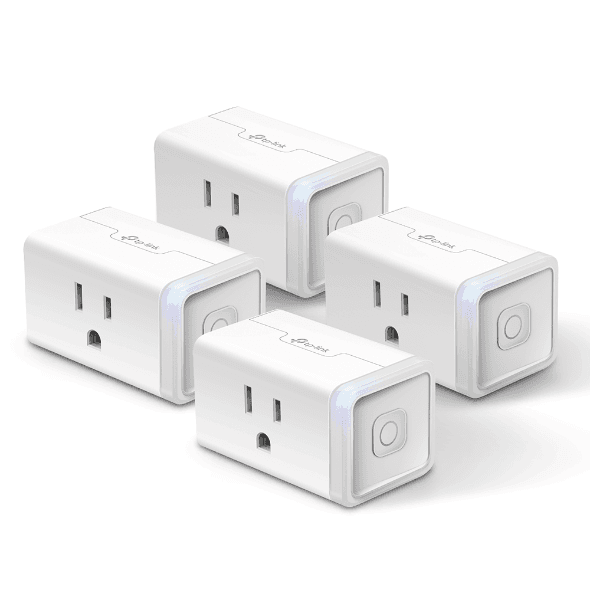
Kasa (TP-Link)
Smart Plug Mini EP25
2. Amazon Smart Plug — Best for Alexa Households
The Amazon Smart Plug is the zero-friction option. Setup is one command: "Alexa, discover devices." No app to download. No account to create beyond your existing Amazon account. No platform compatibility matrix to think through. If every smart device in your home is already in the Alexa ecosystem, this is genuinely the easiest path. It costs around $15 for a single plug.
The trade-off is clear. There's no energy monitoring. It only works within Alexa, no Apple Home, no Google, no SmartThings. And it does just one thing: on/off with scheduling. For a home office that runs entirely on Echo devices and doesn't need power data, that simplicity is the feature, not a limitation.
Our finding: For the single use case of "I want this lamp to turn on when I say good morning and turn off at 10 PM," the Amazon Smart Plug is unbeatable on simplicity. Adding it to an Alexa routine takes about 45 seconds. The Kasa EP25 is more capable in every objective way, but "more capable" requires slightly more setup.
Pros
- Effortless Alexa setup, no separate app needed
- Deep Alexa routine integration, including Guard mode
- Compact design fits most outlet configurations
- ~$15 single unit, no need to buy a multi-pack
- Reliable Amazon ecosystem support long-term
Cons
- No energy monitoring, no power consumption data
- Alexa-only, no Apple Home, Google, or SmartThings
- Basic feature set: on/off and scheduling only
- Less useful if you ever switch away from Alexa
Amazon
Smart Plug
3. Govee Smart Plug Pro H5086 — Best Energy Monitoring
Energy monitoring is the Govee H5086's entire reason to exist. The Govee app tracks real-time wattage, cumulative kWh, and estimated monthly costs per outlet, the most detailed power dashboard of any plug in this roundup. At ~$20 per unit, it costs a bit more than the Kasa EP25, but the added granularity is worth it for anyone actively trying to audit their home office energy use.
It's also Matter-certified and supports both Wi-Fi and Bluetooth, which means it can connect and respond even when your router is struggling. For a home office with a congested 2.4 GHz band, the Bluetooth fallback prevents the "plug stopped responding" frustration that haunts cheaper Wi-Fi-only options.
Citation capsule: The NRDC estimates that always-on inactive devices waste the equivalent of $19 billion worth of electricity annually across US households, roughly the output of 50 large power plants (NRDC, 2015). The average home has 65 devices plugged in, two-thirds drawing more than 1 watt when idle. Energy monitoring smart plugs are the only practical tool for identifying which specific devices in your setup are the worst offenders.
Pros
- Best-in-class energy monitoring, real-time kWh, cost estimates, history
- Matter-certified with both Wi-Fi and Bluetooth connectivity
- Works with Alexa, Google Home, and Apple Home
- Govee app provides detailed monthly energy reports
- Good pick for auditing which devices waste the most standby power
Cons
- ~$20/unit, pricier than the Kasa EP25 for similar core functions
- Govee app is feature-rich but more complex than Kasa's
- Less established long-term brand support compared to TP-Link
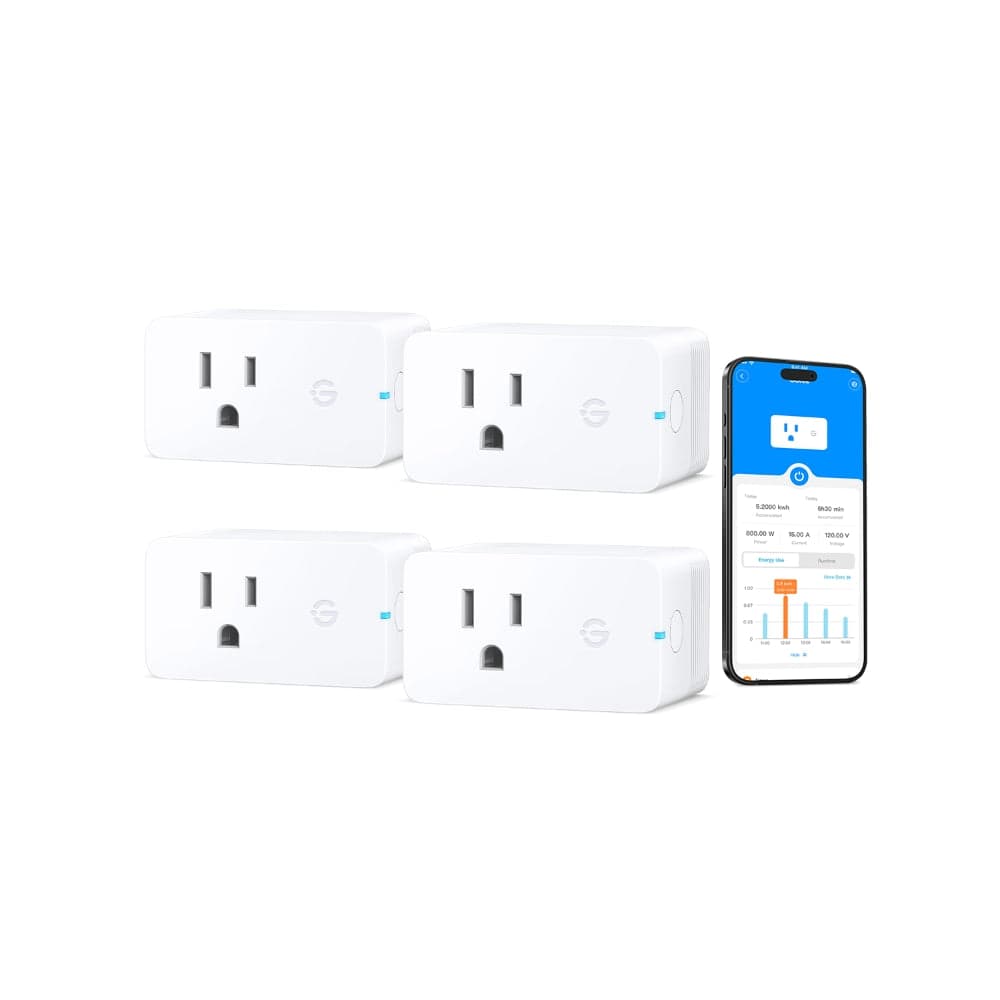
Govee
Smart Plug Pro H5086
4. Meross Smart Plug MSS210 — Best for HomeKit / Multi-Platform
HomeKit support at $15 per unit is genuinely unusual. Most HomeKit-compatible smart plugs cost $25–$40. The Meross MSS210 delivers native Apple Home integration, Siri Shortcuts, and HomeKit automations without a hub, alongside Alexa, Google Home, and SmartThings support. It's also Matter-certified. For Apple-heavy home offices, this is the plug that makes all of it work together.
The practical use case: set a HomeKit automation that turns on your desk lamp and monitor when your morning alarm fires, and turns everything off when your iPhone detects you've left home. That kind of location-based automation requires genuine HomeKit support. The Meross MSS210 provides it at a price that doesn't sting.
Citation capsule: Remote workers pay approximately $109 more per year in electricity costs compared to office workers (PowerWizard, 2024). The International Energy Agency estimates working from home increases household energy consumption by 7–23% per day (IEA, 2020). Smart plug scheduling, particularly for high-standby-draw devices like laser printers and desktop monitors, directly targets this added cost by eliminating idle draw during non-working hours.
Pros
- Native HomeKit support, rare at this price point (~$15)
- Matter-certified for all four major platforms
- No hub required, direct Wi-Fi connection
- Strong Apple Home automations and Siri Shortcuts integration
- Compact design, solid build quality
Cons
- No energy monitoring, on/off and scheduling only
- Meross app is functional but not as polished as Kasa or Govee
- 2.4 GHz Wi-Fi only, no Bluetooth fallback
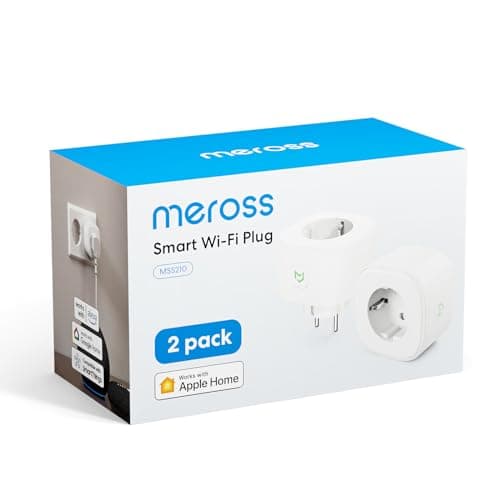
Meross
Smart Plug MSS210
5. TP-Link Tapo P125M — Best Budget
Eight dollars per outlet, Matter-certified, and compatible with all four major platforms. The Tapo P125M exists for one reason: to give you reliable smart switching at the lowest possible per-outlet cost. No energy monitoring, no Bluetooth backup, nothing fancy. Just on/off control with scheduling and voice commands, across Apple Home, Alexa, Google Home, and SmartThings.
For a home office where you just want to schedule the desk lamp and printer on a timer without paying Kasa EP25 prices for every outlet, the Tapo P125M covers the gap. Its compact form factor also means it doesn't block adjacent outlets on a power strip. For related setups, the best standing desks guide covers desk-mounted accessories that pair naturally with smart outlet scheduling.
Pros
- ~$8/unit, the lowest per-outlet cost for a Matter-certified plug
- Full Matter support, works with Apple Home, Alexa, Google, SmartThings
- Compact design fits standard duplex outlets without blocking neighbors
- Solid scheduling and app control via the Tapo app
- TP-Link's long track record of firmware support
Cons
- No energy monitoring, you won't see power consumption data
- No Bluetooth, pure Wi-Fi, 2.4 GHz only
- Basic feature set: on/off, scheduling, and remote control only
- Tapo app is separate from the Kasa app despite same parent company
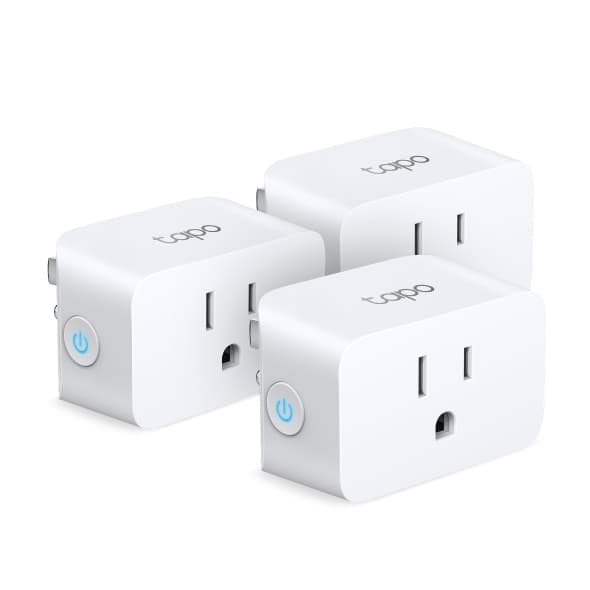
TP-Link Tapo
Tapo P125M Smart Plug
How Much Power Are Your Home Office Devices Really Wasting?
Standby power is invisible in a way that makes it easy to dismiss. Lawrence Berkeley National Laboratory data shows that vampire draw costs US households up to $183 per year, but that number doesn't feel real until you see it broken down by specific device (LBNL). The chart below shows real standby draw for common home office devices. The laser printer number is the one that reliably surprises people.

The LED desk lamp barely registers, 0.4W over a year costs pennies. A monitor left in sleep mode all night draws 1W, adding up but manageable. The laptop charger plugged in with no laptop attached pulls 4.4W for nothing.
Then there's the laser printer. Sitting in "ready mode" all day, it burns 30W, a figure that dwarfs every other device on the chart. At average US electricity rates, 30W running 10 hours a day adds roughly $13–$21 per year per printer. One smart plug with a 6 PM scheduled off-time eliminates that entirely. The Kasa EP25's energy monitoring will confirm it, too, you'll see the kWh drop the day you create the schedule.
Citation capsule: NRDC research estimates that always-on inactive devices in US homes waste the equivalent of $19 billion worth of electricity annually, the output of approximately 50 large power plants (NRDC, 2015). The average US home has 65 devices plugged in; two-thirds draw more than 1 watt when idle. Smart plug scheduling directly targets this waste by cutting power to the highest-draw standby devices during off-hours.
Smart Plug Platform Compatibility Guide
Choosing a smart plug based on its ecosystem support avoids frustration later. Matter is the safest default in 2026, it's an open standard backed by Apple, Amazon, Google, and Samsung simultaneously. A Matter plug doesn't require any of them to maintain proprietary firmware to keep working. The smart plug market was valued at $5.1 billion in 2024 and is projected to reach $18.4 billion by 2034, largely driven by Matter adoption (Emergen Research, 2024).
Here's how the five picks break down by platform:
| Smart Plug | Apple Home | Alexa | Google Home | SmartThings |
|---|---|---|---|---|
| Kasa EP25 | Yes (Matter) | Yes | Yes | Yes |
| Amazon Smart Plug | No | Yes (native) | No | No |
| Govee H5086 | Yes (Matter) | Yes | Yes | Yes |
| Meross MSS210 | Yes (native + Matter) | Yes | Yes | Yes |
| Tapo P125M | Yes (Matter) | Yes | Yes | Yes |
A few practical notes. The Amazon Smart Plug is the only pick here that doesn't work with Apple Home. If there's any chance you'll add Apple devices to your setup, it's the wrong choice, everything else on this list supports all four platforms. The Meross MSS210 has the strongest Apple Home integration because it carries native HomeKit certification in addition to Matter, which means Siri automations and geofencing work without any quirks.
"Matter-certified" and "HomeKit-native" aren't the same thing. Matter provides interoperability, but native HomeKit certification means the plug has been independently verified by Apple's MFi program. For deep Siri integration and local processing without internet dependency, the Meross MSS210's native HomeKit support is the edge case where paying a few dollars more matters.
Frequently Asked Questions
Do smart plugs save electricity?
Yes, standby power costs the average US household up to $183 per year, according to Lawrence Berkeley National Laboratory. Smart plugs with scheduling cut that by turning devices fully off when not needed, rather than leaving them in power-drawing standby. Energy monitoring models like the Kasa EP25 and Govee H5086 show exactly which devices are the biggest offenders, so you know where to focus first.
Do smart plugs work without Wi-Fi?
Only for manual on/off via a physical button. Scheduling, voice control, and app control all require active Wi-Fi. Matter-certified plugs like the Kasa EP25 and Meross MSS210 can also communicate over Thread for more reliable connectivity in homes with congested 2.4 GHz networks. If your router goes down, the plug still passes power, it just can't be controlled remotely.
Can smart plugs be used with any outlet?
Yes, standard US 2-prong or 3-prong 15A outlets. Most smart plugs in this roundup are rated for 15A loads, which safely covers monitors, lamps, printers, and laptop chargers. Avoid pairing smart plugs with space heaters rated at 12.5A or more unless the plug is specifically rated for 20A. When in doubt, check the device's wattage: 1,800W is the safe ceiling for a standard 15A smart plug.
Are smart plugs a fire hazard?
UL-listed smart plugs from reputable brands are safe under normal use. The risk comes from overloading them with high-draw appliances that push close to or over the rated amperage. A 15A plug handles up to 1,800W, most home office devices draw well under 200W. Stick to brands with UL listing, don't daisy-chain smart plugs, and don't use them with large heating appliances.
What is the difference between Matter and Wi-Fi smart plugs?
Wi-Fi plugs connect directly to your router using a manufacturer-specific protocol, which means they depend on that manufacturer's cloud and app to function. Matter plugs use an open, standardized protocol that works natively with Apple Home, Alexa, Google Home, and SmartThings without proprietary apps or cloud services. Matter plugs are more future-proof, the Wemo shutdown in January 2026 is exactly the kind of scenario Matter is designed to prevent.
The Bottom Line
A $13 smart plug pays for itself in under a year by eliminating vampire draw from your highest-standby devices. At the LBNL-cited rate of $183 per year in standby waste, cutting even two or three offenders with scheduled off-times delivers a positive return well before the next billing cycle. The Kasa EP25 is the right pick for most home offices. The Tapo P125M works if you just need basic scheduling and don't need power data. The Meross MSS210 is the one to buy if you're deep in the Apple ecosystem.
Whatever you choose, pair it with what's already drawing power quietly. The home office monitors guide covers sleep mode settings that reduce monitor standby draw before the plug even cuts in. And if you're rethinking your whole desk setup, the standing desks guide includes sit-stand reminder setups that work well with timed smart plug schedules.