Most people buy a printer once and use it for 5–8 years. That upfront decision — laser vs. inkjet, all-in-one vs. print-only, cartridge vs. supertank — determines your cost per page, your maintenance headaches, and whether the printer actually works when you need it. The sticker price is the least important number. The five picks below cover every realistic home office printing scenario with honest assessments of total cost of ownership.
According to IDC's 2025 Hardcopy Peripherals Tracker, printer shipments to the home and small-office segment have shifted toward high-capacity ink models, with supertank and EcoTank units growing 18% year-over-year as buyers wise up to cartridge economics. The under-$200 category, where most home office buyers shop, is more competitive than it's been in years.
TL;DR: The Brother HL-L2350DW is the best home office printer for document-only printing, $99, wireless, duplex, and ~$0.03/page. For all-in-one capability, the Canon PIXMA TR8620 or HP OfficeJet Pro 9015e. For high-volume printing, the Epson EcoTank ET-2800's ink cost savings pay off within months. According to IDC (2025), supertank printer shipments grew 18% year-over-year as buyers move away from cartridge economics. Full breakdown below.
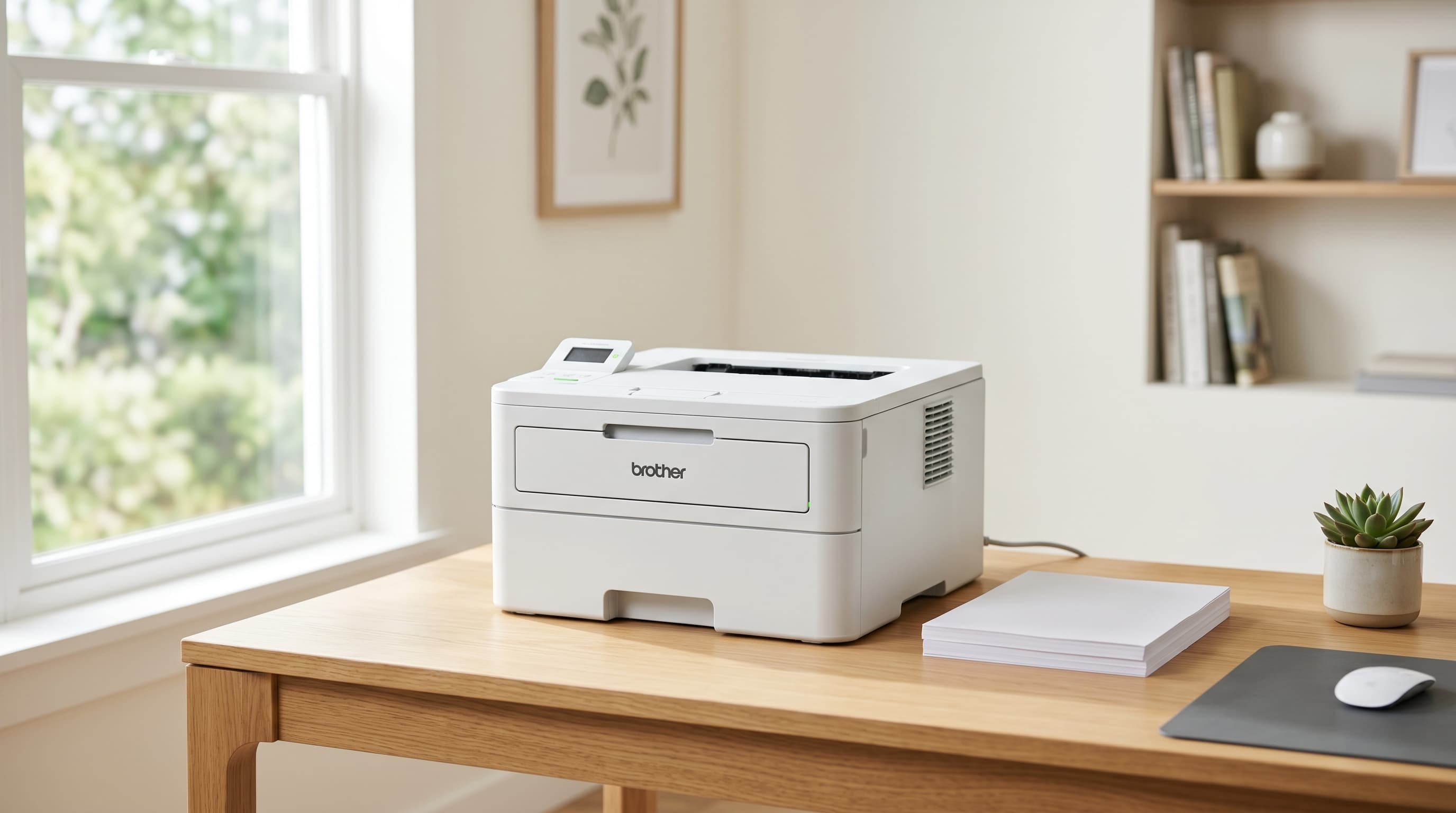
[IMAGE: Flat-lay of a compact laser printer beside printed documents and a coffee mug on a wooden desk, search terms: home office printer desk setup minimal]
Laser vs. Inkjet vs. Supertank — Which Printer Type Is Right for You?
The wrong printer type costs you money every month. According to Consumer Reports' 2024 printer cost analysis, the average household spends $120–180 annually on ink cartridges, often more than the printer itself cost. Choosing correctly upfront is the highest-leverage decision in this entire guide.
Laser Printers
Laser printers use toner powder instead of liquid ink. Toner doesn't dry out between print sessions, which means a laser printer is ready to work after sitting unused for three months. That's the biggest practical advantage for a home office where printing happens in bursts rather than every day.
Cost-per-page for black-and-white runs $0.02–$0.04. Print speeds are fast, typically 24–36 pages per minute. The tradeoffs: no photo printing, a larger physical footprint than inkjet, and a higher upfront cost for the machine itself.
Best for: Document-only printing, frequent use (5+ pages daily), anyone who's lost a print job to dried ink cartridges.
Inkjet All-in-One Printers
Inkjet printers spray liquid ink onto paper, which makes them capable of photo-quality color output that no laser printer can match. All-in-one models add a scanner, copier, and sometimes a fax function in the same footprint.
The real cost-per-page runs $0.05–$0.15 for standard cartridges. Ink dries if the printer sits unused for two or more weeks. If you print irregularly and keep a cartridge inkjet idle for months, you'll spend the first print job unclogging the printhead.
Best for: Mixed use (documents, occasional photos, scanning), households with kids who print school projects, less frequent printing needs.
Supertank (EcoTank) Printers
Supertank printers, Epson calls them EcoTank, replace cartridges with large, refillable ink reservoirs. The cost-per-page drops to $0.003–$0.008 for black, roughly one-tenth of standard inkjet. The upfront cost is higher ($150–250), but the included ink typically covers 4,000+ pages before the first refill.
Best for: High-volume home offices (200+ pages per month), anyone who has spent more on ink than on the printer itself.
The "cheap printer, expensive ink" model is deliberate. Printer manufacturers have historically subsidized hardware costs and recouped them through consumables, a business model sometimes called the "razor and blades" strategy. A cartridge inkjet printer sold for $69 comes with a starter cartridge good for 50–100 pages at best. The replacement cartridge often costs $20–30. Supertank printers invert this entirely: you pay more upfront and almost nothing per page thereafter. For anyone printing more than 100 pages per month, the math favors supertank within the first year.
Citation capsule: According to Consumer Reports' 2024 printer cost analysis, the average household spends $120–180 annually on ink cartridges, often exceeding the original purchase price of the printer within two years. Standard inkjet cost-per-page runs $0.05–$0.15, compared to $0.02–$0.04 for laser and $0.003–$0.008 for supertank/EcoTank models. For home offices printing 200+ pages monthly, supertank printers reach total cost parity with cartridge printers within 6–8 months of purchase (Consumer Reports, 2024).
[CHART: Bar chart, cost-per-page comparison across laser, inkjet, and supertank printers, source: Consumer Reports 2024]
The 5 Best Home Office Printers in 2026
Five picks that cover every real home office scenario. All five support wireless printing. None require a USB cable connection to function.
| Printer | Type | Best For | Cost/Page (B&W) | Price |
|---|---|---|---|---|
| Brother HL-L2350DW | Laser | Documents only | ~$0.03 | ~$99 |
| Canon PIXMA TR8620 | Inkjet AIO | Mixed use + photos | ~$0.08 | ~$149 |
| HP OfficeJet Pro 9015e | Inkjet AIO | Business documents | ~$0.05 | ~$149 |
| Brother MFC-L2710DW | Laser AIO | Scan/copy + docs | ~$0.03 | ~$169 |
| Epson EcoTank ET-2800 | Supertank | High volume | ~$0.003 | ~$179 |
1. Brother HL-L2350DW — Best for Documents
The Brother HL-L2350DW is the default answer for any home office worker who primarily prints documents, contracts, reports, invoices, shipping labels. It's a laser printer with automatic duplex (double-sided) printing, wireless connectivity, and a cost-per-page that bottoms out around $0.03. At $99, it's also the most affordable printer on this list.
There's something genuinely underappreciated about a laser printer that just works. No warm-up anxiety before a time-sensitive print job. No "ink low" warning after 40 pages. No printhead cleaning cycle that consumes more ink than it clears. You press print and the page comes out in under 10 seconds. After years of babysitting inkjet cartridges, switching to the HL-L2350DW felt less like a hardware upgrade and more like removing a daily annoyance from the workflow.
Print speed is 32 pages per minute, fast enough to not think about it. The automatic duplex saves paper on longer documents without requiring manual flipping. The toner cartridge lasts 1,200 pages standard; a high-yield replacement cartridge extends that to 3,000 pages at a lower per-page cost.
Pros
- 32 pages per minute, the fastest printer on this list
- Automatic duplex printing standard, saves paper without manual intervention
- Toner doesn't dry out, ready after months of sitting idle
- ~$0.03 cost-per-page with high-yield toner cartridge
Cons
- Documents only, no photo printing, no color output
- No scanner or copier, print-only, not an all-in-one
- Larger footprint than inkjet alternatives at this price
Best for: Home office workers who print documents daily and never print photos or need a scanner.
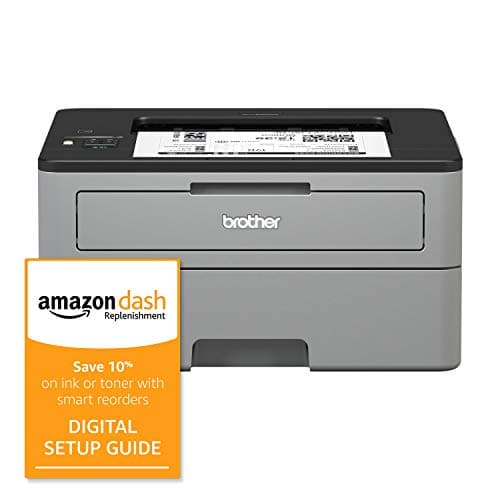
Brother
HL-L2350DW
32 ppm laser with automatic duplex, wireless, and ~$0.03 cost-per-page, toner never dries out, ready after months of sitting idle.
2. Canon PIXMA TR8620 — Best All-in-One for Mixed Use
The Canon PIXMA TR8620 is the best all-in-one printer for home offices that print a mix of documents, occasional photos, and need a reliable flatbed scanner. It handles five ink cartridges separately, cyan, magenta, yellow, black, and photo black, which means you replace only the color that runs out, not a combined cartridge.
Wireless connectivity works with both 2.4GHz and 5GHz networks. The flatbed scanner handles standard documents up to 8.5×11 inches. An auto document feeder (ADF) handles multi-page scan jobs without manual page feeding, a detail that matters if you scan contracts or multi-page forms regularly.
Print speed on documents runs 15 pages per minute in black. Photo print quality at 4800×1200 DPI covers casual photo printing well, not professional photo lab quality, but accurate enough for printed reference images and family photos.
Pros
- Five separate ink cartridges, replace only the color that runs out
- Auto document feeder for multi-page scanning without manual feeding
- Dual-band wireless (2.4GHz and 5GHz), compatible with more home network setups
- Photo-quality printing at 4800×1200 DPI for occasional photo prints
Cons
- ~$0.08 cost-per-page, significantly higher than laser alternatives
- Ink dries if unused for 2+ weeks, needs regular use or periodic cleaning cycles
- Slower print speed than laser (15 ppm vs. 32 ppm for the Brother HL-L2350DW)
Best for: Home offices that need one device to handle documents, occasional photos, and regular scanning of multi-page documents.
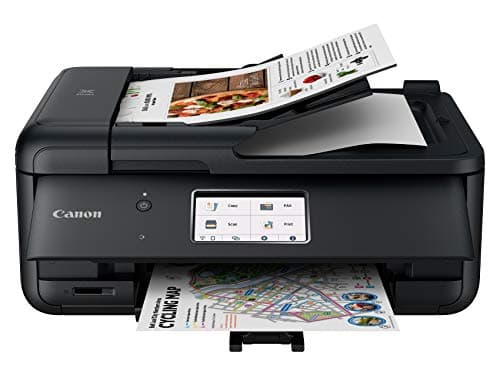
Canon
PIXMA TR8620
Five separate ink cartridges, auto document feeder, dual-band wireless, and 4800×1200 DPI photo printing, best mixed-use all-in-one for home offices.
3. HP OfficeJet Pro 9015e — Best for Business Documents
The HP OfficeJet Pro 9015e targets home office workers whose printing leans more business than personal, invoices, proposals, client documents with color headers and logos. HP's Instant Ink subscription can drop cost-per-page to $0.02 for enrolled users, though that requires a monthly subscription and cedes some cartridge control.
The ADF holds 35 sheets for unattended multi-page scanning and copying. Print speed runs 22 pages per minute in black and 18 in color, faster than the Canon PIXMA TR8620 for document printing. HP's Smart app handles mobile printing and remote management, which is genuinely useful for home office workers who print from multiple devices.
The Smart HP+ features (remote printing, automatic ink delivery) require a persistent internet connection and an HP account. That's a real tradeoff for buyers who prefer to own their devices outright without account dependencies.
Pros
- 22 ppm black / 18 ppm color, faster than most inkjet all-in-ones
- 35-sheet ADF for unattended multi-page scan and copy jobs
- HP Instant Ink option can reduce cost-per-page to ~$0.02 with subscription
- HP Smart app with remote printing and multi-device management
Cons
- HP+ features require an HP account and persistent internet connection
- Instant Ink subscription locks you into HP cartridges, third-party cartridges void enrollment
- Ink dries with infrequent use, same limitation as all cartridge inkjet printers
Best for: Home office workers printing business documents with color elements who want faster speeds than a standard inkjet and are open to a subscription ink model.
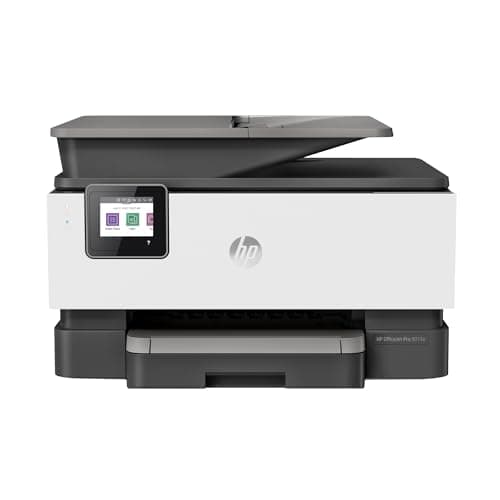
HP
OfficeJet Pro 9015e
22 ppm inkjet all-in-one with 35-sheet ADF, HP Instant Ink subscription can reduce cost-per-page to ~$0.02 for enrolled users.
4. Brother MFC-L2710DW — Best Laser All-in-One
The Brother MFC-L2710DW brings everything the HL-L2350DW does, fast laser printing, automatic duplex, toner that doesn't dry out, and adds a flatbed scanner, copier, and fax in a single unit. It's the right answer for home office workers who need laser print quality and a scanner, but don't want to maintain two separate devices.
Scan resolution reaches 1200×2400 DPI, which is high enough for archiving documents and capturing fine-detail forms. The ADF holds 50 sheets, larger than the Canon and HP picks, which matters when scanning end-of-year tax documents or stacks of contracts. Print speed holds at 32 pages per minute, identical to its print-only sibling.
Pros
- Laser printing with automatic duplex, same speed and cost-per-page as HL-L2350DW
- 50-sheet ADF, the largest ADF capacity on this list
- 1200×2400 DPI scanner, appropriate for document archiving and fine-detail forms
- Toner doesn't dry out, reliable after months without use
Cons
- Black-and-white only, no color printing or color scanning
- Larger footprint than the inkjet all-in-ones at this price
- No photo printing capability
Best for: Home office workers who need laser reliability and a scanner but don't need color printing or photo output.
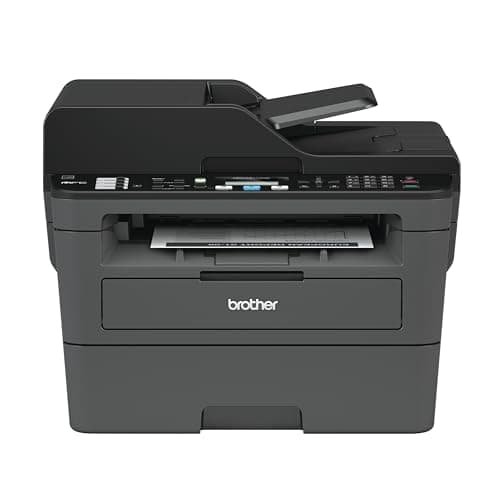
Brother
MFC-L2710DW
Laser all-in-one with 50-sheet ADF and 1200×2400 DPI scanner, same 32 ppm speed and low cost-per-page as the HL-L2350DW, adds scan and copy.
5. Epson EcoTank ET-2800 — Best for High-Volume Printing
The Epson EcoTank ET-2800 has the lowest cost-per-page of any home printer, $0.003 per black page and $0.008 per color page, because its refillable ink tanks replace cartridges entirely. The printer ships with enough ink to print approximately 4,500 black pages and 7,500 color pages before the first refill. At that volume, the upfront cost of $179 is recovered within months for heavy printing households.
The tradeoff is ink management. Refilling the tanks takes about five minutes and requires attention to avoid spills, the bottles are designed to prevent overflows, but it's not as frictionless as swapping a cartridge. The print speed is slower than the other picks at 10 pages per minute black. For high-volume printing where speed matters less than economics, nothing else on this list comes close.
Pros
- $0.003 per black page, lowest cost-per-page of any printer on this list
- Includes ink for ~4,500 black and ~7,500 color pages at purchase
- Wireless printing and mobile printing via Epson Smart Panel app
- No cartridge waste, environmentally lower-impact than cartridge printers
Cons
- 10 ppm print speed, slowest printer on this list
- Ink refilling requires manual attention, more involved than cartridge swaps
- Higher upfront cost ($179) requires volume commitment to recoup
- No ADF, flatbed scanner only, manual page-by-page for multi-page jobs
Best for: Home offices printing 200+ pages per month who want the lowest ongoing cost and are willing to invest more upfront.
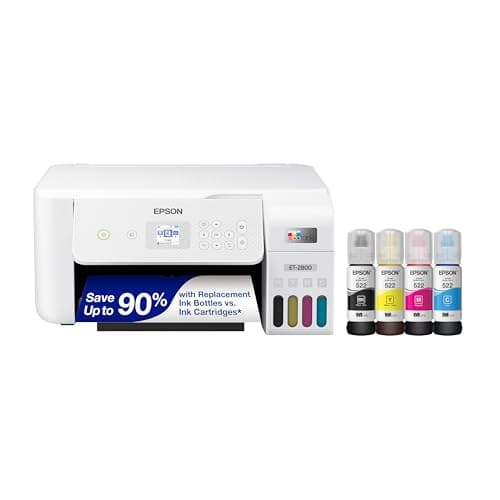
Epson
EcoTank ET-2800
Refillable ink tanks at $0.003 per black page, includes ink for ~4,500 black and 7,500 color pages before the first refill.
What Features Actually Matter When Buying a Home Office Printer?
Printer spec sheets pack in numbers that rarely matter for home office use. According to a 2024 RTINGS printer review analysis, the features that most affect day-to-day home office satisfaction are automatic duplex printing, wireless connectivity, and ADF presence, not DPI or maximum monthly duty cycle. Here's what deserves your attention before buying.
Automatic Duplex Printing
Every printer on this list supports automatic duplex (double-sided) printing. On printers that lack it, you manually flip pages and re-feed them, an interruption that makes any print job longer than 10 pages genuinely frustrating. Don't buy a printer without automatic duplex for home office use.
Auto Document Feeder (ADF)
An ADF is a paper tray above the scanner that feeds multi-page documents automatically. Without one, scanning a 10-page contract means standing at the scanner and feeding each page individually. If you scan multi-page documents more than once per week, an ADF is not optional. The Brother MFC-L2710DW (50-sheet ADF) and HP OfficeJet Pro 9015e (35-sheet ADF) both include one. The Epson EcoTank ET-2800 does not.
Wireless and Mobile Printing
All five picks support wireless printing over Wi-Fi. Setup typically takes under five minutes via the printer's display menu or a WPS button on your router. Most manufacturers also provide mobile apps, HP Smart, Epson Smart Panel, Canon PRINT, that allow printing directly from a phone or tablet. Verify the app works with your phone OS before buying, particularly for older Android versions.
Replacement Ink or Toner Cost
This is the number most buyers skip and regret. Research the exact replacement cartridge model and price before committing to a printer. Some under-$80 printers ship with cartridges that cost $40 each to replace. A printer with a $35 replacement toner cartridge that lasts 3,000 pages is cheaper to own than a $99 printer with a $28 cartridge that lasts 700 pages. Run the math on year-two costs, not just sticker price.
Related: home office tax deductions guide for 2026
Physical Footprint
Laser printers are physically larger than inkjet all-in-ones. The Brother HL-L2350DW measures roughly 14×14×7 inches. Measure your desk or shelf space before buying. If space is tight, an inkjet all-in-one fits more easily into a smaller surface, and the Epson EcoTank ET-2800 has a slim profile for a supertank model.
Citation capsule: RTINGS' 2024 printer satisfaction analysis found that automatic duplex printing, wireless connectivity, and ADF presence are the three features most correlated with positive home office printer reviews, outranking DPI, print speed, and maximum duty cycle in user satisfaction scores (RTINGS, 2024). For home offices printing documents rather than photos, these three features determine real-world usability more than any other specification on the box.
Related: desk organizers for home office
[CHART: Comparison table, ADF presence, duplex support, wireless, and cost-per-page across all 5 picks, source: manufacturer specs 2026]
For 90% of home office workers, the choice comes down to one question: do you print photos or need a scanner? If yes, the Canon PIXMA TR8620 ($149) handles both well. If no, the Brother HL-L2350DW ($99) will outlast your expectations, reliable, fast, and cheap to run.
Don't let the sticker price drive the decision. A $99 printer with $40-per-cartridge ink is a more expensive printer than a $179 supertank. Factor in what you'll actually print, how often, and whether you need scanning before opening your wallet.
Both the Brother and Canon will serve a home office for 5–8 years with minimal maintenance. Buy the right type for your workflow and stop thinking about it. If you use your printer for work, it may also qualify as a deductible expense, our home office tax deduction guide covers what qualifies and how to document it.