Most work from home productivity advice is shallow. "Set a dedicated workspace." "Take breaks." "Stick to a schedule." Technically correct. Functionally useless without the specifics that make each habit actually work. The gap between knowing these things and doing them consistently is where remote work performance lives or dies.
The research is clearer than most guides acknowledge. Stanford economist Nicholas Bloom's study of 500 employees found remote workers were 13% more productive than their in-office peers — but only when their environment and routines were intentionally structured (Quarterly Journal of Economics, Bloom et al., 2015). The gains aren't automatic. They require the 15 habits below.
TL;DR: Stanford research found optimized remote workers outperform office peers by 13% (Bloom et al., QJE, 2015). The gains come from structured environment, deliberate focus habits, and protected schedule boundaries — not from remote work itself. The 15 habits below are grouped by category so you can address the highest-friction area first.
Your Environment Determines Your Output (Habits 1–3)
Bloom's Stanford research identified workspace quality as the single biggest predictor of remote work performance, more than internet speed, work hours, or manager check-ins (Quarterly Journal of Economics, 2015). Before fixing your habits, fix the room.
Citation capsule: Stanford economist Nicholas Bloom studied 500 call-center employees at a Chinese travel company and found a 13% productivity advantage for those working from a properly structured home setup versus in-office peers (Quarterly Journal of Economics, Bloom et al., 2015). The study ran for nine months with a randomized control design, employees were split between remote and office conditions, making it one of the most rigorous field experiments on remote work performance published. Bloom attributed gains primarily to fewer interruptions, a quieter environment, and better personal control over workspace conditions. All three environmental factors are addressable through habits 1–3, workspace dedication, lighting, and ergonomics, without requiring a home office room or significant spend.
Habit 1 — Dedicate a physical space, even a small one
A corner of a bedroom counts. A specific chair at the kitchen table counts. What matters is that your brain associates that location with work. The spatial cue is a context anchor, sitting there signals focus in the same way a commute used to. Don't skip this because you don't have a spare room.
Habit 2 — Get your lighting right
Overhead ceiling lights are the wrong tool for desk work. They create glare on screens and cast shadows on your work surface. A monitor light bar or a quality task lamp positioned at the side eliminates both problems for under $60. Warm-toned lighting (2700–3000K) reduces eye fatigue during long sessions. For a full breakdown of lighting options, see the best desk lamps for home office guide.
Habit 3 — Fix the ergonomics before your body forces you to
Neck and back pain are the most common reason remote workers lose focus mid-session, not distractions, not motivation. A monitor at eye level (monitor arm or riser), a chair with lumbar support, and a keyboard positioned so your forearms are parallel to the floor are the three adjustments that prevent the 2pm slump from becoming a physical issue. The best ergonomic chairs under $300 guide covers the chair options that make all-day seated work sustainable.
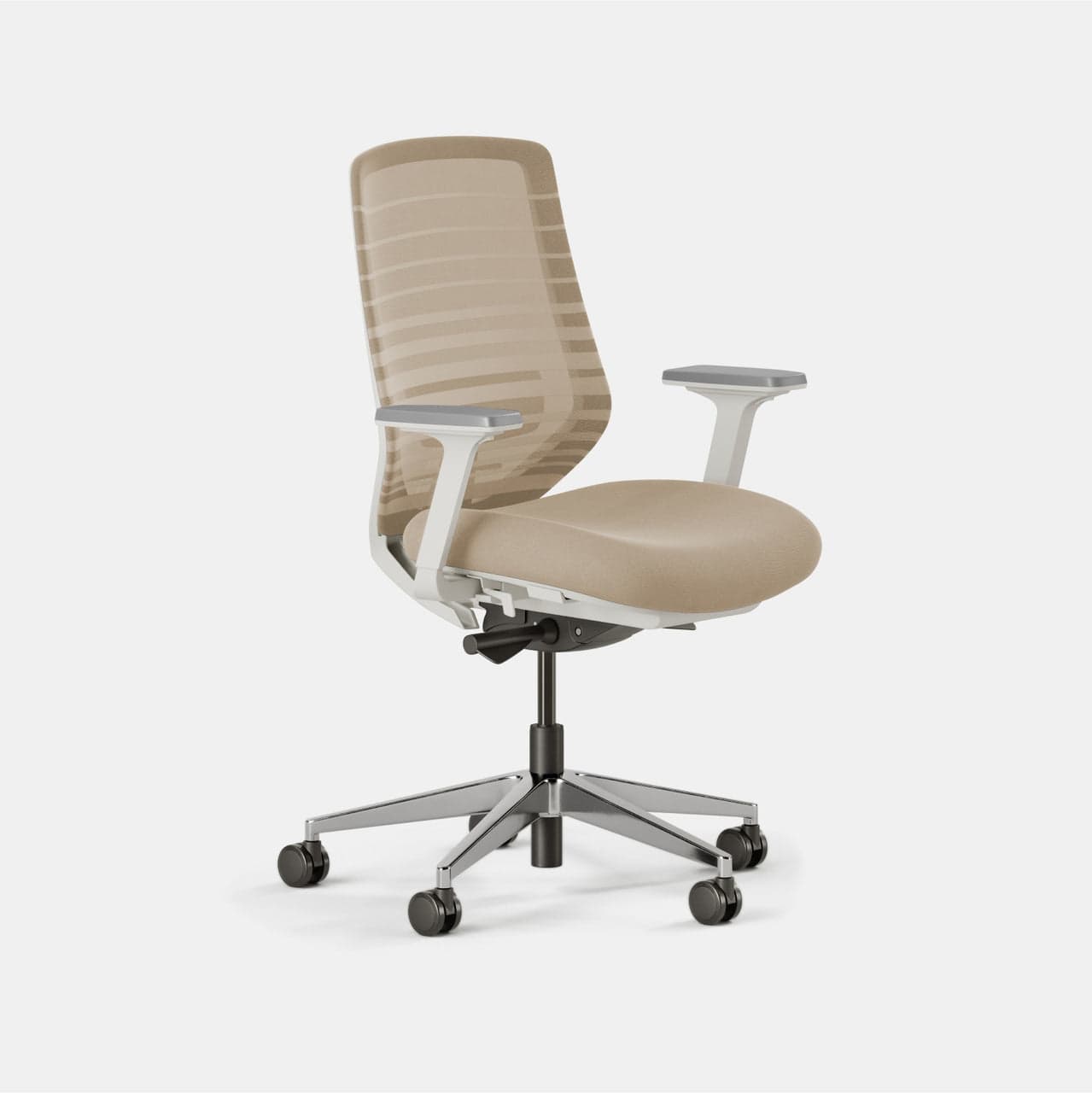
Branch
Branch Ergonomic Chair
How Do You Actually Stay Focused Working From Home? (Habits 4–7)
The American Psychological Association reviewed decades of multitasking research and concluded that switching between tasks costs up to 40% of productive time (APA, 2006). The average remote worker checks email every 6 minutes. The math on that is brutal.
Habit 4 — Single-task with a written commitment
Before each focus session, write down the one thing you're working on. Not a list. One thing. The act of writing it creates a completion signal your brain tracks, you'll notice when you drift to something else because the written task is still unfinished. This isn't motivational advice. It's a working memory trick.
Habit 5 — Use 90-minute focus sprints, not the Pomodoro 25
The Pomodoro technique (25 minutes on, 5 minutes off) works well for routine tasks. For deep work, writing, coding, analysis, 90-minute blocks match the brain's natural ultradian rhythm. Research on ultradian performance rhythms, popularized by sleep researcher Peretz Lavie and later applied to work performance by Tony Schwartz, suggests the brain cycles through roughly 90-minute high-focus windows. Work with that cycle, not against it.
The 25-minute Pomodoro is often too short to reach flow on complex work. By the time you've loaded the context of a problem into working memory, 25 minutes is nearly gone. Ninety minutes lets you get past the setup phase and into the actual work. Save the short sprints for email and admin.
Habit 6 — Kill notifications at the OS level, not app by app
Don't mute Slack and leave email badges on. Go to system settings and turn off notification badges and sounds for every non-urgent app during focus hours. The visual ping of a badge is enough to interrupt focus, you don't need to read the message. Batch your messages into two windows per day: once mid-morning, once mid-afternoon.
Habit 7 — Use noise-cancelling headphones as a focus signal
Beyond blocking sound, over-ear noise-cancelling headphones serve as a physical cue, to yourself and anyone else in the house, that you're in a focus session. The act of putting them on becomes a ritual that starts focus mode. Active noise cancellation is worth the cost if you share a space.
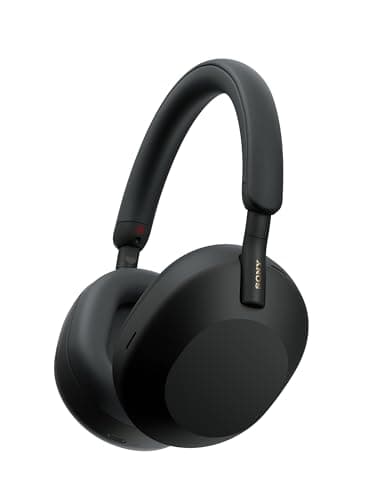
For a full comparison of work-focused headphones at every price point, see the best noise-cancelling headphones for work guide.
How to Build a Productive Work From Home Schedule (Habits 8–11)
Microsoft's Work Trend Index found that 68% of employees say they don't have enough uninterrupted focus time during the workday (Microsoft, 2023). For remote workers, the absence of external structure makes this worse, every hour is technically available, so every hour risks being stolen by something else.
Citation capsule: Microsoft's Work Trend Index (2023) surveyed 31,000 workers across 31 countries and found 68% report they don't have enough uninterrupted focus time during the workday (Microsoft WorkLab, 2023). The problem is structural, not motivational: in the absence of protected calendar blocks, reactive tasks, messages, meetings, quick requests, fill every available window by default. For remote workers, no external structure enforces a boundary between reactive and deep work time. The solution the data points to is calendar architecture: placing deep work blocks before any meetings or messages are scheduled, so the highest-cognitive-function hours are committed before the day's reactive demands fill them. Habits 8–11 implement that architecture at the level of daily and weekly schedule design.
Habit 8 — Time block, don't just schedule
A to-do list tells you what to do. Time blocking tells you when. Block your first 90-minute session before checking any messages. This reserves your highest-cognitive-function hours (typically 9–11am for most people) for the most demanding work. Meetings and email fill the afternoon naturally. Reverse this order and you'll spend your sharpest hours on your least demanding tasks.
After switching to time-blocked mornings, calendar blocks for focused work before any messages, the most noticeable change wasn't output volume but output quality. Work that used to take until 3pm was done by noon. The difference was protecting the first 90 minutes instead of letting it disappear into email and Slack.
Habit 9 — Create a start ritual
Your brain needs a signal that work has started. An office commute provided that signal automatically. Without it, you need to manufacture one. It can be making coffee, doing 5 minutes of reading, reviewing your top priority for the day, anything consistent and brief that precedes the first focus block. The specific ritual matters less than its consistency.
Habit 10 — Set a hard stop time and treat it like a meeting
Remote work hours expand to fill the space available. Without a commute forcing an end, work bleeds into evenings. Set a specific stop time (6pm, 7pm, your choice) and put it in your calendar as a recurring block. When it triggers, close the laptop. The hard stop protects recovery time, which directly affects the next day's focus capacity.
Habit 11 — Do a 15-minute weekly review every Friday
Before ending the week, spend 15 minutes closing open loops: note what's unfinished, what needs to move to next week, and what one thing would make next week feel successful. This clears working memory and prevents the weekend brain churn of "I forgot to do X" at 10pm Sunday.
Protect Your Energy or Watch It Erode (Habits 12–14)
Sedentary work correlates with measurable cognitive decline over long sessions. Research on ultradian rhythms and attention restoration consistently shows performance drops after 90 minutes of continuous mental effort without a physical break. The break isn't a reward for finishing, it's a prerequisite for the next session being useful.
Habit 12 — Move every 90 minutes
It doesn't need to be a workout. Five minutes of walking, standing, or stretching resets the physiological state enough to restore focus. University of Illinois researchers Ariga and Lleras (2011) demonstrated that brief diversions from a task significantly improve performance on that task over time, the brain needs intermittent disengagement to maintain sustained attention (Cognition, 2011). Set a recurring 90-minute timer and get up when it fires.
Habit 13 — Separate work and personal communication channels completely
Don't answer personal texts on your work phone or work messages on personal apps. The boundary is partly about availability signaling and mostly about context, each time you switch channels, you're switching cognitive contexts. Two separate apps (or two separate devices) make the boundary physical, not just intentional.
Habit 14 — Manage social isolation proactively
Remote work removes the ambient social contact of an office: passing conversations, lunch, the ambient noise of other people working. That contact has a measurable effect on mood and motivation that most remote workers only notice when it's gone. Schedule one non-work social interaction per day, a phone call, a walk with someone, a co-working session. Treating social contact as optional is how remote work becomes isolating.
The Habit That Ends Every Productive Day (Habit 15)
Habit 15 — Build a shutdown ritual
A shutdown ritual is a short sequence of actions that closes the workday and signals to your brain that work is done. It might be: reviewing tomorrow's calendar, closing all work apps, writing one sentence about what you accomplished today, and saying aloud "shutdown complete" (Cal Newport popularized this pattern). It sounds excessive. It works because it creates a cognitive boundary that "I should probably stop working" never does.
The ritual's purpose isn't ceremonial. It's neurological. Without a clear end signal, the brain keeps background-processing work problems, drafting emails in the shower, mentally revising presentations while cooking. The shutdown ritual interrupts that pattern. It's also the structural complement to the start ritual in Habit 9: one opens the day, one closes it.
If you catch yourself thinking about work after your shutdown, write the thought down on a notepad and tell yourself it's captured. The act of externalizing the thought is usually enough to let it go. Your brain keeps looping on unfinished items, once it's written down, it trusts you've handled it.
Putting the 15 Habits in Order
You don't need to implement all 15 habits at once. Start with the category that's causing the most friction:
- Distracted all day? → Habits 4–7 (focus and notification management) first
- Losing track of time and priorities? → Habits 8–11 (schedule structure) first
- Physically uncomfortable by afternoon? → Habits 1–3 (environment) first
- Working too late, no mental separation? → Habits 10 and 15 (hard stop + shutdown ritual) first
- Feeling isolated or unmotivated? → Habit 14 (social contact) first
The 13% productivity advantage Stanford found among optimized remote workers doesn't come from doing everything perfectly. It comes from removing the specific friction points that are costing the most time. Pick the category causing the most friction, run it for two weeks, then add the next.
For the physical foundation, the desk, monitor, chair, and lighting that supports all 15 of these habits, the home office setup under $500 guide covers the best gear in priority order. If noise is your primary productivity challenge, our guide to soundproofing a home office walks through the highest-ROI fixes from door seals to acoustic panels. These work from home productivity tips build on top of a workspace that's set up to support focused work.