Most standing desk owners buy their mat too late — after months of sore feet and aching calves at the end of long work sessions. The fix is cheap and fast, but the category is genuinely confusing. Search "standing desk mat" and you'll get both floor mats that reduce fatigue and desk surface pads that protect your workspace. These are completely different products.
This article covers floor mats only: the ones that sit under your feet while you stand. NIOSH recommends anti-fatigue matting for any standing workstation used more than 2 hours per day — and the average standing desk user now spends 2.5 hours standing daily (Ergotron WorkWell Study, 2023). If you're in that range, a mat isn't optional. It's the cheapest effective ergonomic upgrade you can make.
TL;DR: The Topo Mini by Ergodriven (
$69) is the best anti-fatigue mat for standing desks, its contoured terrain reduces lower limb fatigue by up to 47% versus hard floors (King et al., Ergonomics, 2017), outperforming every flat mat in this guide. For budget buyers, the Sky Solutions mat ($28) is the right flat alternative. Full breakdown below.
Why Does Standing at a Desk Cause Leg Fatigue?
Cornell University Human Factors Research found that standing without movement for 90 or more minutes leads to blood pooling in the lower extremities, increasing muscle fatigue and, critically, reducing cognitive performance (Cornell HFES, 2019). The culprit isn't standing. It's static standing, holding one position without the small weight shifts and micro-movements your body uses to maintain circulation.
Hard floors enforce static standing. They offer no feedback, no reason for your feet to flex or shift, and no incentive for your calf muscles to activate. Anti-fatigue mats change that by forcing constant small postural adjustments that keep blood moving.
The type of mat determines how much it helps. Research distinguishes two mechanisms:
- Passive cushioning (flat foam): absorbs impact and reduces compressive joint forces. Reduces fatigue approximately 25–35% compared to hard floors.
- Active terrain (contoured mats like the Topo): the uneven surface requires constant micro-adjustments from calf and foot muscles, the same mechanism that makes standing on grass feel less tiring than concrete. Reduces fatigue approximately 40–50%.
Citation capsule: A 2017 study in Ergonomics (King et al.) compared flat cushioned mats to contoured terrain mats on workers standing for extended periods. Contoured mats reduced lower limb discomfort by 47% compared to a hard floor control, significantly outperforming flat cushioned mats, which produced 25–35% reductions. The advantage was attributed to increased muscle activation from the irregular standing surface.
If you stand 2–3 hours daily at your standing desk, either type helps. If you stand more than 3 hours, the contoured mat is the right call.
The 5 Best Anti-Fatigue Mats for Standing Desks in 2026
Topo Mini by Ergodriven — Best Overall
The Topo Mini is the most evidence-backed anti-fatigue mat available and the most-recommended in the standing desk community. Its contoured terrain surface, a raised central dome, angled ridges, and side slopes, forces constant micro-adjustments from your feet and calves that prevent the static blood pooling Cornell's research identifies as the primary fatigue mechanism. No flat mat does this.
At 26"×29", it fits under most standing desks without requiring users to step off during transitions. The foam density holds up to years of daily use without the compression creep that plagues cheaper alternatives. It's not cheap at ~$69, but the ~47% fatigue reduction is the best in this category, not a marketing claim, a tested outcome.
Pros
- Contoured terrain actively encourages micro-movements, the most effective fatigue-reduction mechanism available
- Durable foam maintains shape after years of daily use without compression creep
- Compact footprint (26"×29") fits under most standing desks without obstructing chair movement
- Available in multiple colors to match desk setups
Cons
- ~$69 is 2–3x the price of flat foam alternatives
- Takes 2–3 days to adapt, some users find the terrain surface feels unstable initially
- Only one size (Mini), taller users or those with wider stances may want more length
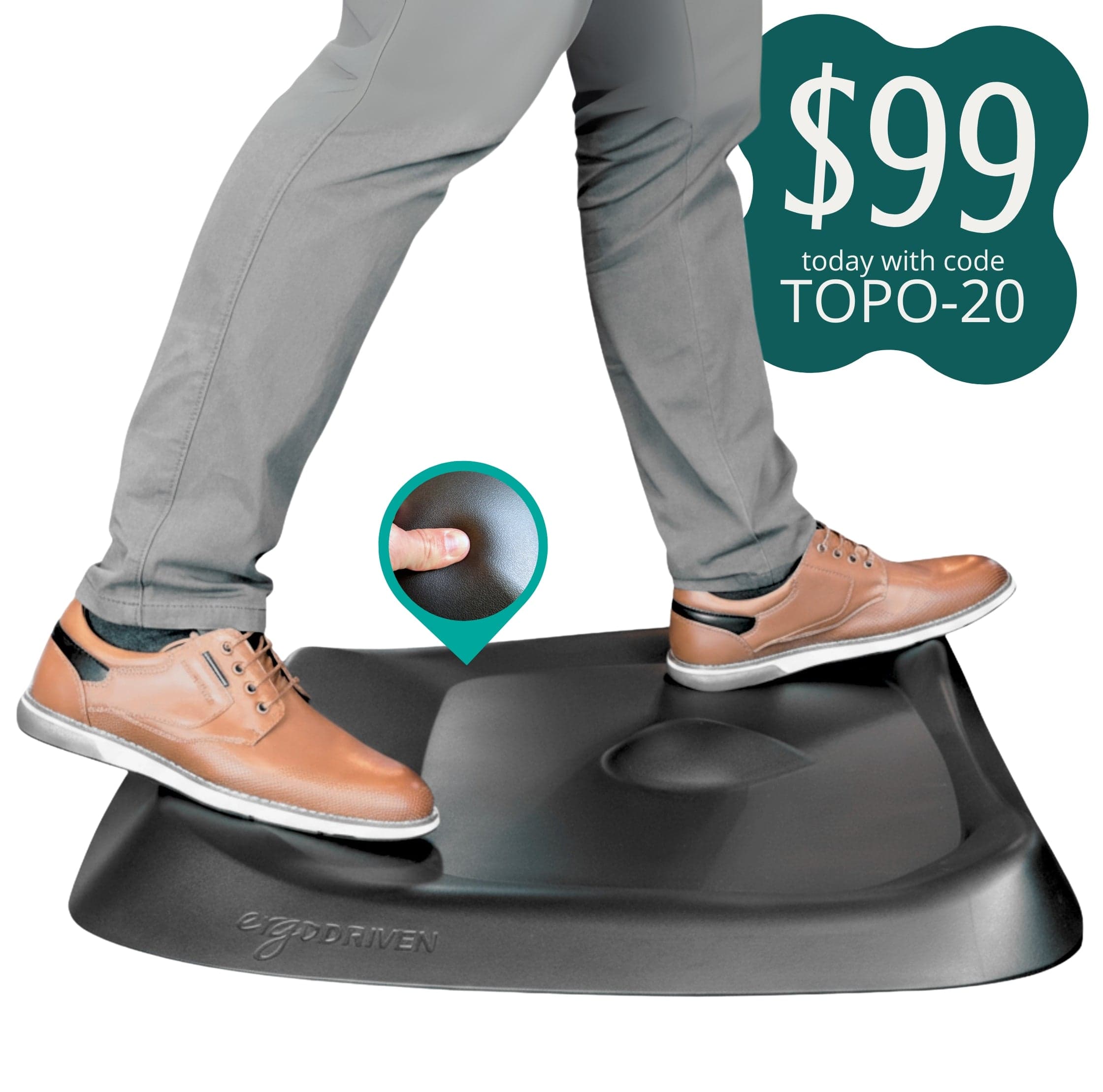
Ergodriven
Topo Mini
Sky Solutions Anti-Fatigue Mat — Best Budget
The Sky Solutions mat is the right answer for buyers who aren't sure they'll use their standing desk consistently and don't want to commit $70 to find out. It's a flat 3/4" foam mat with a non-slip bottom, available for under $30 in sizes from 20"×30" up to runner lengths. The foam is dense enough to provide real cushioning, not the spongy dollar-store variety that collapses after a week.
The best use for a flat budget mat isn't a permanent solution, it's a diagnostic tool. Two weeks on the Sky Solutions tells you whether you'll actually stand at your desk consistently enough to justify the Topo Mini. Most people who test the habit do end up justifying it.
Pros
- Under $30, the most accessible entry point in the category
- 3/4" foam provides genuine cushioning and real fatigue reduction
- Available in many sizes including runner formats for larger standing workstations
- Non-slip backing stays put on hardwood and tile without shifting
Cons
- Flat surface: ~25–30% fatigue reduction versus ~47% for contoured alternatives
- Foam compresses faster than denser premium options, expect 2–3 year lifespan with daily use
- Beveled edges are shallower than competitors, slight trip risk in thick socks
Sky Solutions
Sky Solutions Anti-Fatigue Mat
Gorilla Grip Anti-Fatigue Mat — Best Mid-Range Flat
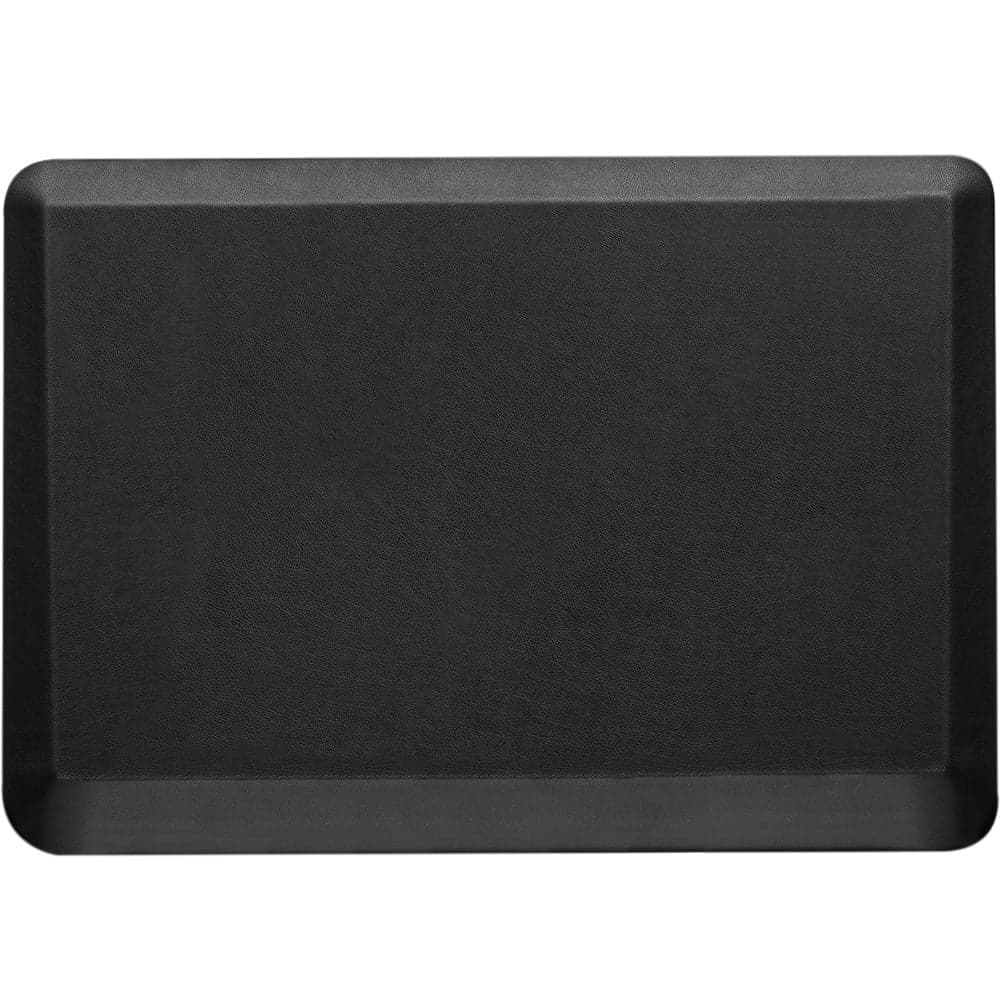
The Gorilla Grip sits between the Sky Solutions and the Topo Mini in both price (~$45) and build quality. Denser foam than budget flat options, a deeper 1" beveled edge that transitions smoothly from mat to floor, and a diamond-texture top that prevents sliding in socks. The edge design alone is worth the upgrade from budget mats, most tripping incidents on anti-fatigue mats happen on shallow bevels.
If you've decided a flat mat suits your needs better than contoured, because you prefer clean aesthetics, or because you've tested contoured surfaces and found them uncomfortable, the Gorilla Grip is the flat mat to buy. It outlasts the Sky Solutions meaningfully and the edge design is noticeably better.
Pros
- Denser foam than budget flat options, holds shape longer under daily use
- Deep 1" beveled edge creates a smooth floor transition and reduces tripping risk
- Diamond-texture top prevents sliding without being abrasive on bare feet
- Cleaner visual profile than the Topo Mini for minimalist desk setups
Cons
- Flat surface: ~30% fatigue reduction, not the active terrain benefit of the Topo Mini
- ~$45 is mid-range pricing without the fatigue reduction advantage of the Topo
- Heavier than budget mats, less convenient to move or reposition
Gorilla Grip
Gorilla Grip Anti-Fatigue Mat
Kangaroo Original Standing Mat — Best for Long Sessions
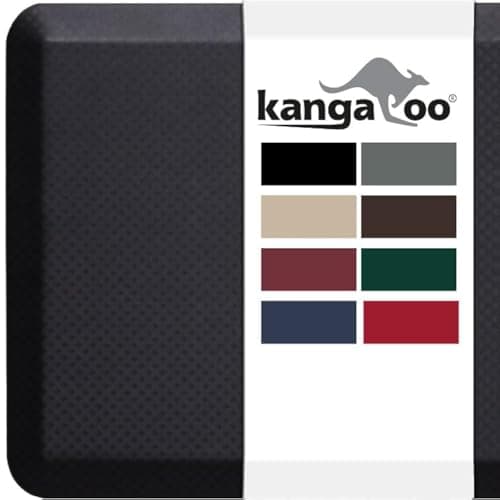
The Kangaroo prioritizes maximum cushioning over terrain features. Its foam has a memory-foam-like feel, it compresses under your weight and partially rebounds, making it comfortable for standing sessions of 3+ hours. It's also available in more size options than most competitors, including 20"×32", 24"×70" runner, and several widths in between.
The trade-off is the same as every flat mat: passive cushioning rather than active micro-movement. For users who find the Topo Mini's terrain surface uncomfortable, or who primarily stand in place rather than shifting weight frequently, the Kangaroo's deep cushion delivers genuine comfort at a fair ~$40 price point.
Pros
- Memory-foam-like cushioning provides excellent comfort for 3+ hour standing sessions
- More size options than most competitors, including a long runner format
- ~$40 hits a strong value point between budget and premium flat mats
- Wider color selection than most standing mats
Cons
- Memory foam rebound is slower, some users describe it as 'squishy' rather than supportive
- Flat surface: ~30% fatigue reduction, not the ~47% of contoured options
- Surface texture attracts pet hair and lint more than rubber-top competitors
Kangaroo
Kangaroo Original Standing Mat
FlexiSpot FlowForm — Best for Standing Desk Pairing
The FlowForm was designed specifically as a standing desk companion, not a general anti-fatigue mat, and the difference shows in small but practical ways. It's slightly wider than standard mats to account for the natural weight-shifting that happens when you transition between sitting and standing at a motorized desk. The clean aesthetic integrates better with FlexiSpot's desk designs than generic black foam options.
At ~$60, the foam quality is closer to the Topo Mini than to budget competitors, it holds its shape under daily use without noticeable compression. For users who already own a FlexiSpot standing desk and want a cohesive setup with a matching aesthetic, this is the natural pairing. For everyone else, the Topo Mini delivers better fatigue reduction at a similar price.
Pros
- Designed specifically for standing desk use, sizing and shape suit sit-stand transitions
- Foam quality holds up well under daily use, minimal compression over time
- Cleaner aesthetic than most foam competitors, matches modern desk setups
- Slightly wider footprint accounts for natural weight-shifting during desk transitions
Cons
- Flat surface: ~30% fatigue reduction, not the active terrain benefit of the Topo Mini
- ~$60 is premium pricing for a flat mat when the Topo Mini costs only ~$9 more
- Limited color options compared to Kangaroo and Gorilla Grip
FlexiSpot
FlexiSpot FlowForm Standing Mat
Flat Mat vs. Contoured: Which Type Should You Buy?
The research consistently shows contoured mats reduce fatigue more effectively than flat mats. But the right choice depends on how you actually use your standing desk, not just what the data says.
Buy the Topo Mini (contoured) if:
- You stand 2+ hours per day on a consistent basis
- You tend to stay in one spot rather than pacing during calls
- You've tried flat mats and still notice significant leg fatigue by end of day
- Your budget reaches ~$69
Buy a flat mat if:
- You're new to standing desks and want to test the habit first
- You find uneven surfaces uncomfortable or destabilizing, this affects a meaningful minority of users, especially those with plantar fasciitis or balance sensitivities
- You stand in short 30–45 minute intervals with regular seated breaks in between
- Budget is the primary constraint
The fatigue difference between contoured and flat is real, roughly 17 percentage points per the King et al. data. But it only matters if you stand long enough to build significant fatigue in the first place. For home office workers who sit most of the day and stand occasionally, a flat mat is a perfectly reasonable choice. For committed standing desk users, the contoured mat is worth the extra cost.
Related: best budget standing desks under $400, standing desk converter alternatives, standing desk vs. sitting desk comparison, standing desk mat shopping guide by price tier
How Do You Choose the Right Size and Thickness?
NIOSH specifies a minimum of 3/4 inch (19mm) thickness for any anti-fatigue mat used at a standing workstation, below that threshold, foam compresses under body weight and loses its cushioning effect (NIOSH, 2024). Every mat in this guide meets or exceeds this. Avoid anything marketed as "1/2 inch" or thinner.
Size by desk width:
| Desk Width | Recommended Mat Size |
|---|---|
| 48" | 20"×30" to 24"×36" |
| 55–60" | 24"×36" to 24"×48" |
| 63"+ | 24"×36" (standard) or 24"×70" runner |
The mat doesn't need to span the full desk width. It needs to accommodate your standing stance, roughly shoulder-width, with enough room to shift weight side-to-side without stepping off the edge. Most users do fine with a standard 20"×30" to 24"×36" mat regardless of how wide their desk is.
One sizing note specific to the Topo Mini: its 26"×29" dimensions are slightly different from standard rectangular mats. The shape is optimized for single-user standing rather than covering maximum floor area, which works well for home office desks used by one person.
Citation capsule: NIOSH (National Institute for Occupational Safety and Health) recommends anti-fatigue matting for any standing workstation used more than two hours per day, specifying a 3/4 inch minimum thickness and beveled edges to reduce trip hazards. For home office workers averaging 2.5 standing hours daily (Ergotron WorkWell Study, 2023), NIOSH's guidance puts anti-fatigue mats in the same recommended-equipment tier as adjustable monitor arms and ergonomic seating.
Related: full home office ergonomic accessories guide, work from home productivity habits
The right anti-fatigue mat is the cheapest ergonomic upgrade your standing desk will ever get. At $28–$69, none of these mats are expensive relative to the desk they pair with, or the physical therapy appointment you're offsetting by reducing chronic lower limb fatigue.
Start with the Topo Mini if you stand consistently. Start with the Sky Solutions if you're testing whether you will. The fatigue reduction data is some of the clearest in workplace ergonomics research, your legs will tell you within the first week whether it's working.
For the complete standing desk setup, desk, mat, monitor arm, and chair in one prioritized budget, the home office setup under $500 guide covers every component in the order that delivers the most impact.