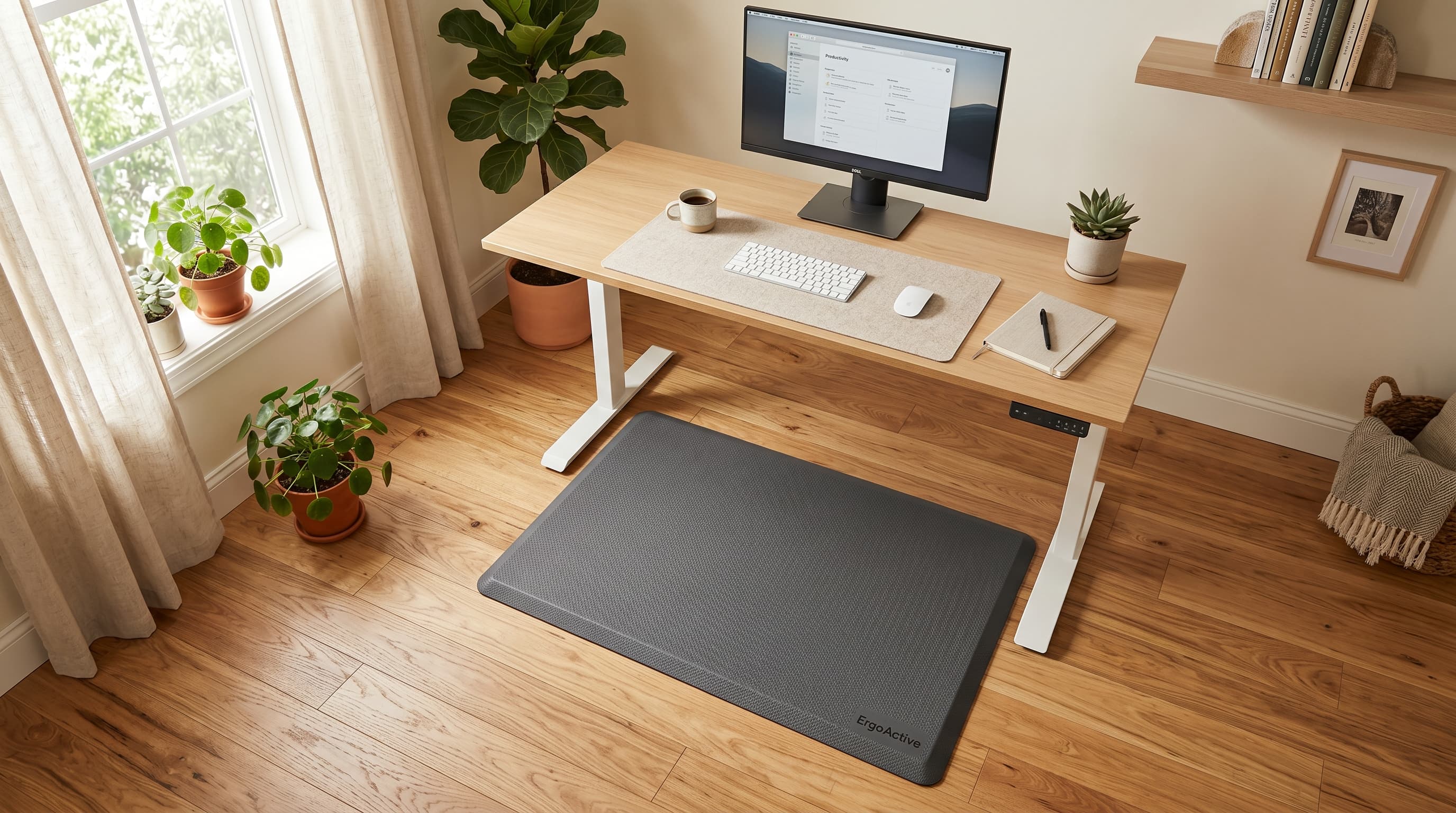
Standing desks solve one problem and create another. You swap the health risks of prolonged sitting for the health risks of prolonged standing on a hard floor — and the floor half of that equation gets almost no attention.
The numbers are stark. A 2022 study of 40 office workers found that low back pain prevalence jumped from 15% to 40% after just 30 minutes of continuous standing, with ankle-foot pain rising from 0% to 25% at the same threshold (PMC8871560, 2022). That's not an outlier finding.
The 30-minute mark was statistically confirmed (p=0.006 for LBP; p=0.031 for feet). A quality anti-fatigue mat doesn't eliminate that risk, but the research shows it significantly reduces it — particularly for lumbar fatigue, where mats show the most dramatic protective effect. This guide covers five mats across every price tier, with honest specs and no padding around the tradeoffs.
TL;DR: The Topo Mini by Ergodriven is the best standing desk mat for most home office users, its contoured surface encourages the subtle weight shifts that a 2022 Applied Ergonomics study found reduced low back pain scores from 6.8 mm to 3.6 mm (PubMed 34837750, 2022). All five mats below are vetted picks across price tiers.
Why Your Floor Matters as Much as Your Desk
Hard floors injure standing workers at a measurable, statistically confirmed rate. Low back pain prevalence among standing office workers jumps from 15% to 40% at the 30-minute mark (PMC8871560, 2022). More broadly, 26.4% of U.S. workers reported low back pain in the prior 3 months, with workers in frequent-standing roles showing 27.9% LBP prevalence vs. 23.5% for those without standing requirements (PMC8020561, 2019).
The mechanism isn't mysterious. Hard floors prevent the small postural shifts your body uses to distribute load across muscle groups. Without those micro-movements, your plantar fascia compresses, your calf muscles lock into sustained contraction, and your posterior chain fatigues faster than it should. You stand still, not because you're trying to, but because the floor gives you no reason to shift.
Anti-fatigue mats interrupt that pattern. A compliant surface encourages small weight transfers, keeps your muscles in low-level motion, and increases what researchers call center-of-pressure excursion, the range over which your body's weight naturally shifts during standing. That movement is protective.
Citation capsule: A 2022 Applied Ergonomics study (n=38, crossover design) found that anti-fatigue mats increased center-of-pressure excursion by 35-55% compared to rigid floor conditions, enabling the micro-movements that prevent load concentration. In "pain developers," mats reduced low back pain VAS scores from 6.8 mm to 3.6 mm (p=0.03) (PubMed 34837750, 2022).
Think about where a sit-stand desk's value actually lands. The desk changes your posture. The mat determines what happens to your body when you're in that posture. Both matter.
How We Evaluated These Mats
We evaluated each mat against seven criteria that determine real-world performance: thickness and compression resistance, surface type (flat vs. contoured terrain), material density under sustained load, edge profile and trip risk, available size options, washability, and price-to-durability ratio.
Flat mats and contoured mats serve different users. That distinction is not marketing, it reflects a real difference in how each type works. A flat mat is passive cushioning. It absorbs impact and reduces compression. A contoured mat, like the Topo Mini, is active: its raised terrain regions prompt you to shift weight, stretch your calves, and change foot position throughout the day. Neither type is universally better. They're optimized for different goals.
Price was treated as a constraint, not a quality signal. A $35 flat mat that compresses to nothing after three months costs more annually than a $90 mat that holds its density for two years.
The 5 Best Standing Desk Mats for Home Offices (2026)
A 2023 Applied Ergonomics crossover study (n=38) confirmed that anti-fatigue mats significantly reduced pain and fatigue for standing workers, with ankle/feet, knees, and shoulders showing the most improvement (p<0.05 immediately post-standing; p<0.001 at 24-hour follow-up) (PubMed 36933417, 2023). The five mats below represent the best options at each price tier based on that evidence base.
| Mat | Price Range | Type | Best For |
|---|---|---|---|
| Sky Solutions Anti-Fatigue Mat | ~$30-40 | Flat | Budget / First mat |
| Gorilla Grip Anti-Fatigue Mat | ~$40-60 | Flat | Budget/mid with size options |
| Kangaroo Original Standing Mat | ~$60-80 | Flat gel-foam | Mid-range comfort |
| Topo Mini by Ergodriven | ~$60-100 | Contoured terrain | Best overall |
| FlexiSpot FlowForm Standing Mat | ~$80-120 | Dual-density flat | Premium flat alternative |
Sky Solutions Anti-Fatigue Mat — Best Budget Pick
The Sky Solutions mat is a straightforward 3/4-inch flat foam mat with a washable fabric cover, a solid entry point for anyone new to standing desk use who wants real cushioning without a large upfront cost.
Key specs:
- Thickness: 3/4 inch
- Material: Foam core with removable, washable cover
- Surface: Flat
- Edge profile: Beveled
- Price range: ~$30-40
Pros:
- Washable cover is a genuine differentiator at this price, most budget mats aren't cleanable
- Beveled edges reduce trip risk at the perimeter
- Available in multiple sizes to match different desk footprints
Cons:
- Foam density is lower than mid-range options and compresses over time with daily use
- No terrain features, purely passive cushioning with no micro-movement encouragement
Gorilla Grip Anti-Fatigue Mat — Best Budget/Mid Pick
The Gorilla Grip mat earns its position above the Sky Solutions entry by offering extra-thick foam, a non-slip bottom, and multiple size options, including larger footprints that cover more floor area under a wide desk.
Key specs:
- Thickness: 3/4 inch to 1 inch (model dependent)
- Material: High-density foam
- Surface: Flat with textured top
- Edge profile: Beveled
- Price range: ~$40-60
Pros:
- Higher-density foam holds its shape longer than budget alternatives under daily use
- Wide size selection, easier to match to your specific desk and standing zone
- Non-slip bottom holds position on hardwood and tile without adhesive
Cons:
- Heavier than thinner mats, less convenient to move or roll up for storage
- No contoured surface features; effective but purely passive in design
Kangaroo Original Standing Mat — Best Mid-Range Pick
The Kangaroo Original is one of the few mats at this price point using a gel-foam hybrid construction, which distributes pressure more evenly than standard foam and holds its density longer under repeated daily compression.
Key specs:
- Thickness: 3/4 inch
- Material: Gel-foam hybrid with memory foam feel
- Surface: Flat with textured non-slip top
- Edge profile: Beveled
- Includes: Free anti-fatigue insole
- Price range: ~$60-80
Pros:
- Gel-foam construction provides more even pressure distribution than standard foam
- Bundled anti-fatigue insole extends cushioning to footwear, useful for barefoot or socked standing
- Wide range of size options including larger formats for L-shaped desks
Cons:
- Flat surface only, no terrain features to encourage active weight shifting
- Some users find the memory foam feel too soft, preferring firmer resistance underfoot
Topo Mini by Ergodriven — Best Overall (Premium Pick)
The Topo Mini is the standout recommendation on this list. Its contoured terrain surface, raised ridges, a central plateau, and a sloped perimeter, actively prompts weight shifting throughout the day rather than passively absorbing impact. That's the functional difference between a flat mat and a contoured one.
The research supports this design approach directly. A 2022 Applied Ergonomics study found that compliant surfaces increased center-of-pressure excursion by 35-55%, enabling the micro-movements that reduced low back pain VAS scores from 6.8 mm to 3.6 mm in pain developers (p=0.03) (PubMed 34837750, 2022). The Topo Mini's terrain features are purpose-built to generate exactly that type of movement.
Key specs:
- Thickness: 3/4 inch at base, raised terrain adds height at feature zones
- Material: Durable polyurethane foam
- Surface: Contoured terrain (ridges, plateau, sloped edges)
- Edge profile: Graduated terrain, no sharp bevels
- Price range: ~$60-100
Pros:
- Terrain surface actively encourages weight shifting, the only mat here that addresses micro-movement directly
- Durable polyurethane foam resists compression over time better than standard foam
- Compact footprint fits under desks with limited floor clearance
- No-questions warranty from Ergodriven
Cons:
- Learning curve: some users need 1-2 weeks to find their preferred standing zones on the terrain surface
- Not ideal if you stand with shoes that have wide, rigid soles, terrain features work best barefoot or in flexible footwear
- Higher price than flat alternatives at the same tier
FlexiSpot FlowForm Standing Mat — Best Premium Flat Alternative
The FlowForm is the choice for users who want premium flat-mat construction without moving to a contoured surface. Its dual-density foam layers address the core limitation of single-density mats: the top layer absorbs impact, and the firmer bottom layer prevents the total compression that kills cheaper mats within months.
Key specs:
- Thickness: 3/4 inch to 1 inch
- Material: Dual-density foam
- Surface: Flat with beveled front edge for Achilles stretching
- Edge profile: Sloped front edge (Achilles stretch position), beveled sides and rear
- Price range: ~$80-120
Pros:
- Dual-density construction maintains cushioning density longer than single-density alternatives
- Sloped front edge enables a passive Achilles and calf stretch while standing, a real functional advantage
- Wider footprint accommodates side-to-side movement during standing intervals
Cons:
- No terrain features, flat surface only, passive cushioning design
- Heavier and less portable than thinner mats; not practical to move daily
- Premium price for a flat mat, the Topo Mini delivers more active benefit for comparable cost
Flat vs. Contoured Mats — Which Type Do You Actually Need?
Flat mats and contoured mats are both supported by the research evidence, but they work through different mechanisms. A 2022 study (n=32) found standing mats produced significantly smaller increases in perceived exertion vs. hard ground, with lumbar fatigue showing the most dramatic improvement (p<0.01) (PMC9356849, 2022). What the research doesn't fully address is the comparison between flat and contoured surfaces within the mat category itself.
Here's the distinction that most buying guides miss: flat mats are passive cushioning systems, while contoured mats are active micro-movement systems. A flat mat reduces compression and absorbs impact. A contoured mat does that plus prompts your body to move, to shift weight, change foot angles, and engage different muscle groups. Those are meaningfully different interventions.
Choose a flat mat if you stand in footwear with rigid soles, share your workstation with multiple users, or prioritize low cost with adequate cushioning. The Sky Solutions, Gorilla Grip, Kangaroo, and FlowForm all serve this use case well.
Choose the Topo Mini (or a similar contoured mat) if you stand barefoot or in flexible footwear, you're specifically trying to reduce lumbar fatigue during longer standing intervals, or you've already tried a flat mat and still experience discomfort after 20-30 minutes.
Citation capsule: A 2022 study (Applied Bionics and Biomechanics, n=32) found standing mats produced significantly smaller increases in perceived exertion vs. hard ground across multiple body regions, with lumbar fatigue showing the most dramatic protective effect (p<0.01). Balance error scores improved from 2.32 on hard ground to 1.61 on mat surfaces in single-foot stance (p<0.05) (PMC9356849, 2022).
If you're building a full ergonomic setup, our guide to ergonomic chairs under $300 covers the other major contact point, your chair, with the same evidence-based approach.
What to Look For When Buying a Standing Desk Mat
A 2025 clinical study of 57 surgical staff across 34 procedures confirmed that anti-fatigue mats are "an effective and low-cost intervention" for reducing musculoskeletal symptoms, with significant discomfort reductions at ankles, knees, and shoulders vs. no-mat controls (p=0.009 post-procedure; p<0.001 at 24-hour follow-up) (PubMed 39882505, 2025). But not all mats deliver that outcome equally. Here's what to evaluate before buying.
Thickness: 3/4 inch to 1 inch
This is the research-supported range. Thinner mats compress under body weight faster and lose shock-absorbing properties within months of daily use. Thicker mats can feel unstable, particularly during weight shifts. Three-quarter inch is the standard for flat mats. Contoured mats often measure 3/4 inch at the base with higher terrain features above that.
Material: Foam vs. Gel-Foam vs. Contoured Polyurethane
Standard foam is adequate and affordable. Gel-foam hybrids (like the Kangaroo) distribute pressure more evenly. Dense polyurethane (like the Topo Mini) resists compression longer. The material determines how long the mat maintains its initial cushioning, not just how it feels day one.
Size: Match to Your Standing Zone
Most people actively use a 20-30 inch standing zone in front of their desk. A mat that covers that area is sufficient. Larger mats add cost and floor weight without meaningfully changing the ergonomic outcome unless you move laterally while standing.
Edge Profile: Beveled Edges Prevent Tripping
Any mat without beveled edges creates a trip hazard at the perimeter. All five mats on this list use beveled or graduated edges. If you're considering a mat not on this list, confirm the edge profile before buying.
Surface: Flat vs. Terrain
Covered in detail above. The short version: flat for general use and shared workstations, contoured for targeted lumbar fatigue reduction in flexible footwear.
Washability
Mats accumulate dirt, sweat, and debris. The Sky Solutions is the standout here with a removable, machine-washable cover. Most other mats are spot-clean only. If you stand barefoot regularly, washability matters more than it sounds.
For the desk itself, our standing desks guide covers height-adjustable options at every price point. If you're not ready to replace your current desk, our standing desk converter guide covers sit-stand add-ons that work on top of any existing surface for a fraction of the cost of a full motorized desk.
The floor beneath your feet is the one ergonomic variable that most standing desk guides skip entirely. Your desk adjusts for sitting and standing. Your chair handles your seated posture. But your mat, or the absence of one, determines what happens to your lower back, ankles, and knees during every standing interval of every workday.
For most home office users, the Topo Mini by Ergodriven is the right answer. Its terrain surface earns the premium over flat alternatives by actively encouraging movement rather than just passively cushioning impact. If budget is the hard constraint, the Sky Solutions mat delivers genuine protection at $30-40, it's not the best mat, but it's meaningfully better than standing on hardwood all day.
A 2025 meta-analysis of 24 RCTs covering 4,086 workers found ergonomic interventions reduce musculoskeletal pain odds by 36% overall and lower back pain specifically by 47% (PMC12073017, 2025). A mat is one intervention. Pair it with a proper sit-stand desk, an ergonomic chair, and genuine alternation between sitting and standing, and you've addressed the problem at every contact point.
For a complete ergonomic workstation guide, our home office setup under $500 covers every category in priority order. If you want a deeper look at the research behind contoured vs. flat mat effectiveness, King et al., NIOSH guidelines, and the biomechanics of micro-movement, our anti-fatigue mat science guide covers that angle in detail.