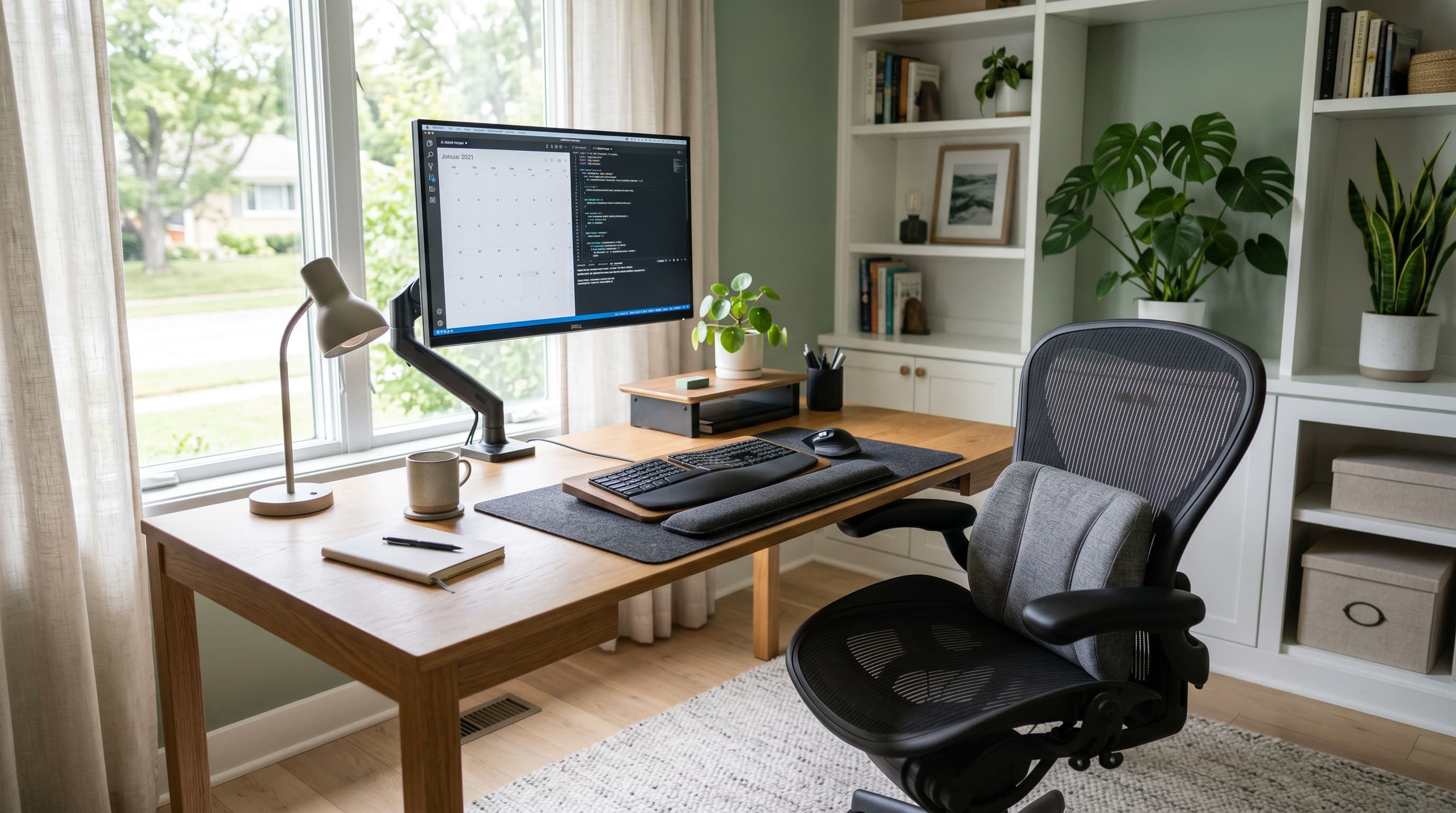
Corporate offices have something most home offices don't: someone who configured the setup. Facilities managers spec chairs, adjust monitor heights, and position keyboards. At home, most people just sit down and start working. Over months, the cumulative effect of a chair that's slightly wrong, a monitor slightly too low, or feet that don't quite reach the floor shows up as real pain.
That pain has a price tag. OSHA reports musculoskeletal disorders account for 34% of all workplace injuries and illnesses (OSHA, 2024). The accessories in this guide are targeted fixes for the most common home office ergonomic problems — each addresses a specific source of discomfort without requiring a full workstation overhaul. Fix the thing that hurts first. Add from there.
TL;DR: Fix the biggest pain point first. Lower back pain → lumbar pillow (Everlasting Comfort, ~$27). Wrist/forearm pain → gel wrist rest (Fellowes, ~$18). Foot/hip pressure → footrest (Kensington SoleMate, ~$42). OSHA data: 34% of workplace injuries are musculoskeletal disorders. A $100 targeted ergonomic investment prevents problems that cost far more to treat.
Why Do Home Offices Have Worse Ergonomics Than Corporate Setups?
OSHA data puts the scope of the problem clearly: musculoskeletal disorders account for 34% of all U.S. workplace injuries and illnesses, costing employers and workers billions annually (OSHA, 2024). Remote workers face compounded risk. Home setups typically lack the ergonomic equipment and professional assessments that are standard in corporate environments, increasing cumulative strain from suboptimal posture during 8-hour workdays.
The gap isn't just about equipment. It's about awareness. A corporate IT setup usually includes someone who knows the monitor should be at eye level, the chair adjusted so thighs are parallel to the floor, and the keyboard positioned so elbows stay close to 90 degrees. Nobody walks through that checklist at home.
A few specific problems drive most home office pain:
- No ergonomic assessment — most home office workers have never had anyone look at their setup
- Wrong chair, dining chairs, gaming chairs, and hand-me-down task chairs dominate, none designed for 6-8 hour use
- Laptop directly on desk, the screen sits roughly 30-45° below comfortable eye level, forcing sustained neck flexion
- Feet not reaching the floor, standard desk heights (28-30 inches) combined with non-adjustable chairs leave many users dangling or perching forward
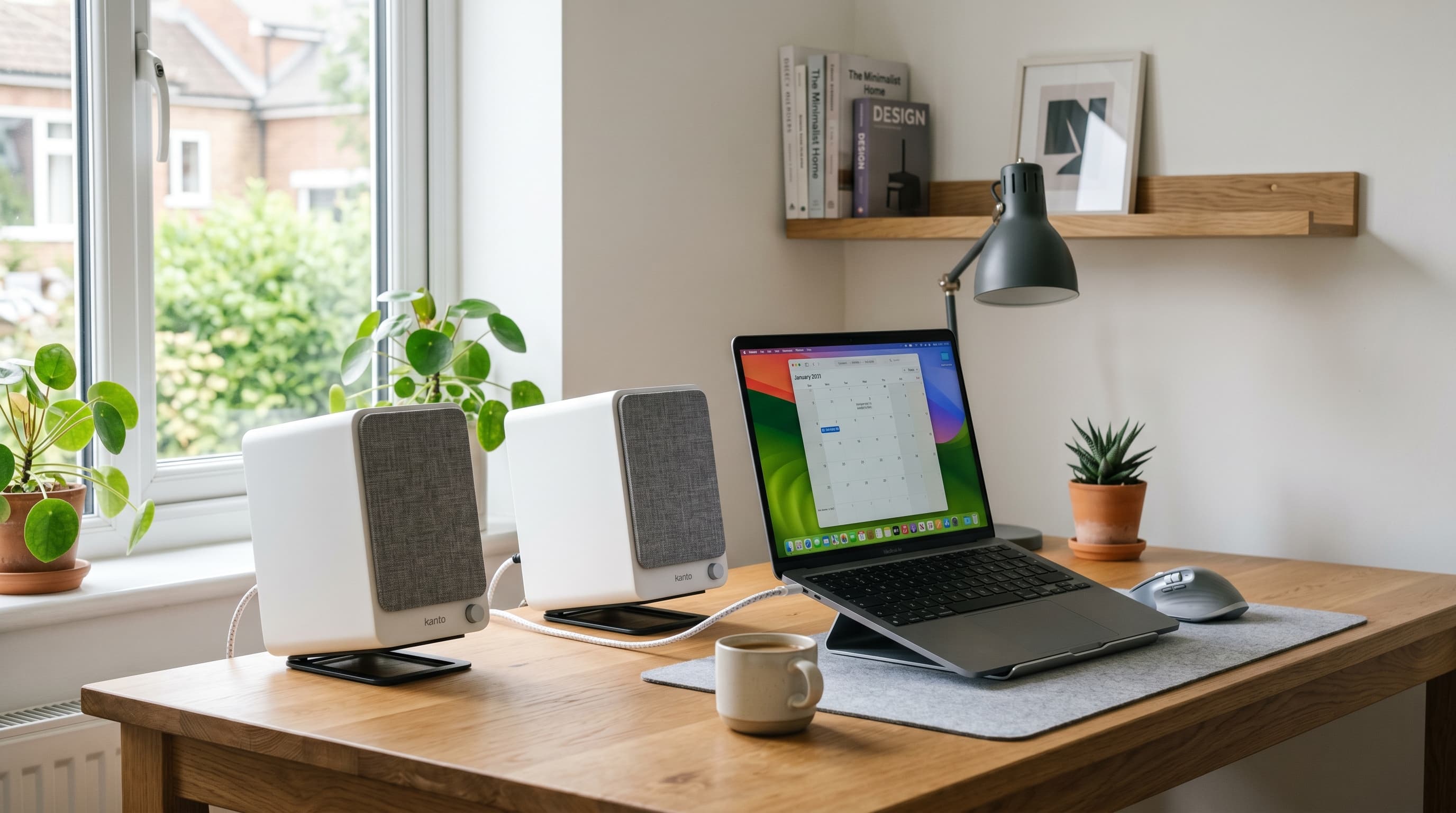
The most overlooked home office ergonomic problem is monitor height, and it's free to fix. The top of your screen should sit at or just below eye level. Most people work with screens 4-6 inches below that. A laptop stand or monitor arm corrects this instantly. The wrist rest gets bought. The lumbar pillow gets ordered. The free fix, the one that prevents the most neck and shoulder pain, gets skipped.
Citation capsule: OSHA (Occupational Safety and Health Administration) reports that musculoskeletal disorders account for 34% of all workplace injuries and illnesses, costing employers and workers billions annually. Remote workers face compounded risk because home setups typically lack the ergonomic equipment and professional assessments standard in corporate environments, increasing cumulative strain from suboptimal posture over 8-hour workdays. (OSHA, 2024)
Related: laptop stand for monitor height
Ergonomic Accessories by Problem — Fix What Hurts First
The most effective approach isn't buying a kit. It's matching accessories to specific pain points. A 2022 PMC systematic review found prolonged sitting carries an odds ratio of 1.42 for developing low back pain (PMC8767074, 2022), and targeted ergonomic interventions reduce that risk by 47%, per a 2025 review of 24 RCTs (PMC12073017, 2025). Targeted fixes work. A full kit you use halfway doesn't.
Here's how to match your pain to the right accessory:
- Lower back pain → lumbar support pillow
- Wrist or forearm pain → gel wrist rest (see also: ergonomic mouse guide)
- Foot numbness, hip pressure, or legs that dangle → footrest
- Neck and shoulder pain from screen height → monitor arm or laptop stand
- Eye strain → monitor distance and lighting adjustments
Related: monitor arms for screen height, home office lighting ideas
The five products below cover the first three categories. Monitor height and lighting issues are addressed in dedicated guides linked throughout.
1. Everlasting Comfort Lumbar Support Pillow — Best for Lower Back Pain
The Everlasting Comfort memory foam lumbar pillow is the highest-impact first purchase for anyone with lower back pain. Memory foam contours to the lumbar curve rather than holding a fixed shape, which means the support actually matches your back rather than pushing against it. The adjustable strap fits chair backs from 16 to 20 inches wide.
Here's something worth knowing if you've tried a lumbar pillow before and decided it didn't work: positioning is almost certainly the reason. Most people put lumbar pillows too high, against the mid-back, where they create pressure without supporting the inward curve of the lower spine. The correct position is roughly at waist height, where the spine naturally curves inward. Move it there, and the effect is immediate. The back pain that's been building for weeks starts easing within a day or two. It's not subtle.
Best for: Anyone with lower back pain, and anyone using a chair without built-in adjustable lumbar support, which describes most home office chairs.
Pros
- Memory foam conforms to individual lumbar curve, not a fixed-shape pad
- Adjustable strap fits most chair backs (16–20 inch width)
- Machine washable cover, practical for daily use
- Works with any chair, including dining chairs and non-ergonomic task chairs
- ~$27 price makes it the highest ROI ergonomic purchase on this list
Cons
- Requires correct positioning to work, too high and it pushes mid-back, not lumbar
- Memory foam retains heat over long sessions in warm environments
- Strap can slip on very smooth chair back materials
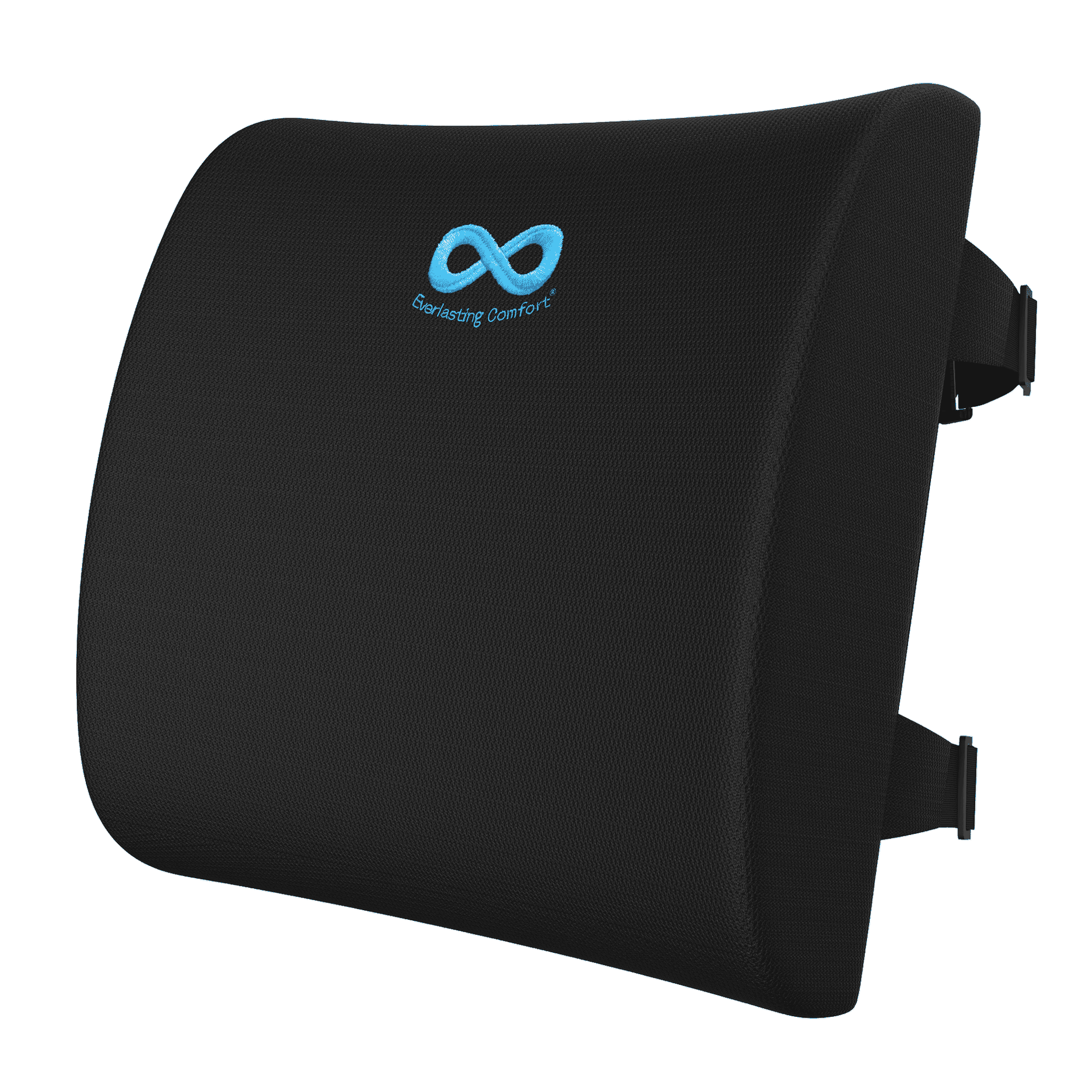
Everlasting Comfort
Lumbar Support Pillow
Memory foam conforms to your lumbar curve, adjustable strap fits chair backs 16–20 inches wide, machine washable cover, highest ROI ergonomic purchase for lower back pain.
2. Fellowes Gel Wrist Rest — Best for Keyboard Wrist Pain
The Fellowes gel wrist rest is the standard recommendation for keyboard-related wrist and forearm discomfort. Gel provides more even pressure distribution than foam alternatives, it doesn't develop permanent compression zones after weeks of use. The non-skid base keeps it in position on most desk surfaces without adhesive.
Wrist rests work best as resting supports between typing bursts, not as continuous contact surfaces during active typing. When used correctly, setting your wrists down during pauses, lifting them while typing, they reduce the strain that accumulates from unsupported wrist position over the course of a workday. Repetitive strain injuries account for 33% of all US workplace injury cases (Bureau of Labor Statistics, 2024), and wrist support during rest periods is one of the simplest preventive measures available.
Best for: Home office workers who type for 4+ hours daily and experience wrist fatigue or forearm discomfort by end of day.
Pros
- Gel construction distributes pressure evenly, resists permanent compression better than foam
- Non-skid base holds position without adhesive on most surfaces
- Washable cover keeps it clean over months of daily use
- Low-profile height suits most keyboard thicknesses
Cons
- Gel can feel cool initially in cold environments, warms up quickly
- Not designed for continuous wrist contact during typing, rest-period use only
- Single size; may not suit users with very wide keyboards
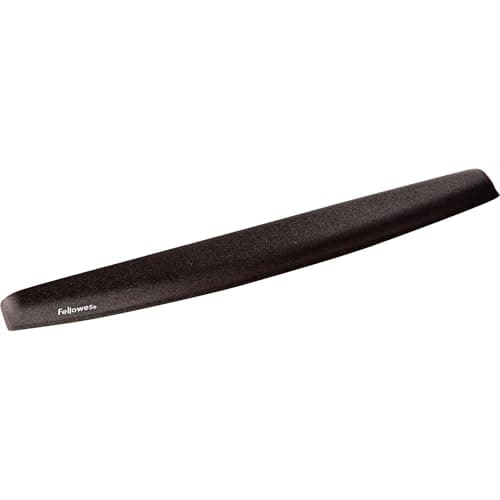
Fellowes
Gel Wrist Rest
Gel construction distributes pressure evenly without permanent compression zones, non-skid base, washable cover, designed for rest periods between typing bursts.
3. 3M Gel Wrist Rest — Best Compact Wrist Rest
The 3M gel wrist rest is the narrower alternative for tighter desk setups or users who prefer a lower-profile option. It uses the same gel-fill principle as the Fellowes but in a slimmer form factor that fits more easily alongside a trackpad, number pad, or compact keyboard layout.
Where the Fellowes suits a full-size keyboard with room to spare, the 3M version works well on 60% and tenkeyless keyboards, or on desks where space is tight. The gel density is similar, though the 3M's slightly firmer feel suits users who find the Fellowes too soft under the heel of the wrist.
Best for: Users with compact keyboards, tight desk space, or a preference for a firmer gel feel.
Pros
- Compact form factor fits 60% and TKL keyboards without overhanging
- Slightly firmer gel density preferred by users who find standard gel too soft
- Non-slip base keeps position on most surfaces
- Lower price point than the Fellowes at most retailers
Cons
- Narrower width may not cover full keyboard span for users with wider wrists
- Less padding surface area than full-size wrist rests
- Cover is not removable for washing on all models
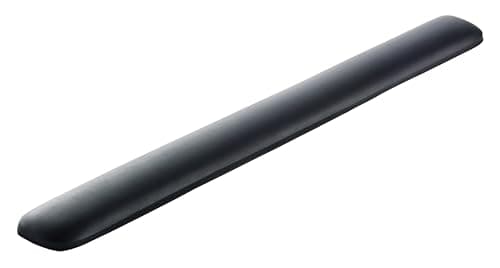
3M
Gel Wrist Rest
Compact form factor fits 60% and TKL keyboards without overhanging, slightly firmer gel density preferred by users who find standard gel too soft.
4. Kensington SoleMate Footrest — Best Adjustable Footrest
The Kensington SoleMate is the standard recommendation for home office footrest use. It addresses the single most common seated ergonomic problem most guides ignore: the mismatch between standard desk heights (28-30 inches) and the body sizes of the people using them. Shorter users sitting properly in a chair, back against the lumbar support, thighs parallel to the floor, often find their feet don't reach the ground. That gap creates hip pressure and encourages a forward perch that collapses lumbar support.
The SoleMate adjusts to three height positions (4, 5.5, and 7 inches) and tilts up to 15 degrees, allowing the ankle angle to match what's comfortable rather than forcing a fixed foot position. The non-slip surface keeps feet in place without feeling restrictive.
Best for: Anyone whose feet don't rest flat on the floor when properly seated, and anyone who experiences hip or lower back pressure despite having a chair with lumbar support.
Pros
- Three height positions (4", 5.5", 7") adjust to fit a wide range of body heights
- 15-degree tilt range lets you find a comfortable ankle position
- Non-slip top surface keeps feet positioned without restriction
- Sturdy construction, doesn't slide on hard floors under foot pressure
- ~$42 addresses hip and lower-back pressure that even good chairs can't fix alone
Cons
- Fixed height increments, not infinitely adjustable, requires choosing the closest fit
- Larger footprint under the desk than a flat footrest
- Not practical for standing desk setups where you alternate sitting and standing frequently
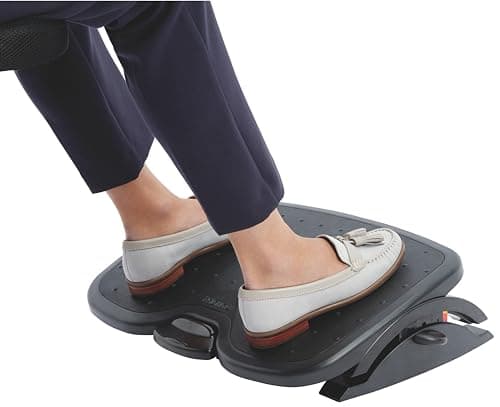
Kensington
SoleMate Footrest
Three height positions (4", 5.5", 7") and 15° tilt range, addresses the gap between standard desk heights and shorter users's seated position.
5. Humanscale Foot Rocker — Best Active Footrest
The Humanscale Foot Rocker takes a different approach than the SoleMate. Rather than a static platform that holds your feet at a fixed elevation, it uses a curved base to allow continuous rocking motion, small, rhythmic movement throughout the day that keeps lower-leg muscles engaged rather than static.
That distinction matters because sustained static posture, even in a correct position, contributes to fatigue and discomfort over time. The rocking action provides the same low-level muscle activation that researchers found anti-fatigue mats deliver for standing: continuous micro-movement that prevents load concentration in any single position. At roughly $55-65, it costs more than the SoleMate, but the active benefit makes it the better choice for anyone who sits for 7+ hours daily.
Best for: Full-time remote workers sitting 7+ hours daily who experience lower-leg fatigue or foot discomfort, and anyone who wants an active rather than passive ergonomic intervention.
Pros
- Rocking motion keeps lower-leg muscles in low-level continuous activation
- Curved base works on both hard floors and carpet without a separate grip surface
- Compact profile fits under almost any desk without space tradeoffs
- Durable construction, Humanscale products are built for commercial use lifespans
Cons
- Higher price (~$55–$65) than static footrests
- Rocking motion is not for everyone, some users prefer the stability of a static platform
- No height adjustment, suited for average-height users; shorter users may need the SoleMate's height options
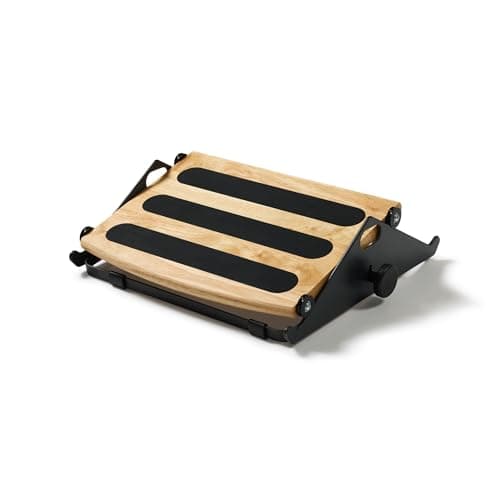
Humanscale
Foot Rocker
Curved rocking base keeps lower-leg muscles in continuous low-level activation, built for full-time remote workers sitting 7+ hours daily, compact profile fits any desk.
What Order Should You Fix Ergonomic Problems In?
The most common mistake home office workers make with ergonomics is buying a bundle of accessories without knowing which one actually solves their specific problem. OSHA's ergonomics guidelines recommend fixing the highest-load problem first, and for most people sitting at a home desk, that hierarchy is consistent. A 2025 systematic review of 24 RCTs found ergonomic interventions reduce lower back pain risk by 47% overall (PMC12073017, 2025). Targeted fixes, applied in order, compound.
Here's the order of operations we've found works in practice:
1. Chair height (free, adjust your existing chair) Set seat height so thighs are parallel to the floor and feet rest flat. This is the single highest-impact free adjustment available. Most people never do it.
2. Monitor height (free with books; $35–$80 for a proper stand or arm) The top of the screen should sit at or just below eye level. Stack books under a monitor, or pick up a laptop stand before spending a dollar on anything else. This fix is free and prevents more neck and shoulder pain than any accessory on this list.
3. Lumbar support (~$25–$50) The Everlasting Comfort pillow addresses the next biggest pain point for most home office workers. Even a well-adjusted chair often lacks adequate lumbar support for your specific back curve.
4. Footrest if feet don't touch the floor (~$35–$60) After fixing chair height, test whether your feet rest flat. If they don't, the Kensington SoleMate is the fix. Don't skip this step, hip and lower-back pressure from unsupported legs accumulates silently.
5. Wrist rest for wrist or forearm pain (~$15–$30) Address this last, because wrist discomfort is often a downstream effect of poor monitor or keyboard height. Fix those first. If wrist pain persists, add the Fellowes gel wrist rest.
The key rule: fix one thing, wait two weeks, then assess. Pain often disappears faster than expected. Buying everything at once makes it impossible to know what actually helped.
For the complete ergonomic foundation, the chair that everything else builds on, our best ergonomic chairs under $300 guide covers six well-tested options. And if you're still working out whether a standing desk belongs in the setup, our best standing desks guide covers the tradeoffs clearly.
Related: work from home productivity tips, best office chairs 2026
What Does a $100 Ergonomic Budget Actually Buy?
For someone working from a dining chair or a basic task chair with zero ergonomic equipment, $100 is enough to address the three most common home office pain points simultaneously. OSHA estimates musculoskeletal disorders cost U.S. employers over $15 billion in direct workers' compensation costs annually (OSHA, 2024), the individual-level version of that number is the pain, reduced focus, and eventual medical expense that accumulates from a setup that's slightly wrong every day for months.
Here's what $100 gets you in targeted fixes:
| Accessory | Price | Pain Point Addressed |
|---|---|---|
| Everlasting Comfort Lumbar Pillow | ~$27 | Lower back pain, poor lumbar support |
| Fellowes Gel Wrist Rest | ~$18 | Wrist and forearm fatigue |
| Kensington SoleMate Footrest | ~$42 | Hip pressure, feet not reaching floor |
| Total | ~$87 | Back, wrists, and feet |
That combination, $87 for three targeted accessories, transforms the comfort profile of almost any chair. It doesn't replace a good chair. But a $200 ergonomic chair with these three additions outperforms most $600 chairs without them. The accessories close the gaps that even reasonable chairs leave open.
Citation capsule: A 2025 systematic review of 24 RCTs covering 4,086 workers found that ergonomic interventions reduce the risk of lower back pain by 47% (OR 0.53, p<0.00001). Targeted accessory interventions, lumbar support, footrests, wrist rests, are among the lowest-cost and most evidence-supported ergonomic improvements available for home office setups (PMC12073017, 2025).
Ergonomic accessories work best as targeted solutions to specific problems, not as a full kit purchased at once. Start with the pain that bothers you most right now. Fix it with the right accessory. Build from there.
The five picks above address the problems that affect the most home office workers, at prices that make them low-risk experiments. A lumbar pillow that doesn't work for you costs $27 to find out. Most of the time, positioned correctly, it does work, and the improvement is fast and obvious.
For anyone who's reached the point where accessories are patching over a fundamentally inadequate chair, the next step is the foundation: our best ergonomic chairs under $300 guide covers six chairs that handle the job properly without a four-figure price tag.