Most laptop setups have a hidden ergonomics problem. The screen sits 8–15 inches below where your eyes should be pointing, your neck tilts down all day, and the discomfort builds so gradually you don't notice it until it's a persistent ache.
The fix is simple. A laptop stand raises your screen 4–6 inches, bringing it much closer to proper eye-level alignment — and costs less than a single visit to a physical therapist.
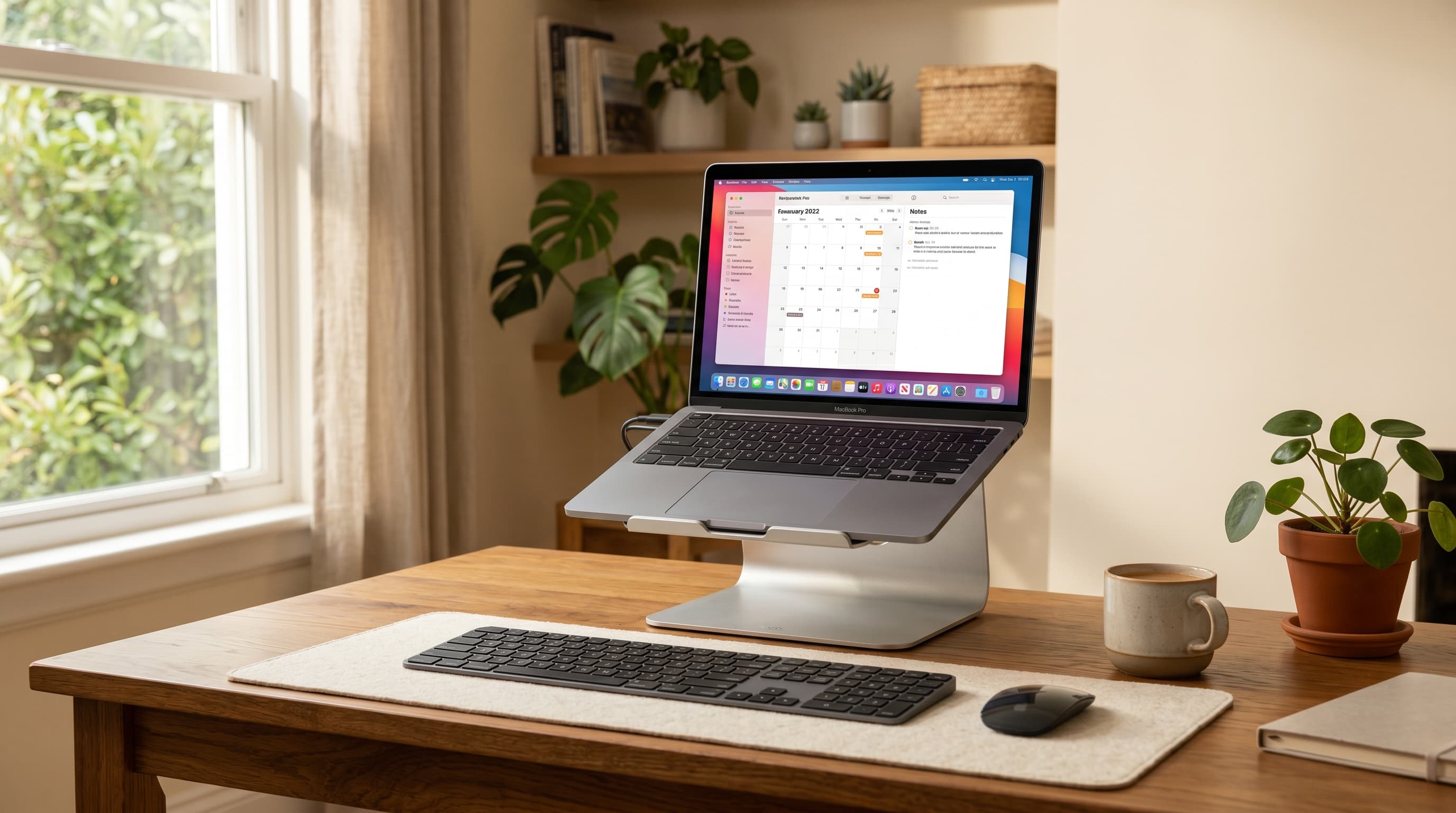
The catch: once the screen goes up, your keyboard goes up with it. That's an awkward typing position for extended work. The real solution is a stand paired with an external keyboard and mouse — a two-piece setup that finally makes a laptop feel like a proper workstation.
I've tested stands across fixed-height aluminum pedestals and compact folding designs for travel. This guide covers five picks for every use case and budget.
TL;DR: The Rain Design mStand is the best fixed-height stand for MacBook users who want a clean, permanent setup. The Nexstand K2 is the best foldable stand for travel. Budget buyers should look at the Nulaxy or Lamicall adjustable stands. All five need to be paired with an external keyboard and mouse to work ergonomically, per Cornell University's guidelines, your screen top should sit at or just below eye level, roughly 2–3 inches below eye height.
Why Your Laptop Needs a Stand at Your Home Office Desk
Cornell University's ergonomics guidelines are specific: the top of your monitor should sit at or just below eye level, approximately 2–3 inches below eye height, when seated (Cornell Human Factors and Ergonomics Research Group, ergo.human.cornell.edu). Most laptop users work with their screen 8–15 inches below that point, meaning the neck is angled down for every hour of work.
That sustained forward tilt compounds into what clinicians call "tech neck." It's not discomfort that resolves on its own after a weekend, it accumulates over weeks and months of the same misaligned posture. A stand typically raises a laptop screen 4–6 inches, which closes most of the gap between where the screen sits and where it should be.
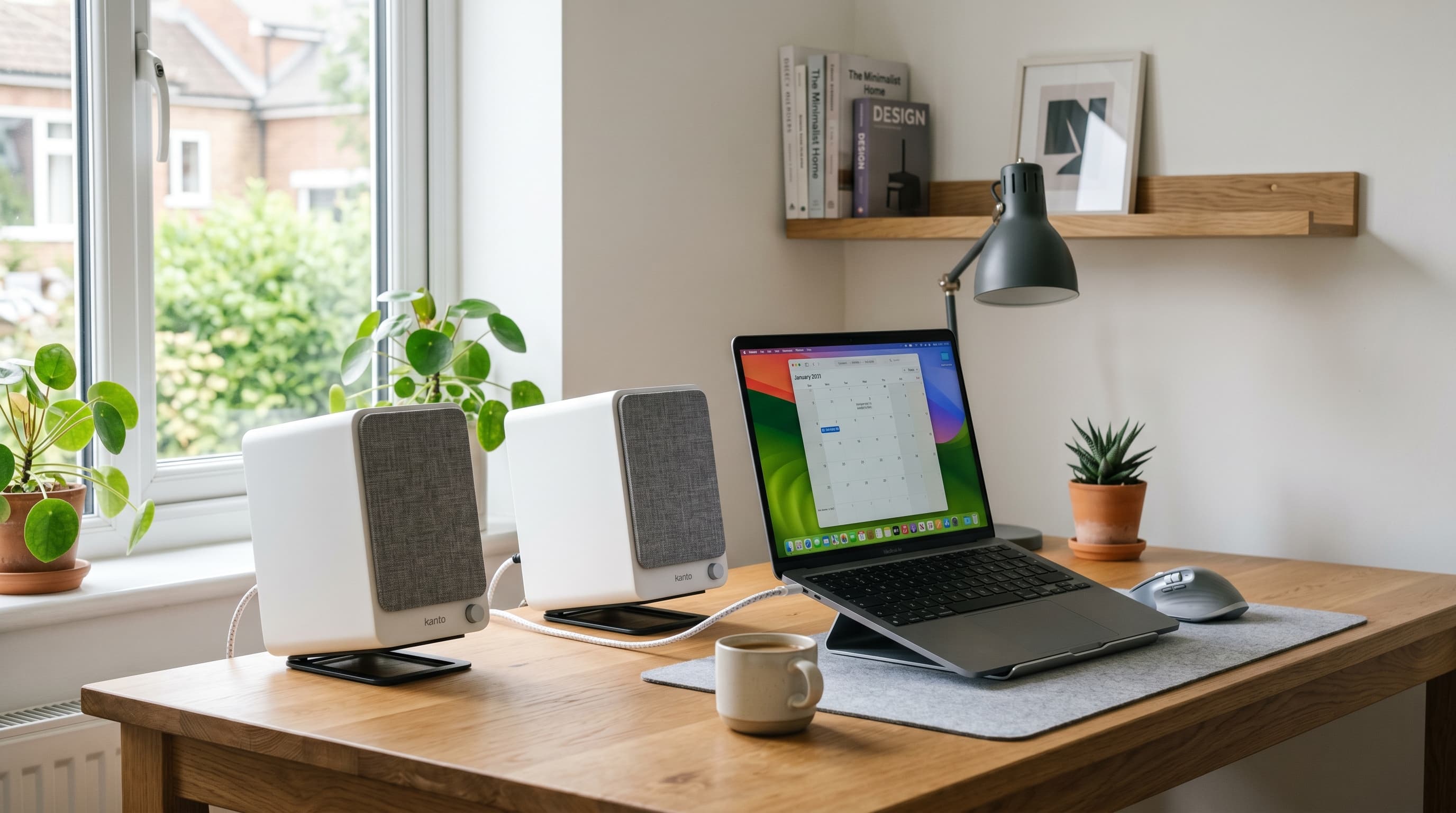
One thing most reviews gloss over: a laptop stand only solves the screen height problem. Your keyboard and trackpad travel up with the screen. Typing with your hands raised to shoulder height is tiring within an hour. The setup only works ergonomically if you add an external keyboard and mouse, keeping your hands at desk level while your eyes look straight ahead.
The combined investment is modest. A decent stand runs $25–60. A wireless keyboard and mouse combo adds another $50–120. That's $75–180 total, less than the ergonomic chair most guides recommend first. And the screen-height correction alone, done consistently, is one of the highest-return ergonomic changes a laptop worker can make.
If you're also evaluating whether to upgrade the laptop itself, our best laptops for home office guide covers the top picks by use case.
The Best Laptop Stands for Home Office in 2026
Quick Comparison
| Stand | Best For | Height Adjustment | Portability | Price Range |
|---|---|---|---|---|
| Rain Design mStand | Premium fixed-height, MacBook users | Fixed (~5.9 in) | No | $40–50 |
| Nexstand K2 | Travel / portable use | Adjustable (6 heights) | Yes, folds flat | $30–40 |
| Lamicall Laptop Stand | Budget adjustable | Adjustable | Moderate | $20–30 |
| Nulaxy Laptop Stand | Height-adjustable desk use | Adjustable (6 heights) | Moderate | $25–35 |
| Majextand Ultra-Thin | Ultra-minimal / MacBook travel | Low-profile adjustable | Yes, attaches to laptop | $50–60 |
1. Rain Design mStand — Best Premium Fixed-Height Stand
Best for
MacBook users who want a permanent desk stand that looks like it belongs with their setup. The mStand's aluminum build and fixed height make it the cleanest option for a single-user desk that never changes.
The Rain Design mStand is the default answer for MacBook users who've decided on a permanent desk stand. It's a single-piece aluminum construction, no moving parts, no adjustment levers, no plastic. The fixed height raises most 13–16 inch laptops to approximately 5.9 inches, which puts a MacBook Pro 14 screen top at close to eye level for seated adults in the 5'5"–6'0" range.
The stand's design channels heat away from the laptop base, which matters for sustained workloads, the aluminum conducts heat rather than trapping it beneath the machine. One genuine limitation: the fixed height is fixed. If you're shorter than 5'4" or taller than 6'2", the screen may still sit noticeably above or below optimal. In those cases, an adjustable stand is the more rational pick.
Cable management is handled by a routing slot at the back, power and USB cables thread through cleanly rather than draping across the desk surface. For a MacBook user with a clean desk aesthetic, it's a detail that matters.
Pros
- Single-piece aluminum construction, no plastic components, no moving parts
- Raises screen approximately 5.9 inches, near eye level for most adults
- Heat-conductive design channels warmth away from laptop base
- Cable routing slot keeps power and USB cables hidden
- Matches MacBook and Apple peripherals aesthetically
Cons
- Fixed height only, no adjustment for shorter or taller users
- Not portable, heavy and doesn't fold
- Only fits laptops up to 17 inches, check your model before buying
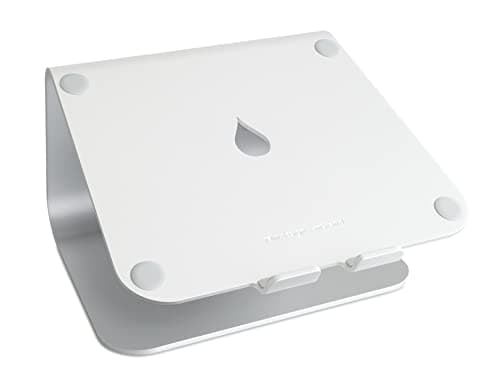
Rain Design
mStand Laptop Stand
Single-piece aluminum, raises screen ~5.9 inches. Built-in cable routing slot and heat-conductive design.
2. Nexstand K2 — Best Portable / Travel Stand
Best for
Anyone who takes their laptop to coffee shops, coworking spaces, or client offices. The K2 folds flat, weighs under half a pound, and sets up in about 30 seconds.
The Nexstand K2 is the stand for people who actually move. It folds to a flat profile that fits inside most laptop bags, weighs approximately 180g (under half a pound), and offers six height settings, so you can dial in a comfortable position regardless of the desk or chair you're working from that day.
Citation capsule: The Nexstand K2 adjusts across six height levels and folds to a portable flat profile weighing approximately 180 grams. For laptop users working from multiple locations, home office, coworking spaces, travel, this adjustability addresses the core ergonomic challenge identified by Cornell University's guidelines: bringing the screen top to approximately 2–3 inches below seated eye height (Cornell Human Factors and Ergonomics Research Group).
Setup at a new desk takes under a minute. The stand holds laptops from 10 to 17 inches. The trade-off versus the mStand is stability, the fold-out legs are secure for typing at desk level, but the frame has a small amount of flex compared to a single-piece aluminum stand. For most users working with a wireless keyboard at desk level (which is the correct setup), it's not a practical issue.
Pros
- Folds flat, fits in a laptop bag without dedicated stand pouch
- Six height settings, adjusts to different desks and chair heights
- Weighs under 180g, genuinely lightweight for daily carry
- Holds laptops 10–17 inches, covers MacBook Air through Pro 16
Cons
- Slight frame flex compared to solid aluminum stands
- Plastic construction, not as premium feeling as the mStand
- Height increments are fixed, fine adjustment between steps not possible
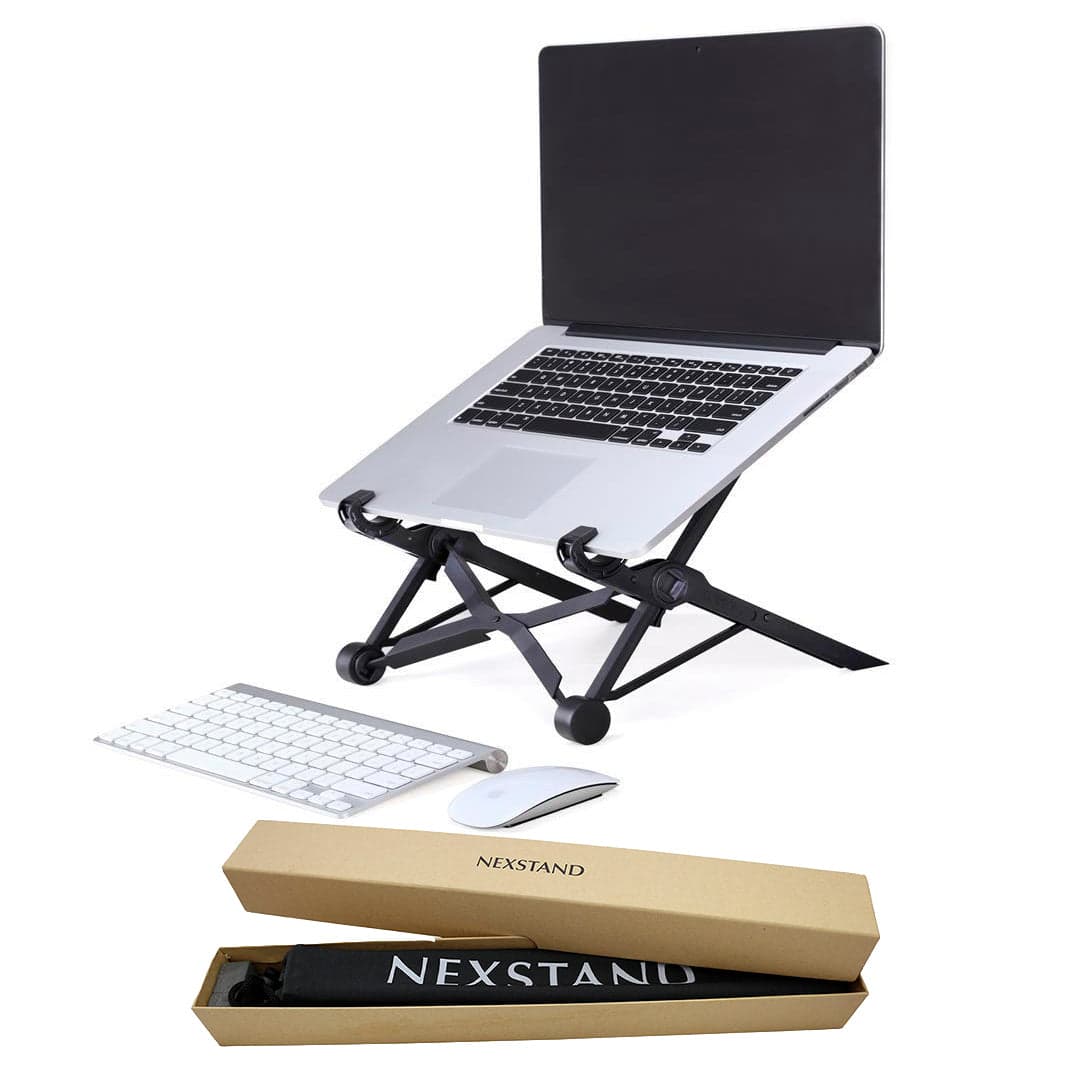
Nexstand
K2 Laptop Stand
Folds flat to fit in a laptop bag. Six height settings, weighs under 180g. Fits 10–17 inch laptops.
3. Lamicall Laptop Stand — Best Budget Adjustable
Best for
Budget buyers who want adjustable height without spending more than $25. The Lamicall covers the ergonomic basics at a price that removes any hesitation.
The Lamicall adjustable stand sits in the $20–30 range and delivers the essentials: adjustable height, ventilation pass-through underneath the laptop, and a silicone-padded cradle that keeps the machine in place. It handles laptops from 10 to 17.3 inches, covering almost every mainstream MacBook and Windows laptop currently sold.
Adjustment uses a set of fold-out risers rather than a continuously sliding mechanism, you pick from a handful of height positions. The range is sufficient for most desk setups. Build quality is noticeably below the Rain Design mStand, and the plastic-and-rubber construction doesn't dissipate heat the way aluminum does. But for the price, it delivers the core benefit: screen elevation to near eye level.
Pros
- Under $25, the lowest cost of any adjustable stand on this list
- Adjustable height with multiple positions
- Ventilation design keeps airflow under the laptop
- Silicone padding protects laptop base and edges from scratches
Cons
- Plastic build doesn't match premium laptop aesthetics
- No continuous height adjustment, fixed position increments only
- Less heat dissipation than aluminum stands
4. Nulaxy Laptop Stand — Best Height-Adjustable for Desk Use
Best for
Home office workers who want more precise height control than the Lamicall offers, at a modest step up in price. The Nulaxy adjusts to six positions and has a more stable base for a desk-only setup.
The Nulaxy is a step above the Lamicall in build and adjustability. Six height settings, a more stable wide-base design, and a hinged adjustment mechanism that locks into position more firmly than the Lamicall's riser system. It sits in the $25–35 range, a sensible upgrade if the Lamicall's stability bothers you, but you're not ready to spend $40+ on the mStand.
Citation capsule: The Nulaxy adjusts across six height increments, with the highest setting raising a standard laptop screen approximately 5–6 inches above desk level. For most adults, this brings the screen top within the ergonomic target range established by Cornell University, top of monitor at or just below eye level, approximately 2–3 inches below seated eye height (Cornell Human Factors and Ergonomics Research Group).
The stand supports laptops up to 17.3 inches and around 20 lbs, enough for any standard MacBook or Windows laptop. The silicone-coated cradle prevents the laptop from sliding during use. For a desk-only setup that doesn't move, the Nulaxy is a comfortable middle ground between the budget Lamicall and the premium mStand.
Pros
- Six height settings, more precise adjustment than the Lamicall
- Wide stable base reduces wobble compared to narrower budget stands
- Supports laptops up to 17.3 inches and 20 lbs
- Silicone cradle coating protects laptop bottom and prevents slipping
Cons
- Plastic build, less durable and less heat-conductive than aluminum
- Slightly bulkier than folding portable stands
- Not designed for travel use
5. Majextand Ultra-Thin — Best for Ultra-Minimal Portable Setups
Best for
MacBook users who want the absolute minimum carry weight and footprint. The Majextand attaches directly to the bottom of the laptop, no separate stand to pack.
The Majextand takes a different approach entirely. Instead of a separate stand you carry alongside the laptop, it adheres directly to the laptop's underside, a thin aluminum accessory that deploys into a stand by unfolding its legs. When closed, it adds about 2mm to the laptop's profile. When open, it raises the screen 3–5 inches depending on position.
It's the right pick for a very specific user: someone who travels frequently, dislikes carrying anything extra, and is willing to spend $50–60 for the convenience of a stand that's already attached to the machine. The trade-off is permanent adhesion, removing it cleanly is possible but finicky, and the adhesion area is limited to laptops without rubber feet in that zone (most MacBooks qualify).
For a home office that never moves, it's overkill compared to the mStand. For a daily commuter with a MacBook, it's a clever solution that removes one item from the bag.
Pros
- Attaches to laptop, no separate item to pack or forget
- Adds approximately 2mm to laptop profile when closed
- Aluminum build matches MacBook aesthetics closely
- Multiple height positions by changing the leg angle
Cons
- Permanent adhesion, removal is possible but finicky
- Only works on laptops without rubber feet in the adhesion zone
- More expensive than comparable foldable stands at $50–60
- Lower maximum height than standalone adjustable stands
Fixed vs. Adjustable Laptop Stands: Which Should You Choose?
Fixed-height stands like the Rain Design mStand offer a cleaner look and more stable platform, there are no hinges to loosen over time, no position increments, no plastic adjustment mechanisms. For a single user at a permanent desk who's within the typical adult height range, a fixed stand often works fine. The mStand's 5.9-inch raise hits the ergonomic target for most people between 5'4" and 6'1".
Adjustable stands give you flexibility that fixed stands can't. If multiple people use the same desk, if you switch between chairs at different heights, or if your current setup involves an adjustable desk that changes height during the day, an adjustable stand lets you match screen height to seated eye level precisely each time. The Nexstand K2 and Nulaxy both offer this flexibility, though the mechanisms are different.
The travel question settles it quickly. A fixed aluminum stand like the mStand doesn't belong in a laptop bag, it's heavy, bulky, and won't survive being knocked around in transit. If the stand needs to travel, the Nexstand K2 is the right answer. It folds flat, weighs almost nothing, and sets up anywhere.
For a permanent home office desk, the honest recommendation is: buy fixed if the aesthetic matters to you and you're within the target height range. Buy adjustable if you share the desk, travel regularly, or aren't sure whether the fixed height will work for your setup.
If you're building out a full ergonomic workstation, pairing a properly positioned laptop screen with a good ergonomic chair makes a bigger combined difference than either change alone.
Do You Need a Laptop Stand If You Have a Monitor?
The answer depends on how you're using the external monitor. There are two common configurations, and they have different answers.
Clamshell mode, laptop lid closed, using only the external monitor, means the laptop screen isn't in use at all. A stand is optional in this case. It can help with heat dissipation and cable management (keeping the closed laptop vertical rather than flat on the desk), but it's not doing ergonomic work. A vertical laptop dock is often a better solution here than a traditional stand. If you're working in clamshell mode from a single USB-C cable, a dedicated dock handles display output, Ethernet, and charging simultaneously, our best docking station for home office 2026 covers the options.
Dual screen mode, laptop screen and external monitor both active, is where a stand becomes essential. Without one, your external monitor sits at eye level while your laptop screen sits 8–15 inches lower. You spend the day glancing between two screens at dramatically different heights, which creates exactly the neck strain a stand is meant to prevent. Raising the laptop screen to match the external monitor height makes the dual-screen setup comfortable for extended use.
For dual screen users specifically: the goal isn't to get both screens at identical heights, it's to get the primary screen at eye level and the secondary screen close enough that the head movement between them is minimal. Most people using a laptop plus external monitor should treat the external as primary and raise the laptop to approximately the same height. See our dual monitor setup guide for how to position two screens without creating a new source of neck strain.
If you're running clamshell mode full-time, a laptop stand is a nice-to-have. If you're using both screens, it's a must-have.
Frequently Asked Questions
Do I need an external keyboard and mouse with a laptop stand?
Yes, that's the trade-off. A laptop stand raises your screen to eye level, but your keyboard and trackpad rise with it. At that height, typing for hours is uncomfortable. Pairing a stand with an external keyboard and mouse is what makes the ergonomic equation work. The total cost of stand + wireless keyboard + mouse typically runs $80–180.
What height should a laptop stand raise my screen to?
The top of your screen should sit at or just below your eye level when seated, approximately 2–3 inches below eye height, per Cornell University's ergonomics guidelines. Most laptop stands raise the screen 4–6 inches, which brings most users from a head-down position to near-optimal alignment. If you're shorter or taller than average, look for an adjustable stand.
Are fixed or adjustable laptop stands better for home office use?
Fixed stands look cleaner and are more stable, but lock you into one height. Adjustable stands give flexibility across different desks, chair heights, and users. For a permanent desk setup where one person uses it daily, a fixed stand often works fine. For shared desks or travel use, adjustable is the right call.
Can I use a laptop stand if I already have an external monitor?
It depends. In clamshell mode, laptop lid closed, external monitor only, a stand is optional. If you use both the laptop screen and external monitor simultaneously, a stand is essential to bring the laptop screen up to a comparable height and avoid constant neck movement between screens at different heights.
What is the best laptop stand for MacBooks?
The Rain Design mStand is the most popular MacBook stand, designed for aluminum laptops, matches Apple's aesthetic, and the fixed height works for most adult seated eye heights. The Nexstand K2 is the better pick if you travel with your MacBook, folding flat and weighing under half a pound.
What We Recommend
For most home office workers with a permanent desk: start with the Rain Design mStand if you're in the typical adult height range and want a clean, permanent solution. It works, it looks good, and there's nothing to break or adjust.
For travel or multi-location work: the Nexstand K2 is the obvious choice. It weighs almost nothing and sets up anywhere in under a minute.
For budget buyers who need adjustability: the Nulaxy is the better of the two budget options, with a more stable base and more confident locking positions than the Lamicall.
For MacBook commuters who want the stand built into the laptop: the Majextand is a genuinely clever solution, though the price premium over the Nexstand is hard to justify unless you truly hate carrying anything extra.
Whichever stand you choose, remember that it only solves half the ergonomic problem. The other half is getting an external keyboard and mouse so your hands stay at desk level while your screen sits at eye level. That two-piece combination, stand and external peripherals, is what actually transforms a laptop into a comfortable all-day workstation.