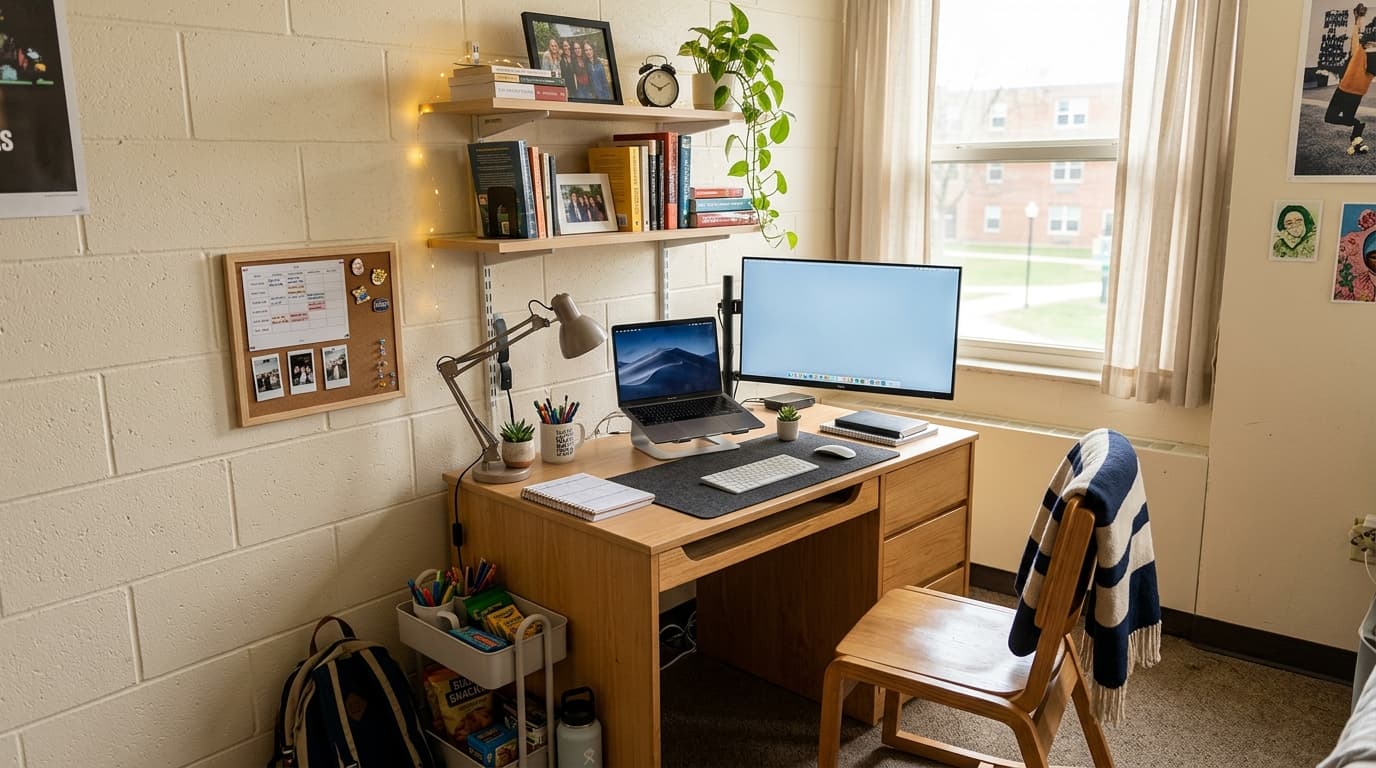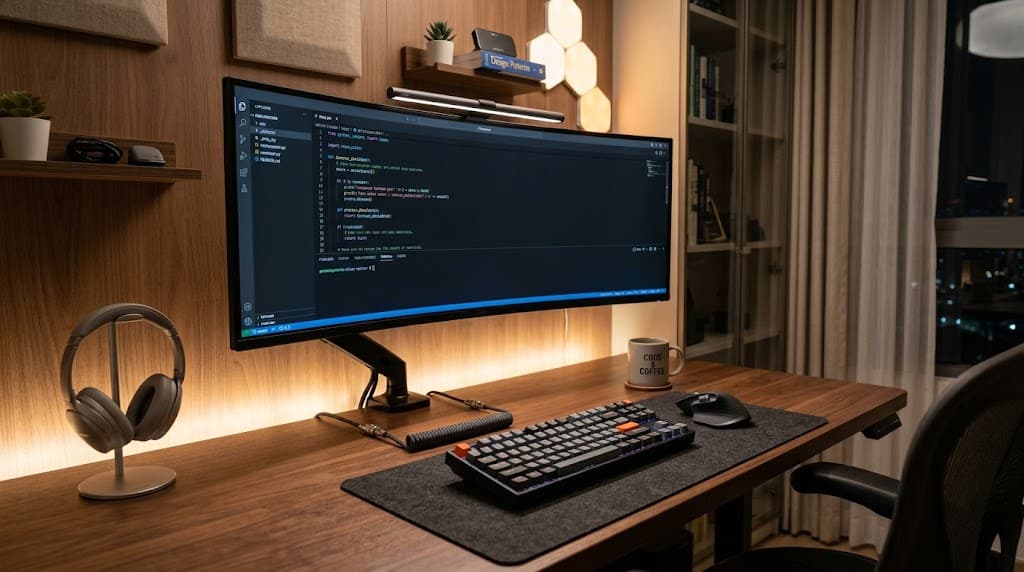
Most home office advice assumes you have a spare room with four walls and a closet you can convert. You don't. You've got a corner of a bedroom, a slice of a living room, or an apartment where the average square footage is 882 square feet (U.S. Census Bureau, 2023). That's the real starting point.
Here's what the space-saving guides miss: a small home office desk under 48 inches is genuinely enough for a functional, ergonomic setup — if you pick the right type. The wrong configuration at 48 inches will feel cramped. The right one at 40 inches can feel surprisingly open. This guide covers five desk categories, with honest product picks for each, plus the accessory strategy that makes any compact workstation work harder.
TL;DR: A 48-inch desk handles a single monitor, keyboard, and mouse with room to spare — if you add a monitor arm. The five desk types below cover every small-space scenario: floating wall mounts, compact traditional desks, corner L-shapes, compact electric standing desks, and the vertical stack strategy that upgrades any existing desk. 35% of Americans now work from home at least part-time (Pew Research Center, 2023), and most of them aren't working from a dedicated home office.
How to Choose a Small Home Office Desk (What Actually Matters)
Width gets all the attention, but depth is the spec that trips people up. Cornell Ergonomics specifies placing your monitor 20–30 inches from your eyes (Cornell Ergonomics Lab), and that distance comes from desk depth, not width. A desk that's only 10–15 inches deep forces your monitor too close, regardless of how wide it is.
There's also a minimum width to consider before you buy. A standard keyboard runs about 17 inches wide. Add a mouse pad at 12 inches, and a monitor base at roughly 8 inches deep. That's 37 inches of functional requirements before you account for anything else. Desks under 40 inches wide start to feel genuinely tight for daily work.
Wall-mounted floating desks are often only 10–15 inches deep. That's not a viable primary workstation unless you pair one with a monitor arm that pushes the screen forward to the correct viewing distance. Without an arm, you'll be leaning in all day.
5 Small Desk Ideas for Home Office Setups
Each category below solves a different space problem. A floating workstation eliminates floor footprint entirely. A compact traditional desk is the lowest-friction entry point. An L-shaped corner configuration doubles your usable surface. A compact standing model adds sit-stand flexibility without requiring a wide footprint. And the vertical stack strategy upgrades any existing workstation without buying a new one. Here's what to know about each.
| Desk Type | Width | Depth | Price Range | Monitor Arm Needed? | Best For |
|---|---|---|---|---|---|
| Wall-mounted floating | 30–48" | 10–15" | $80–$100 | Yes | Zero floor footprint |
| Compact traditional | 36–47" | 18–24" | $100–$200 | Recommended | Budget, storage |
| L-shaped corner | ~47" per arm | 24" | $130–$180 | Optional | Dual monitors |
| Compact standing | 40" | 24" | $250–$280 | No | Sit-stand health |
| Vertical stack | Any | Any | $60–$150 (accessories) | Yes | Upgrading existing setup |
1. Wall-Mounted Floating Desks (Best for Tiny Spaces)
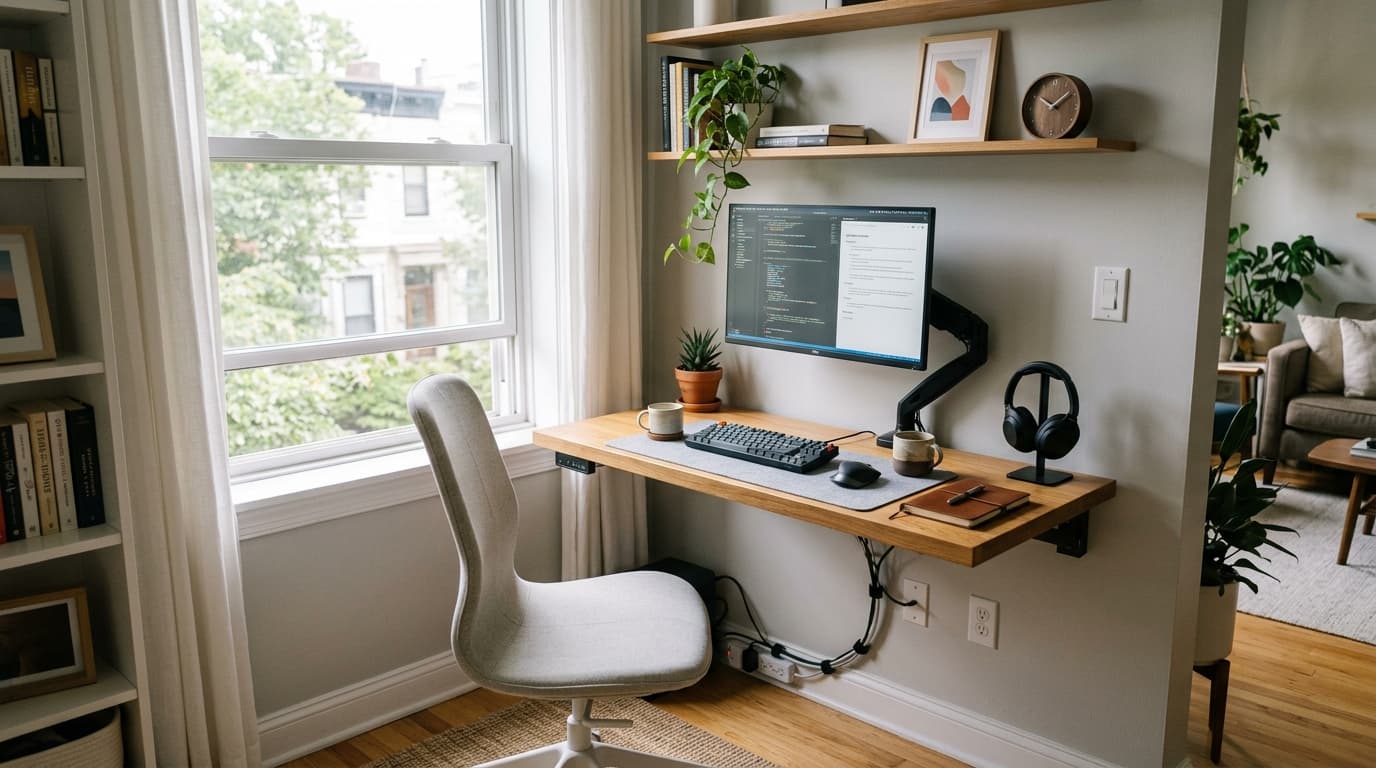
Wall-mounted workstations are the one configuration with zero floor footprint, the unit attaches directly to the wall, and the floor beneath it stays open. For apartments, bedroom offices, and reading-nook conversions, that distinction matters more than any spec sheet number.
The depth caveat is real: most floating surfaces run 10–15 inches front to back. That's adequate for a laptop or a notebook, but you'll need a display arm to position an external screen at the correct viewing distance. Without one, you're pushing the monitor right to the edge and straining forward all day. With an arm, the display extends forward and the shallow profile stops being a limitation.
Prepac Wall-Mounted Floating Desk (~$80)
The Prepac is the budget anchor of this category. It attaches to the wall with four screws, into studs, and folds flat when not in use. In practice, a fold-down writing surface is the right move for renters who can't do permanent installations: it looks intentional, it holds a display arm and laptop without flex, and it disappears when you're done.
Pros
- Very affordable at ~$80, lowest entry cost in this category
- Fold-down design saves visual space even when mounted
- Straightforward four-screw wall installation
Cons
- Shallow 10-inch depth requires a monitor arm for proper screen distance
- Must anchor into studs, drywall-only installation won't hold safely
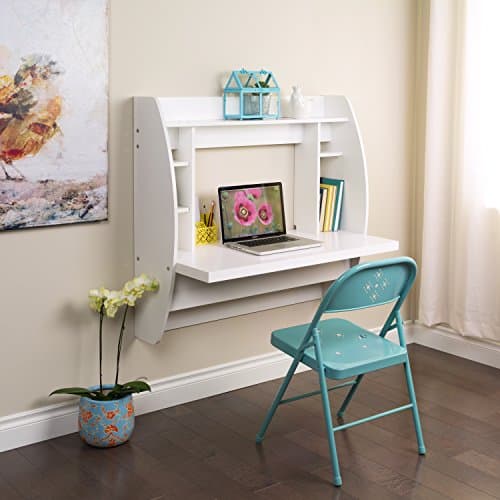
Prepac
Wall-Mounted Floating Desk
Fold-down wall-mount with four-screw stud installation, zero floor footprint, holds a display arm and laptop without flex, disappears when not in use.
Nathan James Telos Floating Desk (~$90)
The Nathan James Telos is a fixed-mount wall shelf with a cleaner, more minimal aesthetic than the Prepac. At 15.5 inches front to back, it has a slight practical edge, still narrow, but more forgiving if you're working from a compact laptop display without a separate arm.
Pros
- Clean minimal look that reads as furniture, not office equipment
- 15.5-inch depth is slightly more practical than 10-inch alternatives
- Solid build for the price point
Cons
- No storage, pure surface only
- Still requires a monitor arm for standard 24-inch or 27-inch monitors
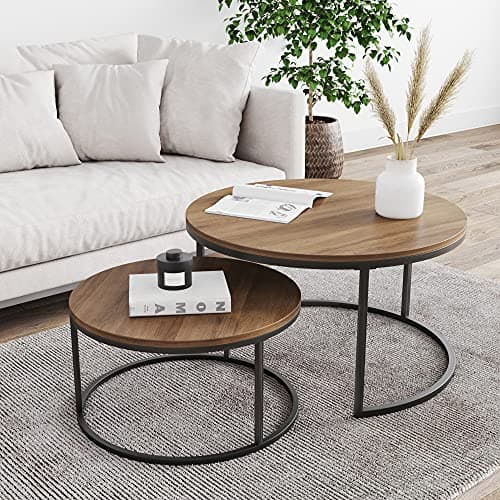
Nathan James
Telos Floating Desk
Fixed-mount wall shelf with 15.5-inch depth and minimal aesthetic, slightly more practical than 10-inch alternatives, reads as furniture rather than office equipment.
2. Compact Traditional Desks (Best Bang for Budget)
Simple rectangular writing surfaces in the 36–47-inch range are the workhorse of this category. No wall mounting, no assembly complications, no corner positioning required. You set them down, plug in, and get to work. For most people, this is the right starting point.
IKEA dominates this tier for good reason: the price-to-functionality ratio is hard to beat, and both the MICKE and ALEX are purpose-built for real home office use, not just decorative furniture masquerading as workstations.
IKEA MICKE Desk (~$100)
The MICKE measures 41.5 inches wide, just under the 48-inch threshold, with a built-in cable routing slot cut into the tabletop and a functional drawer. At under $100, it's the clearest value in narrow workstation territory. In practice, that cable slot proves more useful than it sounds: on a compact surface, loose cords eat usable area fast, and a built-in exit point prevents clutter from accumulating.
Pros
- Built-in cable management slot in the tabletop, genuinely useful on a small desk
- Includes a real drawer for storage without adding a separate unit
- Under $100 makes it accessible for first-time home office setups
Cons
- Particleboard construction, not solid wood, less durable under heavy loads
- 17.75-inch depth is on the shallow end for monitors larger than 24 inches
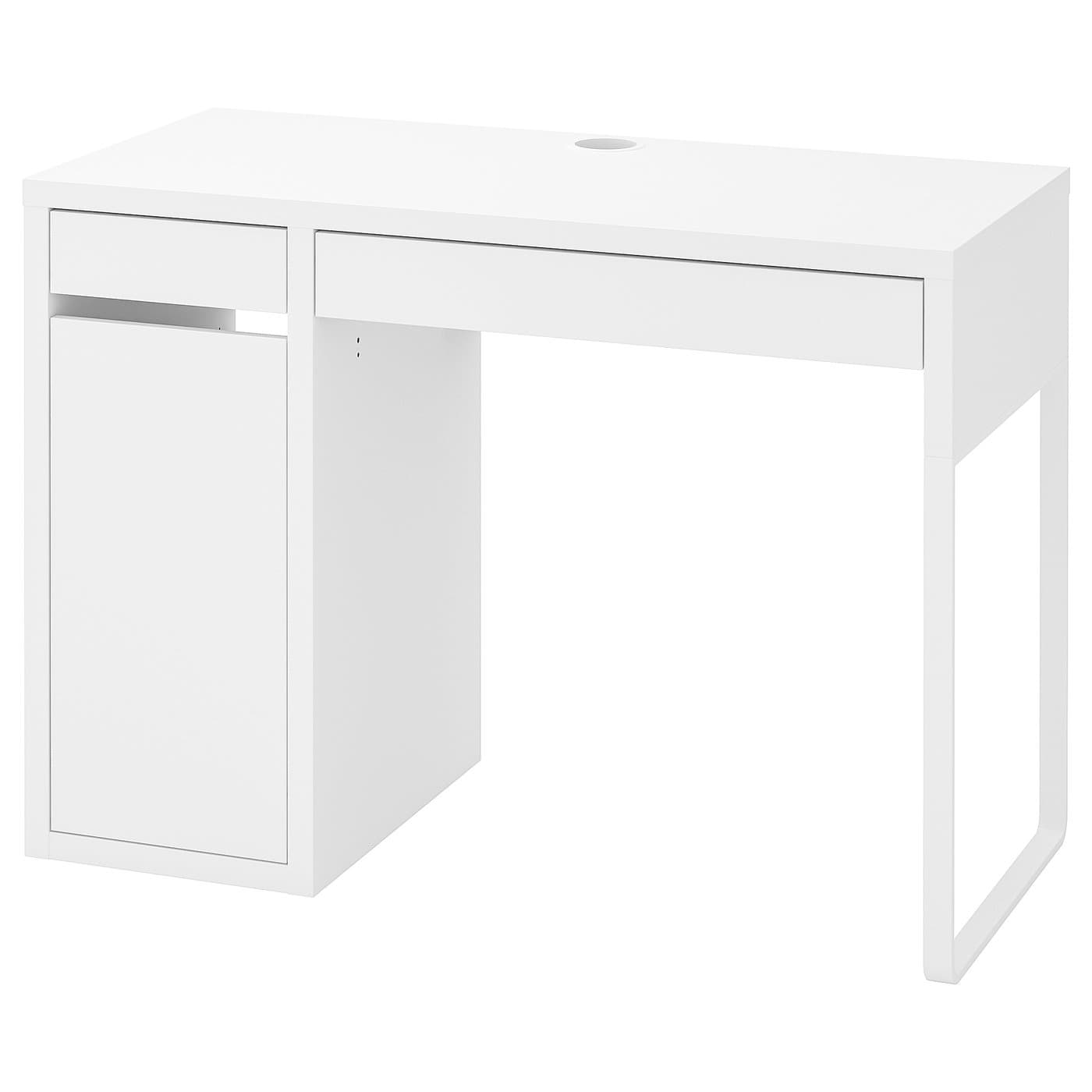
IKEA
MICKE Desk
41.5-inch width with built-in cable routing slot and a real storage drawer, best value compact desk for first-time home office setups under $100.
IKEA ALEX Desk (~$200)
The ALEX stretches to 47.25 inches, right at the upper boundary, with five drawers that eliminate what most people would otherwise spend on a separate filing cabinet. If storage is the binding constraint, this unit solves two problems simultaneously: a usable work surface and organized document storage in a single narrow footprint.
Pros
- Five drawers replace a filing cabinet, significant storage in one footprint
- 47.25 inches hits the upper end of compact without going over
- Durable laminate surface holds up to daily wear better than basic particleboard
Cons
- No built-in cable management, you'll need a cable tray or ties
- Pricier than the MICKE for a comparable surface area
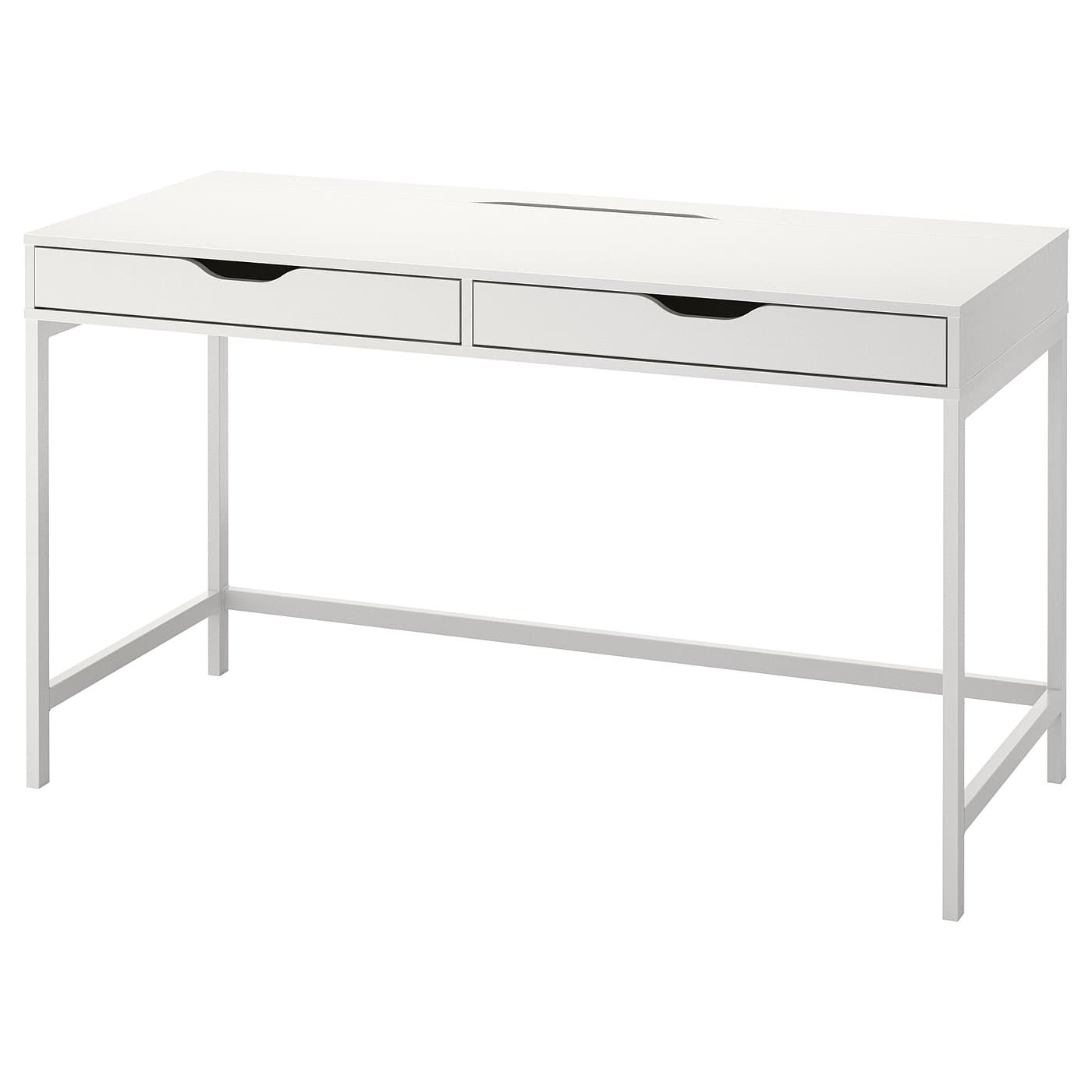
IKEA
ALEX Desk
47.25-inch surface at the compact upper boundary with five drawers, replaces both a desk and a filing cabinet in a single narrow footprint.
3. L-Shaped Corner Desks (The Underrated Space Doubler)
This is the counterintuitive pick. An L-shaped desk sounds bigger than a rectangular desk, and in total surface area, it is. But each arm can be under 48 inches, and the desk fits into a corner that most apartments waste entirely. You get double the surface area without doubling the wall space used.
The L-shape is particularly useful for two-monitor setups or laptop-plus-monitor combos. One arm holds your primary monitor; the other holds a secondary screen or serves as a dedicated writing or reference surface. If you've been wrestling two monitors onto a single rectangular desk, this configuration solves it cleanly. See our dual monitor setup guide for cable routing and monitor placement once you've chosen the desk.
Tribesigns L-Shaped Corner Desk (~$130)
Each arm of the Tribesigns L-shaped desk runs about 47 inches, and the carbon steel frame handles monitor weight without the wobble you get from cheaper particleboard-only construction. At $130, it undercuts most comparable L-shaped desks by a significant margin.
Pros
- Doubles usable surface area with less total wall space than a single wide rectangular desk
- Carbon steel frame provides real structural stability for monitor setups
- 47-inch arms stay within the compact footprint while maximizing corner space
Cons
- Corner positioning limits chair placement, you need a swivel chair and clear floor space on both sides
- Less practical for renters who can't freely position furniture in a corner configuration
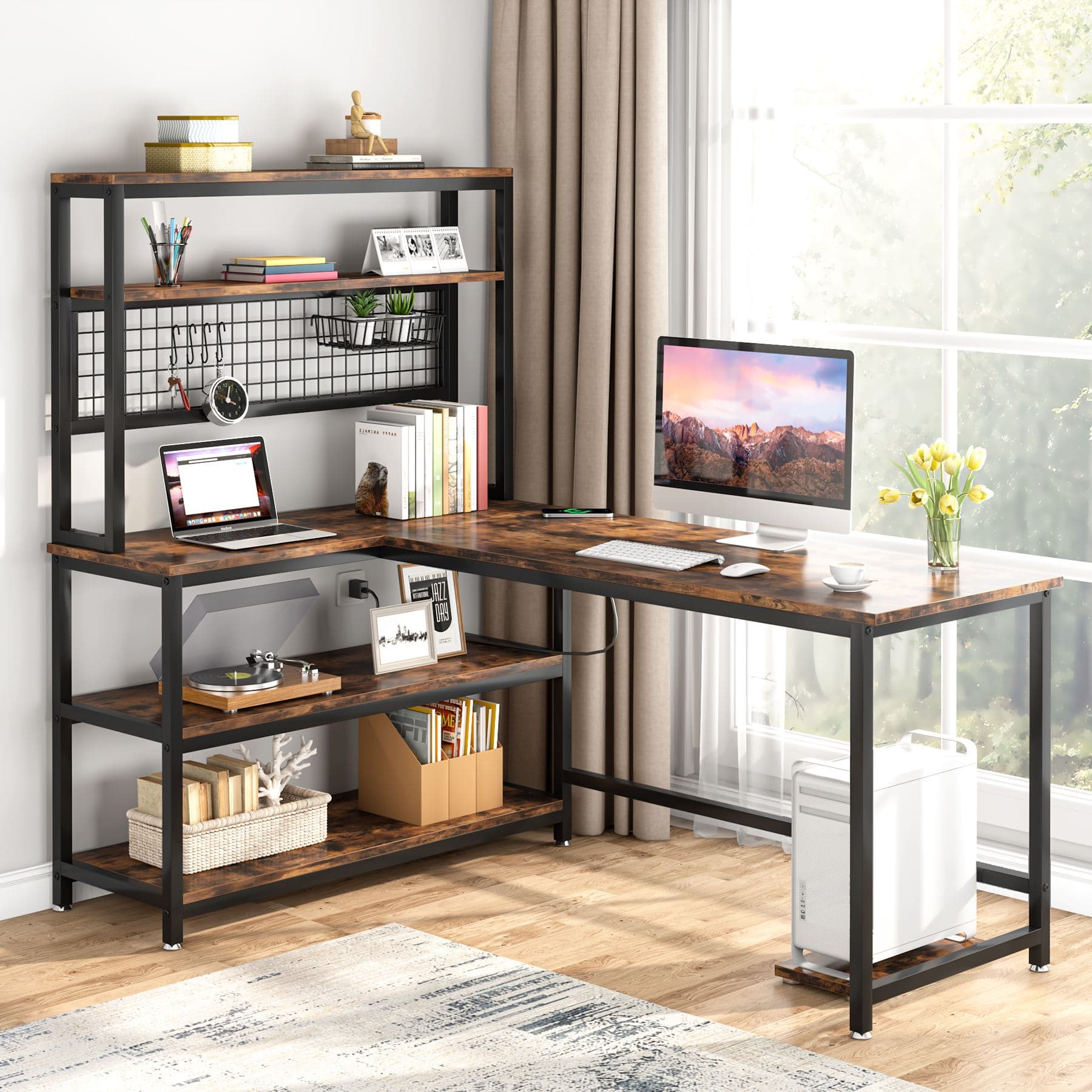
Tribesigns
L-Shaped Corner Desk
47-inch arms with carbon steel frame, doubles usable surface area using only corner space, significantly undercuts comparable L-shaped desks at this price.
Standing and Corner Desk Options for Small Spaces
The L-shaped corner configuration and the compact electric standing category solve two distinct problems: one maximizes surface area, the other adds height adjustment. Both are underrepresented in typical small desk guides, and both are worth knowing about before you default to a simple rectangular workstation.
4. Compact Electric Standing Desks (Best for Health-Conscious Remote Workers)
Standing desks come with a hidden size floor. Most electric standing desks start at 48 inches wide, the motor and frame mechanism requires minimum width for structural stability. Going below that is genuinely difficult to source, which is why the two picks here are among a short list of true compact motorized options.
Research confirms why this matters: a 2022 study of 40 office workers found that low back pain prevalence jumped from 15% to 40% after just 30 minutes of continuous standing on a hard floor (International Journal of Environmental Research and Public Health, 2022). Alternating sitting and standing addresses that, but only if you have a workstation that adjusts. Our roundup of the best budget standing desks under $400 includes both picks below in a broader comparison.
SHW Electric Standing Desk 40" (~$250)
The SHW 40-inch is one of the few genuinely compact electric standing desks available. Single motor, quiet operation, and a price point that's accessible for a first standing desk. In practice, the single motor means slower adjustment than a dual-motor setup, a few extra seconds per transition, which most people don't notice after the first week.
Pros
- True 40-inch width, one of the smallest motorized standing desks available
- Quiet single motor suitable for shared living spaces
- Budget-friendly entry point for electric height adjustment
Cons
- Single motor means slower height adjustment than dual-motor alternatives
- Lower weight capacity than dual-motor frames, check specs before adding heavy monitors
SHW
Electric Standing Desk 40-Inch
One of the few true 40-inch motorized standing desks, quiet single motor, budget-friendly entry point for compact sit-stand setups.
FEZIBO Electric Standing Desk 40" (~$280)
The FEZIBO 40-inch steps up with programmable height presets and a built-in cable management rack, two features that matter more than they sound on a compact desk where surface clutter is the constant enemy. The $30 premium over the SHW is worth it if you'll be adjusting height frequently throughout the day.
Pros
- Programmable height presets let you switch sitting and standing positions instantly
- Built-in cable management rack keeps cords from eating desk surface
- Slightly better build quality than the SHW at a comparable price tier
Cons
- Single motor, same adjustment speed caveat as the SHW
- $30 more than the SHW for incremental improvements, not a dramatic upgrade
FEZIBO
Electric Standing Desk 40-Inch
40-inch motorized desk with programmable height presets and built-in cable management rack, worth the $30 premium over the SHW if you'll adjust height frequently.
5. The Vertical Stack Strategy (Any Small Desk + the Right Accessories)
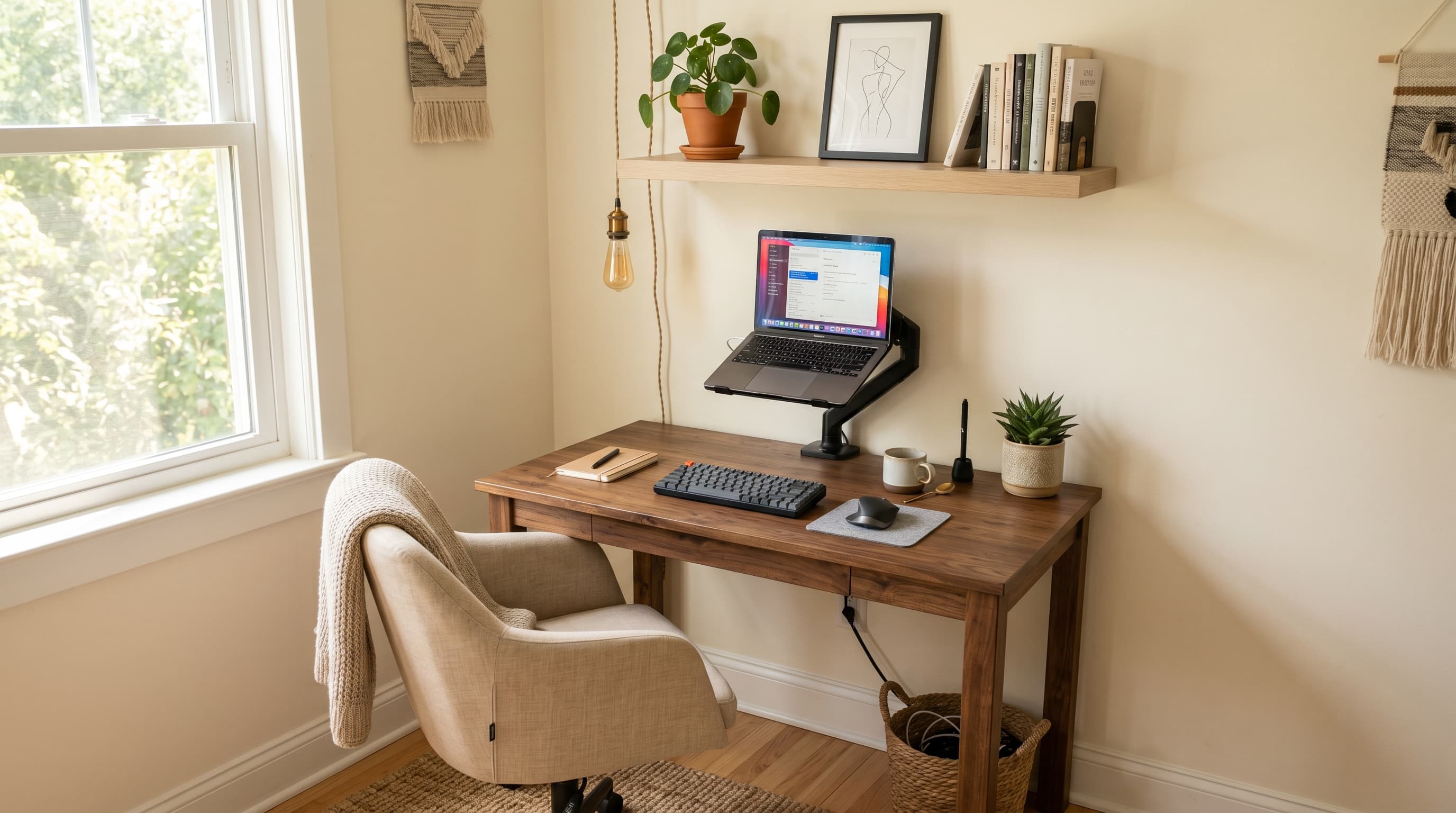
This isn't a desk type, it's a setup philosophy that works on any desk you already own. In testing compact desk setups, the single biggest surface reclaim comes not from buying a bigger desk but from removing the monitor stand. A monitor arm eliminates 6–10 inches of desk depth that a standard monitor stand occupies, effectively turning a 24-inch-deep desk into a 30-inch-deep one.
The three-layer system:
- Floating shelf above the workstation, handles books, speakers, plants, or anything that occupies desk space by habit but doesn't need to be within arm's reach during focused work
- Monitor arm, pushes the display off the surface and positions it at the correct viewing distance, forward and at eye level, reclaiming the footprint that a stand would occupy
- Under-desk cable tray, routes power strips and loose cables off the floor and out of sight, making the entire configuration look significantly cleaner without altering the workstation itself
The Ergotron LX Monitor Arm is the standard recommendation at this tier: adjustable, stable, and compatible with monitors up to 34 inches. For cable routing, the Under-Desk Cable Management Tray mounts beneath the desk surface and consolidates power strips and loose cables into one contained channel.
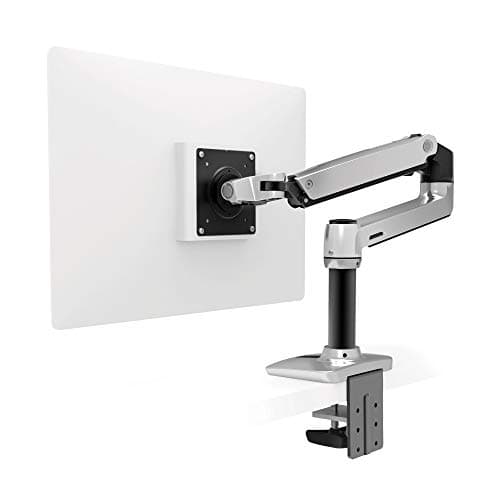
Ergotron
LX Monitor Arm
Gas-spring single arm, adjustable, stable, compatible with monitors up to 34 inches. Eliminates monitor stand footprint to maximize usable desk depth.
SimpleHouseware
Under-Desk Cable Management Tray
Mounts under the desk surface and consolidates power strips and loose cables into one contained channel.
See our best monitor arms roundup for vetted picks at every price, including budget alternatives to the Ergotron.
Small Desk Setup Tips That Actually Make a Difference
The biggest visual gains on a compact workstation come from vertical space, not additional surface area. A wall shelf mounted 12–18 inches above the tabletop removes four to six items without changing what you can reach while seated. That's not a storage tip; it's a workspace tip. Clear surface reads as usable area, and reclaiming it vertically costs far less than upgrading to a wider unit.
Beyond that, go wireless for peripherals wherever possible. A wireless keyboard and mouse eliminate two cables from the front zone, the area that matters most for active work. On a 40-inch workstation, two cords running forward from a wired setup reduce the functional surface more than their physical footprint suggests, because they create visual obstruction and restrict how you position your hands.
By the same logic, use the rule of thirds when arranging any compact surface. One-third for your screen zone, one-third for your active keyboard and mouse zone, one-third left deliberately clear. That empty section isn't wasted real estate, it's breathing room, and its absence is precisely what makes tight setups feel cramped rather than purposeful.
Cable management beneath the worktop matters too, even when you can't see it directly. Cords that pool on the floor create visual noise when you glance down and become tripping hazards when you shift your chair. Our cable management guide covers under-desk routing options designed specifically for compact configurations.
In my experience, the sequence matters more than any individual purchase: add a display arm before deciding to buy a larger workstation. Nine times out of ten, the arm resolves the space constraint on the existing surface, and the wider replacement never gets ordered.
Which Small Home Office Desk Should You Choose?
The right desk depends on your specific constraint, space, budget, or setup type. Here's the direct decision path.
If your budget is under $100 and you need at least one drawer, the IKEA MICKE is the answer. It has a built-in cable management slot, a real storage drawer, and it fits inside most bedroom-corner setups without taking over the room.
If you need more storage and can go up to $200, the IKEA ALEX replaces both a desk and a filing cabinet in one footprint. The five drawers make the premium worthwhile if you're dealing with physical documents or office supplies.
If you're in a small apartment and genuinely can't spare floor space, a floating desk is the right category. The Prepac Wall-Mounted Floating Desk is the budget entry, and the Nathan James Telos is worth the extra $10 if aesthetics matter for your space.
If you want to alternate sitting and standing but are limited to 40 inches of width, the SHW Electric Standing Desk is the starting point and the FEZIBO Electric Standing Desk is worth the upgrade if you'll use the height presets daily.
If you have a corner and want maximum usable surface without taking over an entire wall, the Tribesigns L-Shaped Corner Desk delivers more working area than any single rectangular desk at this price.
And if you already have a small home office desk that feels cramped, start with a display arm and cable tray before purchasing anything new. That pairing resolves the problem in most cases. For a complete workspace build from scratch, our complete home office setup under $500 prioritizes every component in the right order, starting with what delivers the highest return per dollar. Once the surface layout is settled, our best desk organizers guide covers the accessories that keep a compact desk clear and functional day to day. And if your desk sits in a studio or shared living space rather than a dedicated room, the small space home office guide addresses the layout and boundary challenges specific to that scenario.